Create article outlines from voice notes using AI
Based on Reflect Notes's video on YouTube. If you like this content, support the original creators by watching, liking and subscribing to their content.
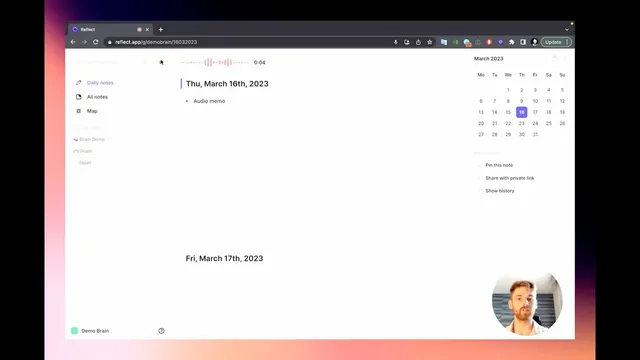
Record audio memos in Reflect Notes on browser, desktop, or mobile, then rely on Whisper to transcribe them automatically.
Briefing
A voice-note workflow can turn rough thoughts into a usable article outline in seconds—without handing over the actual writing. The core idea is to capture ideas as audio memos, let Whisper transcribe them automatically, then use an AI assistant to reorganize the transcript into a structured outline that the writer can revise and expand.
The process starts in Reflect Notes across browser, desktop, or mobile. Users record an audio memo using the record button (browser/desktop) or the plus sign with “transcribe audio” (mobile). Once the memo is recorded, Whisper transcribes the audio and appends the text to the user’s daily note. After transcription, the user highlights the resulting text and invokes the AI assistant—either by clicking the AI symbol or using Command J.
From there, the AI generates an “attempt” at an article outline. The writer can review it, decide whether it fits, and rerun the outline generation if the first version isn’t satisfactory. When the outline looks right, the user replaces the existing text with the structured outline, creating a clear starting point for drafting.
A key distinction is that the AI isn’t writing the article end-to-end. Instead, it organizes the writer’s own ideas into headings and structure, which reduces the friction of getting started. The creator describes this as especially helpful for writer’s block: even when the final draft doesn’t follow the outline exactly, the outline provides an immediate entry point.
The same mechanism can support other content formats. For example, a voice memo about a YouTube video can be converted into a video outline. If users want AI-generated copy, they can also select an AI editor and ask for derivative outputs—such as generating a set of tweets based on the outline—then copy those results into their workflow.
Overall, the workflow is positioned as a speed and motivation boost for writing: it helps capture more thoughts, turns them into structure quickly, and makes article creation feel easier. The practical payoff is a tighter loop from idea → transcript → outline → draft, with human control over the final wording and direction.
Cornell Notes
The workflow uses Reflect Notes to convert voice memos into structured article outlines. Whisper automatically transcribes recorded audio and appends the text to a daily note. After transcription, users highlight the text and use the AI assistant (or Command J) to generate an outline, which can be reviewed, regenerated, and then replaced. The AI focuses on organization rather than full article writing, helping writers overcome friction and writer’s block by providing an immediate starting structure. The same approach can also produce outlines for other formats like YouTube videos and can generate related content such as tweets when using the AI editor.
How does the workflow move from a voice memo to an article outline?
What makes this approach different from letting AI write the article directly?
Why is the outline generation described as helpful for writer’s block?
What other content formats can be created from voice notes using the same steps?
What user actions control quality after the AI produces an outline?
Review Questions
- What are the specific steps (including the role of Whisper and the AI assistant) required to turn a voice memo into an outline?
- How does the workflow maintain human control over writing while still reducing friction?
- Give two examples of different outputs the system can produce from voice notes and explain how they relate to the outline step.
Key Points
- 1
Record audio memos in Reflect Notes on browser, desktop, or mobile, then rely on Whisper to transcribe them automatically.
- 2
After transcription, highlight the text in the daily note to prepare it for AI-assisted restructuring.
- 3
Use the AI assistant (or Command J) to generate an article outline draft from the transcript.
- 4
Review and regenerate the outline until it matches the intended structure, then replace the text with the outline.
- 5
Treat the AI output as a writing scaffold: it organizes ideas without producing the full article draft.
- 6
Use the same workflow for other structured outputs like YouTube video outlines.
- 7
Optionally generate derivative content (such as tweets) from the outline using the AI editor.