Create Far Analogies with AI in Tana
Based on CortexFutura Tools's video on YouTube. If you like this content, support the original creators by watching, liking and subscribing to their content.
Far analogies preserve the underlying mechanism while switching domains, and that perspective shift can unlock solutions that near analogies miss.
Briefing
Far analogies—comparisons that keep the underlying “essence” while switching to a different domain—can unlock better problem solving, but humans are notoriously bad at generating them on demand. Research cited from Joel Chan’s lab at the University of Maryland suggests large language models can produce useful far analogies about 70% of the time when guided with the right prompt structure. That matters because the key leap in solving hard problems often isn’t more information; it’s finding a perspective shift that makes the solution pattern visible.
The workflow built around this idea starts in Tana, where a “Create Far Analogy” command turns any selected text into a set of cross-domain analogies. The command is configured with a carefully structured prompt: it assigns the AI a broad, “renaissance man” persona, defines what a far analogy is, supplies multiple worked examples (including an atom-to-solar-system analogy and a Dunker’s radiation problem reframed through a castle-conquest scenario), and then requests two far analogies that are “incredibly thoughtful.” The input text is injected into the prompt using quoted placeholders, and the output is written back into a dedicated “far analogies” field. A demonstration using a quote about early telegraphy (Siemens and the Crimean War context) yields analogies that map the same underlying dynamics—opposing sides using the same technology—onto unrelated settings like competing coffee shops using the same supplier.
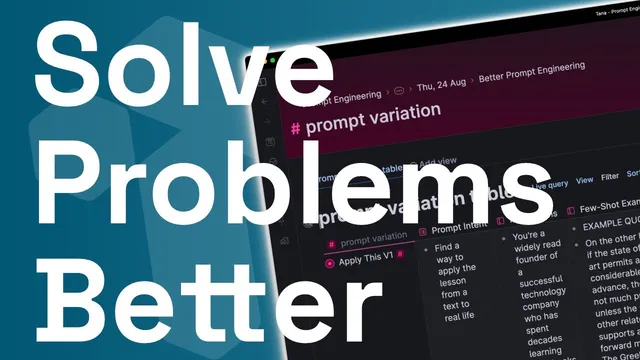
The system then moves from “one good prompt” to “prompt engineering you can test.” A Tana supertag called “Prompt Variation” parameterizes prompt design with fields for prompt intent, instructions, few-shot examples, desired output format, and final instructions. A “Prompt Test Result” field runs the assembled prompt against a test input, producing outputs that can be compared side-by-side across prompt versions. The transcript shows duplicating the setup into a V2 variant, changing the persona framing, and using a table view to compare how outputs shift when specific prompt components change.
Finally, the setup becomes iterative: a “Prompt Critique” field uses an AI-generated critique prompt (based on OpenAI prompt-engineering guidance) to evaluate an existing prompt’s specificity, example quality, and alignment with the prompt intent. The critique recommends concrete improvements—more descriptive instructions, clearer output formatting with examples, and less fluffy language—so the user can duplicate the node, apply the feedback, and re-test until the prompt reliably produces the desired structure and usefulness. The result is a reusable, experiment-friendly system for generating and tuning far-analogy prompts directly inside Tana.
Cornell Notes
Far analogies—same underlying “essence,” different domain—help people solve problems, but they’re hard to generate manually. Large language models can produce useful far analogies when guided with a structured prompt, and the transcript shows how to operationalize that inside Tana. A “Create Far Analogy” command injects selected text into a prompt that defines far analogies, provides examples (atom/solar system; Dunker’s radiation reframed via a castle-conquest strategy), and requests multiple thoughtful analogies. To improve prompts over time, a “Prompt Variation” supertag parameterizes prompt intent, instructions, few-shot examples, and output format, then runs test inputs to compare versions. A separate “Prompt Critique” AI field evaluates prompts and suggests concrete revisions, enabling rapid iteration and side-by-side comparison.
What makes a “far analogy” different from a “near analogy,” and why does that distinction matter for problem solving?
How is the “Create Far Analogy” command in Tana structured to reliably generate cross-domain comparisons?
Why does the transcript insist on few-shot examples and output formatting when building prompt templates?
How does the “Prompt Variation” system help compare prompt versions without losing track of what changed?
What role does the “Prompt Critique” field play in the iteration loop?
Review Questions
- When would a near analogy likely fail to produce useful insight, and how does the far-analogy approach address that failure mode?
- Which prompt components in the Tana setup are treated as variables in “Prompt Variation,” and how do they affect testable outcomes?
- How does the system ensure prompt improvements are concrete rather than subjective—what mechanism provides feedback and what does it recommend changing?
Key Points
- 1
Far analogies preserve the underlying mechanism while switching domains, and that perspective shift can unlock solutions that near analogies miss.
- 2
Large language models can generate useful far analogies when prompts define the concept and include worked examples with explanations.
- 3
Tana’s “Create Far Analogy” command turns selected text into analogy outputs by injecting the text into a structured prompt and writing results into a “far analogies” field.
- 4
A “Prompt Variation” supertag makes prompt engineering testable by parameterizing intent, instructions, few-shot examples, and output format.
- 5
Side-by-side comparison is enabled by running multiple prompt versions against the same test content and viewing results in a table.
- 6
A “Prompt Critique” step uses AI to evaluate prompt quality against prompt-engineering guidelines, then guides iterative revisions.
- 7
The overall workflow turns creativity into an experiment loop: generate → test → critique → revise → re-test.