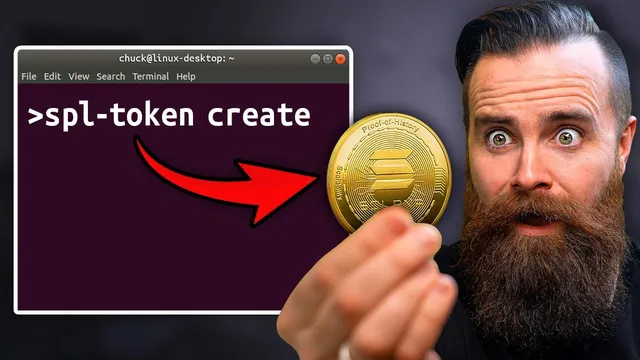
create your own Solana Token...in the terminal (2025 edition)
Based on NetworkChuck's video on YouTube. If you like this content, support the original creators by watching, liking and subscribing to their content.
Solana tokens are created with SPL Token commands, but real trading requires adding liquidity on an AMM like Radium.io.
Briefing
A command-line walkthrough shows how to create a Solana token end-to-end—first on Solana DevNet for free practice, then on mainnet for real—then optionally make it tradable via liquidity on Radium. The core takeaway is that “making your own cryptocurrency” on Solana isn’t a vague idea: it’s a concrete sequence of terminal commands that generate a mint, attach on-chain metadata, mint supply to a token account, and (if desired) set up a market with liquidity and irreversible safety switches.
The process starts by clarifying a common misconception: Bitcoin, Ethereum, and Solana are blockchain platforms, not the same thing as “cryptocurrency.” Each has a native token used for fees and network operations—Solana’s native token is SOL (referred to as “Soul” in the transcript). On Solana, users can create additional tokens that behave like currency. The tutorial’s first phase uses DevNet, Solana’s developer environment, so the creator can build and test without paying real money. The only meaningful difference later is that mainnet requires real SOL for fees, while DevNet can be funded through a faucet.
From there, the guide leans heavily on Docker to make the environment repeatable. After building a Solana-focused Docker image, it generates a keypair for the token authority (the “dad” account) and a separate mint account (the “factory”). It then configures the Solana CLI to point at DevNet, requests SOL from the DevNet faucet, and creates the token using SPL Token commands with metadata enabled. The token initially appears on the Solana Explorer with placeholder “unknown” branding, so the next step uploads a logo and a metadata JSON file.
Metadata is stored using decentralized storage via Pinata (IPFS). The workflow is: upload an image to Pinata, generate a metadata JSON (name, symbol, description, and the image URL), upload that JSON to Pinata, then write the metadata on-chain using an SPL Token metadata initialization command. After refreshing the explorer, the token shows its name and symbol.
Next comes supply: the token’s current supply is zero until minting occurs. The tutorial creates a token account for the owner wallet, then mints tokens “out of thin air” to that account. It demonstrates transfers to a new wallet address, noting that transfers cost SOL even on DevNet. It also shows how to receive tokens in Phantom, including switching Phantom between DevNet and Testnet modes.
To move to mainnet, the same mint address is reused, but the CLI is switched from DevNet to mainnet-beta. Real SOL is required; the transcript estimates creating the token on mainnet costs about 0.0025 SOL (roughly 59 cents). Metadata is then initialized again on mainnet using the same Pinata-hosted files.
If the goal is trading, the guide adds liquidity on Radium.io using a standard AMM pool pairing the new token with SOL. It emphasizes practical constraints: creating a new pool can require around 0.2 SOL total, and the pool is funded with a large portion of the token supply plus a smaller amount of SOL. After liquidity is live, the token becomes buyable via swaps. To reduce rug-pull risk, it disables future minting and disables freezing authority, and it burns liquidity pool tokens using a Solana-incinerator-style flow so liquidity can’t be withdrawn.
Finally, the tutorial connects token creation to automation: a Habita task-completion webhook triggers a Python service (run in Docker) that issues rewards by calling SPL token transfer to send “KES” to kids’ wallets and posts a Slack notification. The broader message is that Solana tokens can power real-world incentives and programmable rewards—not just experiments—while DevNet remains the safe sandbox for learning.
Cornell Notes
The walkthrough shows how to create a Solana token using terminal commands, starting on DevNet for free testing and then repeating the key steps on mainnet-beta with real SOL fees. It generates keypairs for the token authority and mint, creates the token with SPL Token (including metadata support), uploads a logo and metadata JSON to Pinata/IPFS, and initializes that metadata on-chain. After the token exists, it creates a token account and mints supply, then transfers tokens to other wallets to prove it works. To make the token tradable, it adds liquidity on Radium.io, disables minting and freezing authority, and burns liquidity pool tokens to lock liquidity. The result is a complete pipeline from “mint” to “market” to automated rewards.
Why does the tutorial insist on DevNet first, and what changes when switching to mainnet-beta?
What’s the difference between the “dad” account and the “mint” account in the SPL Token workflow?
How does the token get its logo, name, and description instead of showing up as “unknown”?
Why is minting necessary even after the token is created?
What steps make the token buyable by others, and what safety measures are added afterward?
How does the tutorial connect token rewards to real automation?
Review Questions
- What exact artifacts must be created before a Solana token can show a custom name and logo on Solana Explorer?
- In the tutorial’s flow, which commands correspond to (1) creating the mint, (2) creating a token account, and (3) minting supply—and why does each step matter?
- What combination of actions (liquidity pool setup, mint/freeze disabling, and liquidity-token burning) is used to reduce the risk of withdrawing liquidity or inflating supply after launch?
Key Points
- 1
Solana tokens are created with SPL Token commands, but real trading requires adding liquidity on an AMM like Radium.io.
- 2
DevNet is the safe sandbox: the workflow is similar to mainnet, but DevNet can be funded via a faucet while mainnet requires real SOL for fees.
- 3
Token identity comes from the mint address; token control comes from the authority keypair, and both are generated as separate keypairs.
- 4
On-chain metadata requires uploading a logo and metadata JSON to Pinata/IPFS, then initializing metadata on-chain so Solana Explorer shows branding.
- 5
A token’s supply starts at zero; creating the mint doesn’t mint balances—token accounts must be created and supply must be minted explicitly.
- 6
To make a token safer for holders, the tutorial disables future minting and disables freeze authority, then burns liquidity pool tokens to lock liquidity.
- 7
Token rewards can be automated by connecting task-completion webhooks (Habita) to a backend that runs SPL token transfer and sends notifications (Slack).