Creating links & backlinks
Based on Notion's video on YouTube. If you like this content, support the original creators by watching, liking and subscribing to their content.
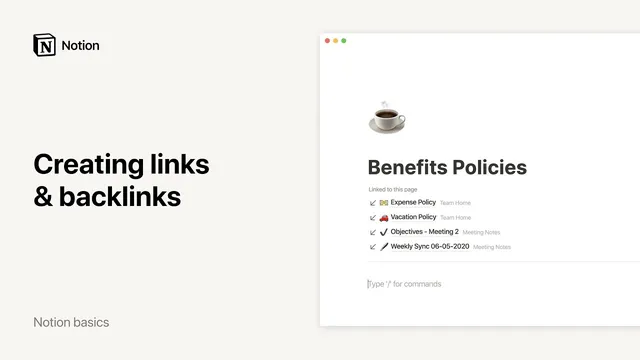
Linking to a page in Notion automatically generates backlinks on the target page.
Briefing
Notion’s link and backlink system turns a sprawling workspace into a connected knowledge graph: every time a page is linked, Notion automatically creates backlinks that point back to where that page is referenced. That matters because it lets people navigate context quickly—whether they’re managing projects, maintaining a company wiki, or organizing research notes—without manually tracking where information lives.
In a typical company setup, ongoing projects sit under a “Projects” page, with each project assigned its own dedicated page for assets, notes, documents, and videos. Those project pages often get referenced from elsewhere, such as a “Tasks” page. When someone writes a sentence and links to a specific project page (for example, linking to a “Help center revamp” project), Notion generates backlinks on the target page. By default, backlinks appear collapsed, showing a limited number (like five). Expanding them reveals all instances where the page is mentioned, and clicking any backlink jumps directly to the exact spot in the source page where the link appears.
Backlinks can also be controlled. A three-dot menu on the page allows users to hide backlinks, and Notion remembers that preference across the workspace—so the display stays consistent without repeated setup. Another practical detail: links in Notion are dynamic. If the linked page’s title or icon changes, every link pointing to that page updates automatically, preventing broken references and reducing maintenance.
Beyond project management, backlinks support wiki-style discovery. A team homepage with many subpages can include contextual links—for instance, adding a sentence on a “Vacation policy” page that links to a “Benefits policies” page. Readers then get an automatically maintained “related pages” trail, similar in spirit to a references section, but generated from actual page relationships.
For note-taking and research, backlinks become an aggregation tool. Instead of scattering mentions of a writer across multiple class notes, a user can link each mention to a dedicated author page. Clicking the author page then surfaces all notes that reference that writer, giving immediate access to related material across different courses. The result is a workflow where linking isn’t just navigation—it’s how Notion organizes and surfaces connections over time.
Cornell Notes
Notion links create automatic backlinks, so every referenced page gains a live list of where it’s mentioned across the workspace. Backlinks start collapsed and can be expanded to show all references, with a three-dot menu to hide them—while Notion remembers the preference across pages. Links are dynamic: changing a page’s title or icon updates every link pointing to it. This system supports project management (jumping from tasks to project pages), wiki navigation (discovering related policies), and research note aggregation (collecting all notes that mention a writer on a single author page).
How does Notion’s backlink feature help someone find context after linking to a project page?
What options exist for controlling backlink visibility, and how does Notion treat that preference?
Why are Notion links described as “dynamic,” and what practical maintenance problem does that solve?
How can backlinks improve navigation in a company wiki or policy library?
How can backlinks be used to aggregate research notes around a single topic or person?
Review Questions
- What sequence of actions creates a link in Notion, and what automatically appears on the linked page as a result?
- How do dynamic links in Notion behave when a page’s title or icon changes?
- Give one example of how backlinks can support project management, and one example of how they can support research note organization.
Key Points
- 1
Linking to a page in Notion automatically generates backlinks on the target page.
- 2
Backlinks typically appear collapsed at first and can be expanded to show all references.
- 3
Users can hide backlinks via a three-dot menu, and Notion remembers that preference across the workspace.
- 4
Notion links are dynamic—renaming a page or changing its icon updates all links to it automatically.
- 5
Backlinks support wiki-style discovery by surfacing where related pages are referenced.
- 6
Backlinks can aggregate notes by topic or person, turning scattered mentions into a single navigable collection.