Creating, Tracking, and Repurposing Content using Obsidian and LYT
Based on Linking Your Thinking with Nick Milo's video on YouTube. If you like this content, support the original creators by watching, liking and subscribing to their content.
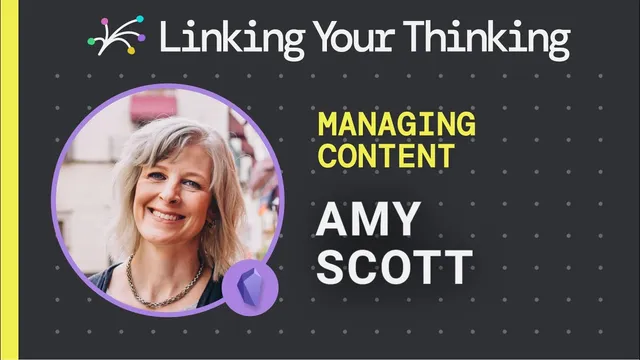
Amy Scott organizes Nomadtopia’s content using multiple Obsidian Maps of Content (MOCs) as category-specific dashboards.
Briefing
Amy Scott built an Obsidian-based system to organize a decade of content for Nomadtopia—then designed it so the same ideas can be tracked, reused, and repackaged across podcasts, courses, newsletters, and a community. The core move is treating Obsidian as a “content operating system”: multiple Maps of Content (MOCs) act as dashboards, while Dataview queries and tags pull related notes into the right workflow stages.
For marketing content, she created a marketing MOC that aggregates everything tagged with a specific “marketing idea.” Dataview surfaces those items in one place, and even long daily notes become searchable via hover/preview so she can quickly locate the relevant section inside a note. That matters because her prior approach—spreadsheets or separate tools—forced writing and tracking to live in different systems. Bringing both into Obsidian lets her “resource and pull from” older material while keeping new work organized.
She also reconsidered her earlier naming convention that put dates at the front of titles. The goal shifted from “see what’s published at a glance” to “find and reuse ideas efficiently,” especially as notes appear near each other in Obsidian’s interface. Alongside this, she experimented with workflow visualization using the Kanban plugin, inspired by how others use Kanbans to track where content sits in a production pipeline.
A standout repurposing experiment involves transclusions as a lightweight “content block library.” She referenced Air Story—an app that lets marketers drag and drop reusable content blocks—and tried to recreate that behavior inside Obsidian. By using transclusions (including notes like “Connection” and a quote she linked out to), she can insert previously written excerpts into new drafts, keeping source material connected rather than copied.
She then scaled the same pattern into separate MOCs for different business streams. A podcast MOC tracks podcast work with links to where assets live elsewhere, using transclusion to bring status and context into one view. For the Nomadtopia Collective community, she built a MOC for articles and timely sharing: notes are tagged for the collective and include creation dates so she can judge whether something is still relevant to post within a target window.
Monthly themes add another layer. She plans themes with a template note, then uses that structure to guide what gets shared during the month—and to potentially reuse or remix the theme later. Finally, she manages course repurposing by creating a note per course and a note per lesson, then transcluding lesson notes into the course hub. That structure mirrors how course platforms present content (one lesson at a time) while still letting her view the full course in one place. The result is a system designed for reuse: older courses become mini-courses, newsletter snippets connect back to source notes, and new drafts can be assembled from existing blocks without losing provenance.
Cornell Notes
Amy Scott uses Obsidian to manage Nomadtopia’s large, moving content ecosystem—podcasts, courses, marketing assets, and community posts. She organizes work through multiple Maps of Content (MOCs) that act like dashboards, then uses Dataview queries and tags to pull in the right notes (for example, all notes tagged with a “marketing idea”). To repurpose efficiently, she experiments with transclusions as reusable content blocks, inserting excerpts and linked quotes into new drafts rather than copying text. She extends the same approach to podcast tracking, community sharing (with dates to judge timeliness), monthly theme planning, and course production by creating a hub note per course and separate notes per lesson that get transcluded into the hub. This matters because it keeps tracking and writing in one system while preserving connections to original material.
How does Amy Scott make Obsidian useful for tracking content across many categories without duplicating work?
What role do tags and Dataview play in her system?
How does she approach repurposing content rather than starting from scratch?
Why does she track community posts with creation dates?
How does her course structure support both “overview” and “lesson-by-lesson” work?
What workflow tools does she experiment with beyond MOCs and transclusion?
Review Questions
- What specific Obsidian mechanisms (tags, Dataview, transclusions, MOCs) does Amy Scott use to connect tracking with writing and repurposing?
- How does adding creation dates to community-related notes change decision-making about what to share and when?
- Describe her course note architecture (course hub vs lesson notes). How does transclusion support both planning and publishing?
Key Points
- 1
Amy Scott organizes Nomadtopia’s content using multiple Obsidian Maps of Content (MOCs) as category-specific dashboards.
- 2
Dataview queries pull in notes based on tags, turning scattered ideas into a single, searchable “marketing idea” view.
- 3
Transclusions are used as reusable content blocks, letting new drafts pull in excerpts and linked quotes without copy-paste.
- 4
Podcast, community, and marketing workflows each get their own MOC so status and context stay in one place.
- 5
Community sharing is tracked with note creation dates to judge timeliness (e.g., whether to post within about a week).
- 6
Monthly themes are planned with template notes, with an eye toward reusing or remixing themes later.
- 7
Course repurposing is managed by creating a hub note per course and separate notes per lesson, then transcluding lessons into the hub for both overview and lesson-level navigation.