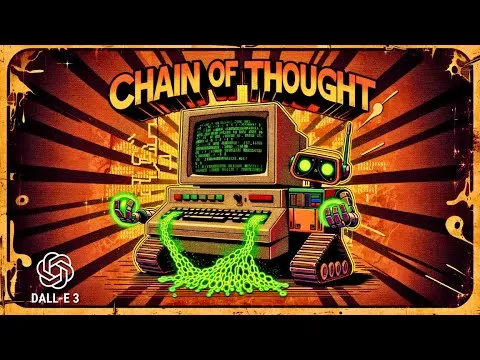
DALL-E 3 with Chain of Thought Prompting
Based on All About AI's video on YouTube. If you like this content, support the original creators by watching, liking and subscribing to their content.
Use a repeatable prompt structure: style first, then short bold text, then specific objects/elements.
Briefing
A structured “chain-of-thought” prompting workflow can reliably generate diverse, high-performing DALL·E 3 thumbnail and card concepts—especially when the prompt forces a clear order: style first, then short text, then concrete objects, plus a strict format constraint. The practical takeaway is that better image outputs come less from vague inspiration and more from a repeatable checklist that turns brainstorming into a sequence of specific inputs.
The workflow starts with custom instructions for ChatGPT, including an example prompt and a system prompt that assigns a role: a professional graphical YouTube thumbnail designer. The system prompt also lays out a step-by-step procedure. It requires generating a list of individual “IDs” (distinct creative ingredients) before writing final prompts, then assembling four detailed prompts for the most intriguing thumbnails. Each prompt must follow an explicit structure: pick a fitting style, choose elements/objects, include short text in a bold matching font (capped at four words), use popping colors, and target a 16:9 format for YouTube. The process also asks for an explanation tied to click-through rate (CTR), followed by a critical evaluation and targeted improvements—such as adjusting background darkness so neon text stands out, or adding subtle glitch effects to binary digits.
In action, the method produces multiple variations from the same core idea. For example, using a “90s retro hacker” concept with the text “You’ve been hacked” and a vintage computer running green code yields different moods and lighting—dark and gritty versus neon-lit arcade vibes—showing that the ingredient list approach helps generate styles that are hard to invent from scratch. The creator then iterates on weaknesses: one prompt gets improved by making the blue background darker for contrast, and another by introducing glitch effects. The results are presented as a set of final prompts that lead to distinct thumbnail outputs, not just minor stylistic tweaks.
The workflow also extends beyond thumbnails. When the system prompt is altered from “YouTube thumbnail designer” to “professional graphic designer,” the same style-text-object logic is used to generate personalized greeting cards. A “Happy Birthday Julie” card leans into a 90s yearbook trend with Polaroid-style elements, while a “Merry Christmas” card in a 90s retro hacker style incorporates arcade/Super Nintendo-like aesthetics and even readable variations such as “Merry Xmas.” Across these examples, the method’s strength is consistency: it keeps the creative brief tight enough for DALL·E 3 to follow, while still allowing enough randomness (style selection and object choice) to produce fresh concepts.
The overall message is pragmatic: use ChatGPT to generate structured creative ingredients, enforce a strict prompt order and format, then iterate on contrast, legibility, and visual “pop” until the outputs match the intended theme. The creator emphasizes that GPT-4’s ability to propose compelling “IDs” reduces the brainstorming burden and makes it easier to generate new personalized images on demand.
Cornell Notes
A repeatable prompting workflow helps generate better DALL·E 3 images by forcing a strict structure: style first, then short bold text, then specific objects/elements, all in a fixed aspect ratio (often 16:9). ChatGPT is configured with custom instructions and a system prompt that first produces a list of distinct creative ingredients (“IDs”) and only then assembles four detailed prompts. The process includes a CTR-oriented rationale and a critical pass to improve contrast and visual effects (for instance, darkening backgrounds so neon text stands out, or adding subtle glitch details). The same framework can be adapted from YouTube thumbnails to personalized greeting cards by swapping the designer role and theme while keeping the style-text-object order.
Why does the workflow insist on a specific prompt order (style → text → objects)?
How does the “IDs first” step improve output diversity?
What kinds of prompt improvements are used to increase visual impact and readability?
How is the method adapted from thumbnails to greeting cards?
What role does the 16:9 format constraint play?
Review Questions
- How would you rewrite a prompt using the style → text → objects order for a new theme (e.g., “Space Heist”)?
- What specific contrast or legibility checks would you run after generating several DALL·E 3 thumbnails?
- Why might limiting the text to four words improve thumbnail performance compared with longer captions?
Key Points
- 1
Use a repeatable prompt structure: style first, then short bold text, then specific objects/elements.
- 2
Generate a list of distinct creative ingredients (“IDs”) before writing final prompts to increase variety.
- 3
Constrain output format (commonly 16:9) so composition and text fit thumbnail viewing conditions.
- 4
Iterate with targeted improvements like contrast adjustments (darker backgrounds for neon text) and controlled effects (subtle glitch details).
- 5
Treat spelling and text legibility as quality gates; small errors can noticeably reduce effectiveness.
- 6
Adapt the same workflow from thumbnails to greeting cards by changing the designer role and theme while keeping the style-text-object order.
- 7
Use ChatGPT’s structured prompting to reduce brainstorming effort and produce more usable creative combinations for DALL·E 3.