Deconstructing Visual Ideas with Obsidian Excalidraw using Excalidraw Scripts
Based on Zsolt's Visual Personal Knowledge Management's video on YouTube. If you like this content, support the original creators by watching, liking and subscribing to their content.
Install the script via Excalidraw’s command palette using “install or update raw scripts.”
Briefing
A new Excalidraw script, “decompose selected elements into new drawing,” automates a core workflow in visual knowledge management: breaking a page built from drawings into reusable “units of idea,” then keeping those units linked so updates propagate upward. Instead of manually copying icons and text into separate note files—and then re-inserting them back into a larger page—the script turns selected elements into a new embedded Excalidraw drawing in one step, preserving the relationship between the atomic idea and the document that uses it.
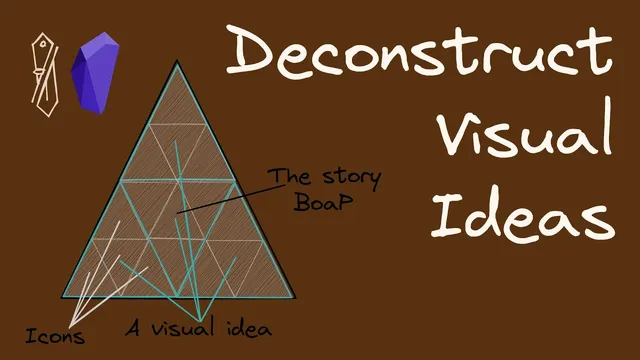
The script is demonstrated through the idea-decomposition model used in a “book on a page” style layout. A single page functions as a container made of multiple idea units. Each unit can be an embedded Excalidraw drawing with its own internal components (icons, labels, and structure). Those embedded drawings can be reused across different places on the page, and backlinks make navigation practical: clicking an icon inside one embedded drawing can jump to other documents where the same idea appears. The result is a network of connected notes, where the same visual concept—like an icon representing “communication alignment networking collaboration”—serves as a shared building block across multiple higher-level pages.
To make the workflow concrete, the demonstration starts with a simple drawing containing icons such as a light bulb and a hand-washing symbol, representing the idea “hand washing helps stay healthy.” The key problem is reuse: if that thought is useful elsewhere, copying and pasting the elements into a new note file is possible but click-heavy and error-prone. The script replaces that manual process. After installing it via Excalidraw’s “install or update raw scripts” command palette, the user selects the elements and runs the “decompose selected elements into new drawing” action. Excalidraw prompts for a filename, creates a new drawing in the same folder, and embeds it back into the original canvas.
The practical payoff appears when the atomic idea changes. Editing the newly created embedded drawing—such as reshuffling the light bulb and hand icons—automatically updates the parent drawing after a brief moment. That means the “big document” stays consistent with its component ideas, even as those components evolve.
The demonstration also shows multi-level decomposition. A portion of an embedded drawing can be decomposed again into smaller ideas, and backlinks reflect the hierarchy: atomic elements belong to an idea drawing, which belongs to a larger page drawing. As a result, annotations or shapes drawn around a component can appear at the atomic level and then remain visible when returning to the higher-level document. The overall message is that decomposition plus embedding turns visual diagrams into a maintainable, reusable system—like Lego blocks for ideas—while preserving navigability through backlinks and automatic propagation of edits.
Cornell Notes
The workflow centers on decomposing a visual page into reusable “units of idea” using an Excalidraw script called “decompose selected elements into new drawing.” Instead of copying elements into separate notes and re-inserting them manually, the script creates a new embedded Excalidraw drawing from selected elements and links it back into the parent canvas. Updates to the atomic idea propagate upward, so a change in the smaller drawing automatically refreshes the larger “book on a page” layout. The approach supports deep decomposition: atomic ideas can be broken down further, with backlinks helping navigate the hierarchy of related visual notes.
How does idea decomposition work in a “book on a page” layout?
Why is manual copy/paste reuse a problem, and what does the script change?
What exactly happens when the script runs on selected elements?
How does the system handle edits after decomposition?
How can decomposition go beyond one level, and how is it tracked?
Review Questions
- What steps does the script automate compared with a manual copy/paste workflow for reusing a visual idea?
- How does the parent drawing stay consistent when an embedded atomic idea is edited?
- What role do backlinks play in navigating between atomic ideas and higher-level “book on a page” documents?
Key Points
- 1
Install the script via Excalidraw’s command palette using “install or update raw scripts.”
- 2
Use “decompose selected elements into new drawing” to convert selected icons/text into a new embedded Excalidraw drawing with a chosen filename.
- 3
Treat a page as a hierarchy: big documents contain visual idea units, which can contain even smaller atomic ideas.
- 4
Reused visual concepts become navigable through backlinks, enabling quick jumps between related embedded drawings.
- 5
Edits to an atomic embedded drawing propagate upward to update the parent canvas automatically.
- 6
Decomposition can be repeated to multiple depths, supporting scalable visual knowledge structures.