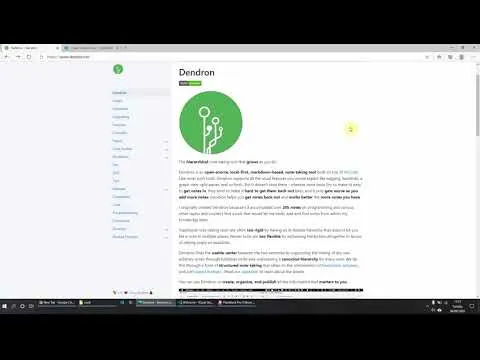
Dendron Notes - An alternative note taking app for PKM / To Do / Journal
Based on Ed Nico's video on YouTube. If you like this content, support the original creators by watching, liking and subscribing to their content.
Dendron is a free, open-source note-taking system built on top of Microsoft VS Code, not a standalone app.
Briefing
Dendron is a free, open-source note-taking system built on top of Microsoft VS Code that keeps everything as local Markdown files—so notes live on the user’s machine, can be backed up anywhere, and remain readable outside the app. It also brings the familiar PKM toolkit: backlinks between notes, a graph view for navigation, and structured views that help users move beyond either rigid folders or purely link-driven browsing.
Installation starts with getting VS Code installed, then adding the Dendron extension. From there, users initialize a “workspace” (either an empty repository or a starter set with tutorial notes). The setup process can prompt recommended companion extensions—such as Markdown shortcuts, paste image support, Markdown links, and Markdown notes—while allowing users to disable optional themes. Once initialized, the workspace appears inside VS Code with a set of Markdown files organized into a vault.
The core workflow hinges on local-first storage. Notes are saved as plain Markdown in the chosen workspace directory, meaning they can be opened with standard tools like Notepad or edited in any Markdown-capable editor. A Markdown preview pane renders the same content as an HTML-like view, making it easier to read without changing the underlying file format. Because the data is not proprietary or locked to a single platform, users can copy and paste notes into services like Google Drive, OneDrive, or Dropbox for additional backup.
Where Dendron tries to differentiate itself is in balancing structure and flexibility. Many note systems either enforce strict hierarchies (which can create silos) or rely heavily on backlinks (which can feel too open-ended). Dendron’s approach uses a topic-based structure—surfaced through dedicated views like Journal and Dendron sections—while still maintaining backlinks and graph navigation. Instead of scattering content into separate folders such as “Dendron” and “Topics” and then losing it later, Dendron keeps related notes discoverable through its built-in navigation.
The interface also supports multiple ways to understand a note’s context. An outline/tree view shows the hierarchical organization of a note (similar to chapters and paragraphs), while the graph view visualizes relationships. Backlinks appear as the connective tissue: when a note links to others, those references show up so users can “explore the graph” in both directions. The transcript demonstrates this by deleting and adding notes within the workspace and observing that changes persist in the vault, reinforcing the local control model.
Overall, Dendron positions itself as a structured-but-not-siloed PKM system: local-first Markdown ownership, plus backlinks and graph-based discovery, with an emphasis on finding a middle ground between hierarchy and link-only navigation. Future coverage is promised on deeper features and how it stacks up against other note-taking apps.
Cornell Notes
Dendron is a free, open-source note-taking tool that runs inside Microsoft VS Code and stores notes as local Markdown files. After installing the Dendron extension and initializing a workspace, users can choose a starter set of tutorial notes or start from an empty repository. The system supports Markdown preview, backlinks, and graph view, letting users navigate notes through both structure and relationships. Dendron’s key differentiator is aiming for a middle ground between strict hierarchies and relying only on backlinks. Because notes are plain Markdown saved in a vault directory, users retain full control and can back up or edit files outside the app.
What makes Dendron “local-first,” and why does that matter for note ownership?
How does Dendron combine structure with discovery instead of forcing one navigation style?
What does the setup process look like inside VS Code?
How do backlinks and graph view change how users find related notes?
What evidence in the workflow shows that edits persist and remain under user control?
Review Questions
- How does Dendron’s local Markdown storage affect backup options and long-term accessibility compared with app-locked note formats?
- Describe the “middle ground” Dendron aims for between hierarchy and backlinks. What UI elements support that balance?
- After initializing a Dendron workspace, what views and features help you navigate notes (e.g., outline/tree, backlinks, graph view, Markdown preview)?
Key Points
- 1
Dendron is a free, open-source note-taking system built on top of Microsoft VS Code, not a standalone app.
- 2
Notes are stored as local Markdown files in a user-selected workspace (“vault”), enabling direct access and backups via common cloud drives.
- 3
Dendron supports Markdown preview so the same content can be read in rendered form without changing the underlying files.
- 4
Backlinks and graph view provide relationship-based navigation, while outline/tree and topic organization provide structure-based navigation.
- 5
Dendron aims to balance rigid hierarchy and backlink-only browsing to reduce the “siloed notes” problem.
- 6
Initialization can start from tutorial notes or an empty repository, and recommended companion extensions can be installed during setup.