Did You Miss These 3 Major Notion Calendar Updates? (June 2025)
Based on The Organized Notebook's video on YouTube. If you like this content, support the original creators by watching, liking and subscribing to their content.
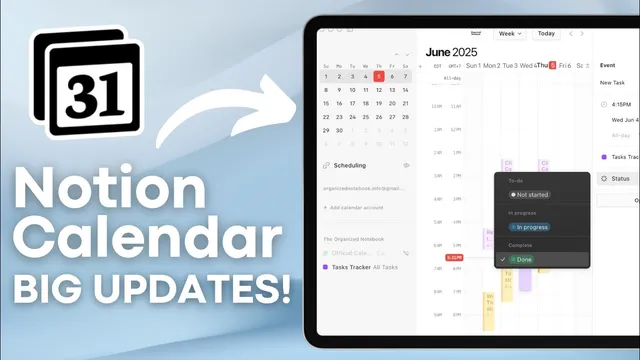
Notion Calendar can now read and write task Status values directly to a connected Notion database when the database includes a Status property and a Due date.
Briefing
Notion Calendar has added three practical upgrades that tighten the loop between scheduling, task management, and meeting documentation—potentially reducing reliance on separate third-party tools. The biggest shift lets users update a Notion database’s task statuses directly from inside Notion Calendar. With a connected Notion Calendar account and a database that includes at least a Status property and a Due date, tasks can appear in a calendar view. From there, opening a task in Notion Calendar shows the current status, and marking it “done” updates the underlying database. The workflow goes both ways: creating tasks from Notion Calendar automatically writes them into the Notion database with the selected due time, and the database reflects status changes made in the calendar.
That bidirectional sync also enables a more structured time-blocking approach. Users can schedule large blocks on Google Calendar (for example, “work time”) and then place Notion database tasks inside those blocks, using Notion Calendar as the execution layer for what’s planned during each window. The update is positioned as a foundation for even broader editing later—status changes are available now, with the expectation that other properties may become editable from the calendar interface.
The second major update introduces scheduling links that resemble Calendly-style booking. Notion Calendar can generate recurring booking links that stay the same over time, so people can book available slots without needing a new link each week. These links can include details such as the conferencing or location type (e.g., phone call), and the booking window (such as recurring availability from 9 to 5). It also supports one-off links for single meetings at specific times. The recurring link is framed as a potential cost-saving alternative to paid scheduling tools, though the current functionality is described as basic: it supports text plus name and email collection, but lacks questionnaire-style intake.
The third update pushes deeper into meeting workflow automation with AI meeting notes. After enabling the feature in settings, users can choose where meeting notes should be stored, whether AI notes should be auto-added to every new event, and whether they should be auto-shared with participants internally—useful for teams where everyone joining the call receives the notes. To activate this, users need a meeting database (either a dedicated meetings database or a newly created one) with Notion Calendar writing events into it automatically. When a new meeting is created from Notion Calendar, an AI meeting note page can be generated and added to the meeting database with the meeting date.
Access requires an upgrade: AI meeting notes are available only on the Notion Business plan. Once enabled, users can start recording during a meeting and rely on Notion Calendar to create and populate the meeting pages automatically, removing the need to manually create documentation for each call. Taken together, these updates aim to make Notion Calendar a more complete hub for tasks, booking, and meeting capture—without stitching together multiple external services.
Cornell Notes
Notion Calendar now connects more tightly to Notion databases and meeting workflows. Users can update a task database’s Status directly from Notion Calendar (and create tasks there too), enabling a smoother time-blocking process alongside Google Calendar. It also adds Calendly-like scheduling links, including recurring links that keep the same URL for ongoing availability, plus one-off links for single meetings. Finally, AI meeting notes can automatically generate a new notes page for each meeting and store it in a chosen meeting database, with optional internal sharing—though it requires the Notion Business plan. These changes matter because they reduce manual steps and may replace paid third-party tools for booking and meeting documentation.
How does the new “status editing” work between Notion Calendar and a Notion task database?
What’s a concrete time-blocking workflow enabled by this update?
What scheduling-link features does Notion Calendar add, and how do they compare to Calendly?
How do AI meeting notes automate meeting documentation?
What requirement limits access to AI meeting notes?
Review Questions
- What properties must a Notion database include for tasks to appear in Notion Calendar, and how is the Status updated from the calendar view?
- How do recurring scheduling links in Notion Calendar reduce the need to create new booking links, and what intake limitations are currently mentioned?
- What steps are required to set up AI meeting notes, and why does the Notion Business plan matter?
Key Points
- 1
Notion Calendar can now read and write task Status values directly to a connected Notion database when the database includes a Status property and a Due date.
- 2
Tasks created from Notion Calendar automatically appear in the Notion task database, and status changes made in the calendar reflect back in the database.
- 3
The status-editing workflow supports time-blocking by pairing Google Calendar time blocks with Notion database tasks scheduled for those windows.
- 4
Notion Calendar adds Calendly-like scheduling links, including recurring links that stay the same URL for ongoing availability.
- 5
Recurring booking links currently collect only name and email and do not support questionnaire-style intake.
- 6
AI meeting notes can auto-create a new notes page for each meeting and store it in a selected meeting database, with optional internal sharing.
- 7
AI meeting notes require the Notion Business plan to access and use the feature.