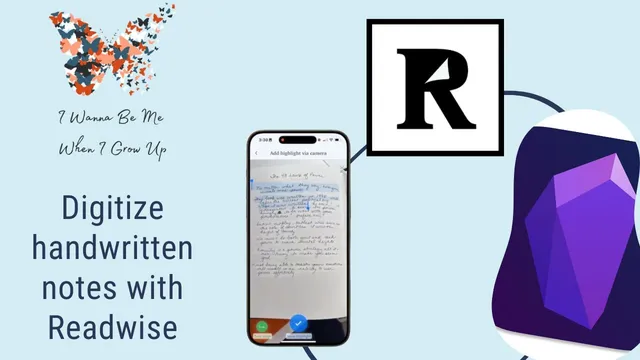
Digitize Your Handwritten Notes with Readwise
Based on Knowledge Work Nexus's video on YouTube. If you like this content, support the original creators by watching, liking and subscribing to their content.
Readwise can scan a photo of handwritten notes, extract selected text, and save it as a highlight tied to a specific page number.
Briefing
A practical workflow for turning handwritten notes into searchable, page-indexed digital knowledge is emerging through Readwise—especially for people who want their paper notes to live alongside their reading highlights. The core idea is that Readwise can scan a photo of a page, let users select the relevant text, and then attach that extracted passage to a specific page number inside a “book” in Readwise. That page-level indexing matters because it makes later retrieval far faster than searching for a vague transcription or a generic OCR dump.
The transcript walks through the process using the Readwise mobile app. Users open the white Readwise app (distinct from the black Reader app), tap “add highlights,” and choose “via photo.” After taking a picture of a page, they use on-screen blue bars to select the text they want saved, then confirm and review the scan. Readwise supports lightweight markup during review—italics, bold, and highlighting—so the extracted notes can retain some structure. The next step assigns metadata: a page number, the target “book,” and optional notes. If the book doesn’t exist yet, users can create a custom one (for example, a “bullet journal”), optionally adding an author field as an extra search term. Once saved, the selected passage appears as a highlight tied to that page number.
From there, Readwise becomes a bridge to a knowledge base in Obsidian. The transcript emphasizes a key limitation that shaped a client’s decision: scanning and highlighting must be done from the Readwise mobile app. For a large batch—around 2,000 index cards—that phone-based workflow was a dealbreaker for that particular person, even though the indexing concept was compelling.
Still, the workflow is shown as usable in smaller batches. Readwise stores the highlights so they can be viewed on mobile and desktop, and it can generate shareable quote images for social media. On the Obsidian side, the Readwise community plugin is the mechanism that syncs highlights into a vault. After installing the plugin and configuring Readwise sync settings (left largely at defaults), users can choose to import all book highlights or only a specific custom book. If notes don’t appear, a manual re-sync can be triggered from the plugin settings.
Once inside Obsidian, the highlights can be linked and transcluded into daily notes and other documents, turning scanned handwritten artifacts into reusable building blocks.
The transcript also compares alternatives considered for the index-card project: Apple Photos OCR for text search, Apple Shortcuts to extract text from photos and paste into Obsidian, and “Actions for Obsidian” (by Carlos Sottman) to send extracted text directly into Obsidian notes. Those options were weighed against the client’s requirements—batching related cards, avoiding manual text selection, and preserving photos as artifacts. Ultimately, Readwise was treated as an interesting indexing solution rather than the final choice for the full 2,000-card conversion, but it remains a strong fit for anyone who wants paper notes to become page-indexed, searchable knowledge alongside reading highlights.
Cornell Notes
Readwise can digitize handwritten pages by scanning a photo, letting users select the text, and saving it as a highlight tied to a specific page number inside a custom “book.” That page-level indexing makes later retrieval in a knowledge system much more reliable than searching raw OCR. The transcript then connects Readwise to Obsidian using the Readwise community plugin, which syncs highlights into an Obsidian vault so they can be linked and transcluded into other notes. A major constraint is that scanning/highlighting must happen in the Readwise mobile app, which made a large 2,000-card batch impractical for one client. For smaller workflows, the combination of Readwise indexing and Obsidian integration offers a workable path from paper artifacts to reusable digital notes.
How does Readwise turn a photo of handwritten notes into something searchable and structured?
Why does page-number indexing matter for handwritten notes in a knowledge system?
What limitation can make Readwise a poor fit for very large handwritten collections?
How do Readwise highlights get into Obsidian?
What alternative workflows were considered for digitizing index cards into Obsidian?
Review Questions
- What steps in the Readwise mobile app are required to save a handwritten page as an indexed highlight (including page number and book assignment)?
- How does the Readwise community plugin change what’s possible once highlights are in an Obsidian vault?
- Why might a workflow that relies on mobile scanning and text selection become impractical for thousands of index cards?
Key Points
- 1
Readwise can scan a photo of handwritten notes, extract selected text, and save it as a highlight tied to a specific page number.
- 2
Users can create custom “books” inside Readwise (e.g., a bullet journal) so handwritten notes are organized like reading highlights.
- 3
Readwise supports lightweight formatting during review (italics, bold, and highlights) to preserve some structure in the extracted text.
- 4
Obsidian integration depends on the Readwise community plugin and Readwise sync settings, with an option for manual re-sync if notes don’t appear.
- 5
Readwise scanning/highlighting must be done from the Readwise mobile app, which can limit scalability for very large batches.
- 6
Apple Photos OCR and Apple Shortcuts offer alternative paths to extract text from photos and paste into Obsidian, while Actions for Obsidian can automate sending text directly into notes.