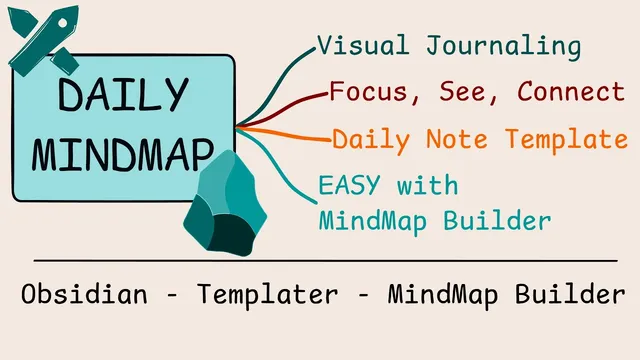
Ditch Bullet Points: Build a Daily Visual Mind Map in Obsidian
Based on Zsolt's Visual Personal Knowledge Management's video on YouTube. If you like this content, support the original creators by watching, liking and subscribing to their content.
A Templator-generated daily notes template embeds an Excalidraw mind map configured as a centered “refocus” canvas.
Briefing
A daily “refocus” mind map in Obsidian replaces stacked bullet points with a clickable, task-aware visual canvas—auto-centered every time the daily note opens. The core idea is simple: when a new daily note loads, Excalidraw’s mind map view automatically focuses on the center node, so planning, execution, and quick linking happen immediately while the day is fresh.
The workflow starts with a daily notes template built using Templator. That template generates a daily note page that includes an embedded Excalidraw mind map configured as the “refocus” map. As soon as the note is opened, an Excalidraw onload script runs: it checks whether the Mindmap Builder API is available, starts Mindmap Builder if needed, then performs two key actions—undocking the mind map input field into a floating editor and focusing the mind map on the canvas. The result is a low-friction “hotkey to zone” setup: press the daily-notes hotkey (Alt D), begin typing, and the mind map is ready for immediate edits.
Inside the mind map, items can be turned into tasks. The transcript demonstrates creating an Obsidian task node (using bracket syntax) and then adding subtasks. Those tasks aren’t trapped inside the drawing: completing a task in a separate markdown view causes it to disappear from the mind map as well. That synchronization works through Mindmap Builder’s integration with Obsidian—update a task anywhere in Obsidian and Excalidraw reflects the change.
The mind map also supports richer organization. Users can add emojis to highlight ideas and add tags to nodes. A notable update mentioned for Excalidraw 2.20.6 is tag search across elements, not just links—so chores or commitments can be searchable via DataView (for example, tagging an item as “promised to”). The template further includes “back of card” notes: text written on the card’s back is stored in markdown and updates when flipped back to the Excalidraw view.
Beyond daily planning, the system links visual thinking to ongoing knowledge work. Each day can include a new “mental model” illustration card; the example switches to a “velocity” mental model file, copies it, and links it into the mind map so updates propagate across the system. The transcript also frames the daily map as an action list—releasing Excalidraw 2.20.6, updating Mindmap Builder, publishing a walkthrough course, and scheduling an open-hour Zoom call—while still leaving room for narrative notes and chores.
Under the hood, the template uses Obsidian metadata caching and YAML/front-matter processing to trigger the Excalidraw view toggle once the file is registered. Layout is configurable (root node in the center, radius, multicolor vs monochrome), and navigation links (yesterday/tomorrow and week links) are generated via Templator scripting using Obsidian’s built-in date formatting (Moment).
In short: the refocus mind map turns daily review into a visual, keyboard-friendly, task-synchronized workflow—built from Obsidian templates, Excalidraw card backs, and Mindmap Builder’s API and updates (including vertical mind maps, sub mind maps, and the Mindmap Builder API). It matters because it reduces the gap between “planning” and “doing” while keeping everything searchable and maintainable in markdown.
Cornell Notes
The “refocus” daily mind map replaces bullet-point daily notes with an Excalidraw canvas that automatically centers itself when the daily note opens. A Templator-built daily note template embeds the mind map and uses an Excalidraw onload script to start Mindmap Builder (if needed), undock the input field, and focus the mind map so typing can begin immediately. Nodes can include Obsidian tasks, and task completion stays synchronized between markdown views and the mind map. The system also supports card-back markdown notes, tags (with tag search in Excalidraw 2.20.6), and linking to daily knowledge artifacts like mental model illustrations. The payoff is a fast, visual daily workflow that remains searchable and editable like normal Obsidian content.
How does the daily note get the mind map into “ready-to-type” mode automatically?
What makes mind map items behave like real tasks in Obsidian?
How do tags and search fit into the mind map workflow?
What is the purpose of “back of the card” notes in this setup?
How does the system connect daily planning to ongoing knowledge work like mental models?
What configuration choices affect the mind map’s layout and usability?
Review Questions
- What sequence of actions does the Excalidraw onload script perform to make the mind map immediately usable when a daily note opens?
- How does task completion propagate between a markdown task list (via DataView) and the mind map nodes?
- Which features mentioned for Excalidraw 2.20.6 and Mindmap Builder help keep the system searchable and extensible over time?
Key Points
- 1
A Templator-generated daily notes template embeds an Excalidraw mind map configured as a centered “refocus” canvas.
- 2
An Excalidraw onload script starts Mindmap Builder if needed, undocks the input field, and focuses the mind map on open.
- 3
Mind map nodes can include Obsidian tasks, and completing tasks in markdown updates the mind map automatically.
- 4
Tags can be added to mind map nodes, and Excalidraw 2.20.6 enables tag search across elements, supporting DataView queries.
- 5
Card backs store markdown notes, letting each visual node carry structured text that stays editable.
- 6
The template uses Obsidian metadata caching and Moment-based date formatting to generate navigation links (yesterday/tomorrow/week) and trigger view toggles.
- 7
Mental model illustrations can be linked into the daily mind map so daily planning stays connected to evolving knowledge artifacts.