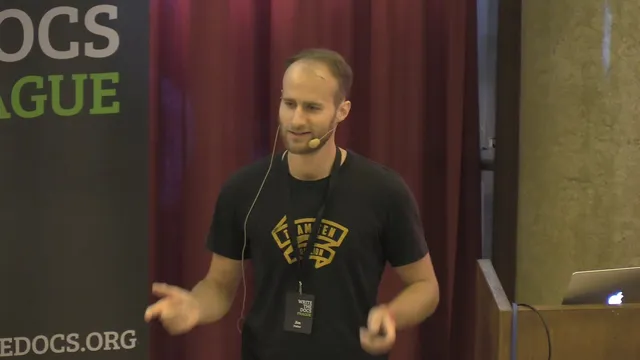
Don't Say Simply - Jim Fisher
Based on Write the Docs's video on YouTube. If you like this content, support the original creators by watching, liking and subscribing to their content.
“Simple” and “easy” describe different things: few untangled concepts versus short mental/physical distance to the action.
Briefing
“Don’t say simply” is the core takeaway: the word “simply” often hides the concepts and assumptions that make a task feel straightforward to insiders, while making it harder—or even insulting—for newcomers. Jim Fisher’s story begins with his first MacBook and the installation of apps via disk images (DMGs). He downloads a Steam “.dmg,” double-clicks through a two-step flow, and ends up with apps appearing in Finder—yet he’s doing it the wrong way. Only after a colleague points out the correct process—drag the app from the DMG into the Applications folder, then unmount the image—does the real problem surface: the documentation’s “simply drag” instruction assumes knowledge of what a DMG is, what “installed” means on macOS, and how drag-and-drop behaves in this context.
Fisher uses that failure to argue that “simple” and “easy” aren’t the same. Drawing on Rich Hickey’s distinction, he frames “simple” as having few, untangled concepts, while “easy” is about short distance—physical or mental—from the user to the action. Over time, software designers and power users become so familiar with the underlying concepts that they stop noticing them, like the “fish in water” analogy. What feels conceptually simple to an expert may still be cognitively distant to someone else.
He then lays out five reasons to avoid “simply,” starting with terminology: “simply” tends to describe actions while skipping the concepts that make those actions meaningful. In the DMG example, the documentation highlights the visible gesture (dragging) but omits the conceptual steps (DMG vs. app, installation meaning, and the fact that drag-and-drop here copies into Applications). Second, “simply” is subjective—what counts as simple depends on prior experience. Fisher recounts how a Windows user couldn’t “click” during macOS setup because trackpad clicking behavior differs and requires an obscure setting to match Windows expectations.
Third, “simply” can inflame anger and shame. Fisher points to marketing slogans like “it just works” and “boom you’re done” as examples of language that backfires when reality doesn’t cooperate. When people fail at a “simple” task and no one else is to blame, the failure often turns inward.
Fourth, “simply” is overused and lazy. If something is truly simple, better wording usually exists: name the complexity you’re avoiding, flag what’s tricky, or replace vagueness with specifics—comparisons, measurable time, or even “show rather than tell” walkthroughs. Fisher cites examples where “three minutes” claims collapse under real-world testing.
Fifth, “simply” is filler text when it adds no information. Fisher even tried to automate removal with a script that opened pull requests deleting “simply.” The approach worked in some places (like Laravel), but backfired in others (Redis). Anteras (the Redis author) objected that the script imposed Fisher’s preferred meaning and tone, and the automation felt like shaming writers rather than improving empathy. The conclusion is that better documentation requires human judgment and an attitude shift toward the audience—so the fix isn’t just word replacement, but writing with context, meaning, and care. Fisher ends by calling for technical writers and documentarians to help tackle these problems, not just by editing language, but by understanding readers.
Cornell Notes
Jim Fisher argues that “simply” is a risky word in documentation because it often hides the concepts newcomers need. He distinguishes “simple” (few, untangled concepts) from “easy” (short mental or physical distance), noting that experts forget the concepts they no longer notice. Using his own missteps with macOS DMG installation, he shows how “simply drag” can omit crucial ideas like what a DMG represents, what “installing” means on macOS, and how drag-and-drop copies files in that workflow. He then lists reasons to avoid “simply”: it’s action-only without context, subjective across user backgrounds, prone to causing shame, overused, and sometimes pure filler. Attempts to remove it automatically can also be offensive, so documentation improvements require human empathy and context, not scripts.
Why does Fisher treat “simple” as different from “easy,” and how does that distinction apply to DMG installation instructions?
What specific concepts were missing from the “simply drag” instruction that Fisher needed to succeed?
How does Fisher show that “simple” is subjective rather than universal?
Why does Fisher argue that “simply” can cause anger or shame?
What alternatives does Fisher suggest to replace “simply,” and what’s the goal of those alternatives?
Why did Fisher’s script-based approach to removing “simply” backfire with Redis?
Review Questions
- In Fisher’s framework, what underlying concepts must be made explicit when an instruction highlights only an action (like “drag”)?
- Give one example of how prior user experience can change whether a task feels “simple” or “easy.”
- Why might removing a single word like “simply” be less effective than changing documentation to match the reader’s mental model?
Key Points
- 1
“Simple” and “easy” describe different things: few untangled concepts versus short mental/physical distance to the action.
- 2
Documentation often becomes misleading when it names an action (“simply drag”) but omits the concepts that make that action work (e.g., what a DMG is and what “install” means on macOS).
- 3
Perceived simplicity is highly subjective; users bring different defaults and settings, so the same instruction can fail for different audiences.
- 4
“Simply” can trigger anger or shame when people can’t complete a task that language implies should be effortless.
- 5
Overuse of “simply” is a writing shortcut; better wording usually includes specifics, comparisons, measurable time, or “show rather than tell” walkthroughs.
- 6
Automated removal of “simply” can be counterproductive if it ignores context, intended meaning, and the tone writers aim for.
- 7
Improving documentation requires human empathy and judgment, not just word-level edits.