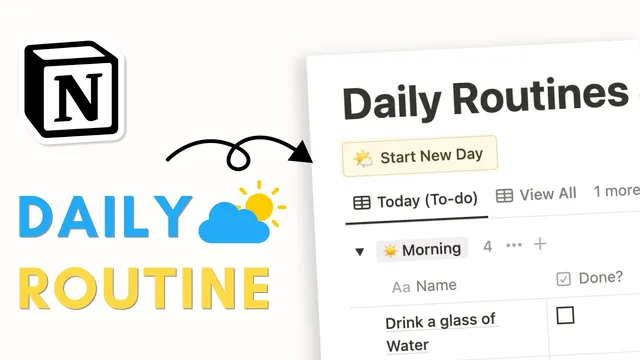
EASY Daily Routine & Habit Tracker with Notion | Beginner Tutorial + Free Template
Based on The Organized Notebook's video on YouTube. If you like this content, support the original creators by watching, liking and subscribing to their content.
Create a Notion table database for “daily routines and habits” and replace generic tagging with a “type” property for morning, afternoon, and evening.
Briefing
A Notion database can be turned into a one-click daily routine and habit tracker that automatically generates today’s checklist, moves completed items into a “done” view, and shows a per-day completion percentage. The core setup starts with a table database in Notion called “daily routines and habits,” then adds structured fields so routines can be categorized by time of day and tracked with checkboxes.
The build begins with a new Notion page and a table view database. Instead of using a generic “tags” property, the tutorial replaces it with a “type” property designed for morning, afternoon, and evening. Each type gets a distinct emoji and color, making it easy to scan routines at a glance. A checkbox property named “done” is added so each routine or habit can be marked complete. Items are then grouped by “type” in the order morning → afternoon → evening, and the redundant “type” column is hidden after grouping so the checklist stays clean.
To automate daily creation, the database adds a “created time” property. A “Start new day” button is then configured to add new pages into the database—effectively cloning the prebuilt routine steps into today’s list. The order of steps matters: the sequence in which entries are placed determines the order they appear after clicking the button. After experimenting with sample habits like “positive affirmations,” “step outside of the house for 10 minutes,” “drink glass of water,” and “make coffee,” the checklist order is adjusted so the first habit appears at the top.
Next comes the workflow that makes the tracker feel like a daily tool rather than a static list. A “today Todo” view filters items to only show unchecked tasks created today; checking a box removes the item from the “today” list. A separate “done” view filters to show only checked items. For progress tracking, a third view (“view all”) groups entries by created day, hides empty groups, and adds a “percent checked” metric—so each day displays how much of that day’s routine has been completed (the example shows 16.6% at one point). The view also hides redundant fields like “created time,” can sort by “type,” and can adjust grouping order to show newest days first.
Finally, the template is expanded by adding more afternoon and evening routines (e.g., “meditate 10 minutes” and “read for 10 minutes”) to demonstrate how the button populates the full daily set and how completion flows from “today Todo” to “done,” while “view all” updates the daily completion percentage. A completed template link is provided in the description for easy reuse.
Cornell Notes
The tracker is built as a Notion database that stores routines and habits, categorized by time of day (morning, afternoon, evening) and tracked with a “done” checkbox. A “Start new day” button uses the database plus a “created time” field to automatically generate today’s checklist by cloning the configured routine steps. Views then filter items into three practical screens: “today Todo” (unchecked items created today), “done” (checked items), and “view all” (grouped by day with a “percent checked” progress metric). This structure turns a static list into a daily workflow where checking off habits removes them from today and updates per-day completion.
How does the template decide which routines appear each day when the user clicks “Start new day”?
Why does the order of routine steps matter, and how is it handled?
What makes the “today Todo” list automatically shrink as habits are completed?
How is daily progress measured in the “view all” screen?
How does the template keep the interface readable while still showing useful information?
Review Questions
- What filters must be applied for a view to show only today’s remaining habits, and why do those filters cause completed items to disappear?
- How does the “created time” property interact with the “Start new day” button to generate a daily checklist?
- What calculation or property is used to display per-day completion, and how is it presented in the grouped view?
Key Points
- 1
Create a Notion table database for “daily routines and habits” and replace generic tagging with a “type” property for morning, afternoon, and evening.
- 2
Add a checkbox property named “done” and group entries by “type” in the order morning → afternoon → evening.
- 3
Use a “created time” property so newly generated pages can be filtered to “today.”
- 4
Configure a “Start new day” button to add pages into the database, cloning the configured routine steps into today’s checklist.
- 5
Build separate views: “today Todo” (unchecked + created today), “done” (checked), and “view all” (grouped by day with percent completion).
- 6
Add and display “percent checked” in the grouped daily view to track progress across days.
- 7
Adjust the placement/order of routine entries so the generated checklist appears in the intended sequence after clicking the button.