Efficiently Collect and Organise Information from Research Papers - Protolyst Workflow
Based on Protolyst's video on YouTube. If you like this content, support the original creators by watching, liking and subscribing to their content.
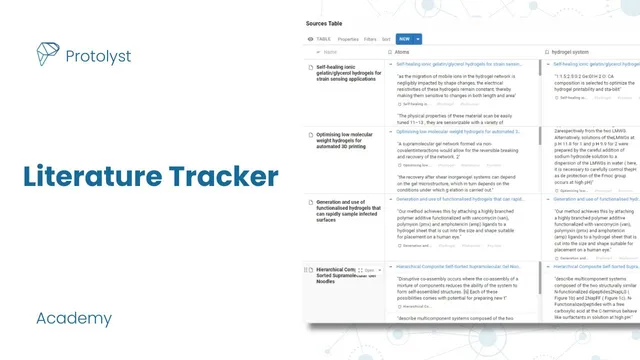
Create a “sources” table for uploading research PDFs and a separate “topics and themes” table to maintain the tag vocabulary.
Briefing
A Protolyst workflow can turn a pile of research PDFs into a searchable knowledge base by separating “sources” (papers) from “topics and themes” (tags) and then extracting key snippets as reusable “atoms.” The setup starts with two tables: one for uploading papers and one for maintaining a controlled list of tags. As reading progresses, highlighted text is captured into atoms that can be viewed instantly anywhere in the workspace, then labeled with the relevant tags so insights from many papers accumulate under the same themes.
The process begins by creating a fresh workspace and adding a “sources” table where PDFs are drag-and-dropped. Each uploaded paper becomes a row in the table. Next comes a “topics and themes” table that holds the tag pages used across the workspace—initial themes like hydrogel-related categories are added up front, with the option to expand later. When a paper is opened, the workflow uses a “capture atom” action: selecting text and clicking capture lifts that snippet out of the PDF so it appears as an atom that can be referenced without reopening the original file and scrolling to the highlight.
Atoms become useful because they’re tagged. After capturing a snippet, the user assigns one or more tags by selecting from the “topics and themes” table (either by browsing the tag list or typing to find a tag). The atom then records its connections: the first tag shown links back to where the atom originated in the sources, and additional tags appear after a hashtag. As more atoms are captured across multiple papers, the sources table effectively becomes a catalog of extracted insights, while the topics table becomes an index of knowledge grouped by theme.
When new themes emerge mid-reading, tags can be added on the fly. Typing a new tag name (for example, “scaffold”) creates a new page in the topics and themes table, and the current atom can be immediately tagged with it. This keeps the system flexible without losing structure.
Beyond browsing, the workflow adds analytical power through atom properties and filters. An additional “atoms” property can be configured with filters based on tags (such as showing only atoms tagged with “methods” across all sources). Multiple filters can be combined to narrow results by tag combinations. Finally, atoms are searchable: a keyword search scans both pages and captured atoms, letting the user quickly find a snippet (e.g., about “drying out” hydrogels), jump back to the original capture location, and regain surrounding context.
In short, the core finding is that disciplined tagging plus atom extraction turns scattered reading into an organized, queryable research memory—one that supports both thematic synthesis and fast retrieval when a specific detail needs to be found again later.
Cornell Notes
The workflow organizes academic reading in Protolyst by separating PDFs (“sources”) from a controlled set of tags (“topics and themes”). Key text is extracted from papers into “atoms” using a capture action, so highlights can be revisited instantly without reopening and scrolling through PDFs. Each atom is labeled with one or more tags, allowing insights from many papers to accumulate under shared themes like hydrogel-related topics. As new themes appear, new tag pages can be created on the fly and immediately used. Atom properties, tag-based filters, and keyword search make it possible to retrieve specific methods or details (such as “drying out”) and jump back to the original context quickly.
How do the two tables—“sources” and “topics and themes”—work together to manage research notes?
What is an “atom,” and why does capturing highlighted text matter for long-term research?
How does tagging change what you can do with captured information?
Why add new tags “on the fly,” and how is that done in this workflow?
How do atom filters and additional “atoms” properties help with targeted retrieval?
How does keyword search support finding forgotten details?
Review Questions
- What are the roles of the “sources” table versus the “topics and themes” table in keeping research organized?
- Describe how an atom is created and how tags are applied to it.
- How would you use tag-based filters and keyword search to find a specific type of information (e.g., methods) across many papers?
Key Points
- 1
Create a “sources” table for uploading research PDFs and a separate “topics and themes” table to maintain the tag vocabulary.
- 2
Extract important snippets from PDFs into reusable “atoms” so highlights can be revisited without reopening and scrolling through the original files.
- 3
Tag each atom using pages from the “topics and themes” table to group insights across many papers under consistent themes.
- 4
Add new tag pages during reading when new themes emerge, then immediately apply them to relevant atoms.
- 5
Use additional atoms properties with tag filters to build focused views (such as showing only atoms tagged with “methods”).
- 6
Combine multiple tag filters to narrow results to specific tag combinations.
- 7
Rely on keyword search across both pages and atoms to quickly rediscover details and jump back to the original context.