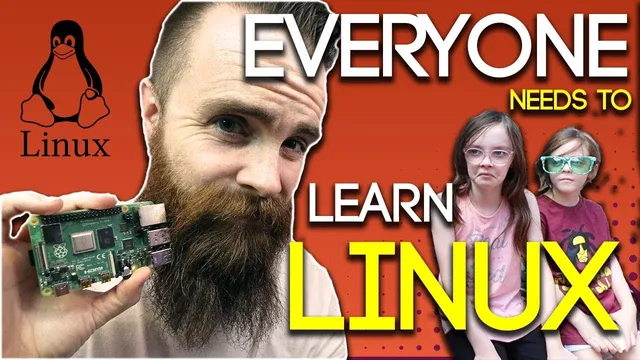
EVERYONE needs to learn LINUX - ft. Raspberry Pi 4
Based on NetworkChuck's video on YouTube. If you like this content, support the original creators by watching, liking and subscribing to their content.
Linux is framed as a required IT skill because it powers major internet services and dominates server and cloud infrastructure.
Briefing
Linux has become a baseline skill for anyone working in IT—and the fastest way to stop feeling intimidated is to start using it immediately. With Linux running behind much of the internet and powering everything from cloud servers to everyday devices, learning the command line isn’t just a niche hobby; it’s an employability advantage that compounds over time.
The case for Linux starts with ubiquity. YouTube runs on Linux servers, Netflix runs on Linux, and the vast majority of the top million websites use Linux. Beyond the web, Linux shows up across consumer and enterprise infrastructure: smart devices in homes, cars like Tesla, and cloud environments where most servers run Linux—including the ability to run Linux on Microsoft Azure. The reason it’s so widespread is also practical: Linux is free and open source, meaning organizations can modify the code for their own needs. That flexibility helps explain why there are many “flavors” of Linux.
Learning Linux matters for two main reasons. First, it runs everywhere—so knowing it reduces friction across systems, platforms, and job roles. Second, Linux’s initial “scary” reputation creates a gap: many IT professionals avoid the command line at first, which makes people who do learn it stand out. The transcript frames Linux knowledge as “street cred” on a resume, citing examples where Linux experience helped someone transition into roles outside their original background because hiring managers assumed Linux competence transfers.
The intimidation factor is treated as a temporary barrier rather than a permanent limitation. The command line looks unfamiliar, there’s no mouse-driven interface, and the learning curve feels steep—but the message is that the first steps are manageable. The practical solution offered is hands-on learning with a small, inexpensive computer: a Raspberry Pi 4. The transcript also gives two free alternatives using Microsoft ecosystems: deploying an Ubuntu server in Microsoft Azure, or installing Linux on Windows 10 through Microsoft’s partnership with Canonical (Ubuntu). In the Windows 10 path, the process involves enabling Linux via a PowerShell command and then installing a Linux distribution from the Windows app store.
To make Linux feel real, the transcript walks through a quick “baby steps” project: installing a web server on Ubuntu. The commands include updating packages with apt-get update (using sudo/pseudo-style admin permission), installing Apache2, starting the Apache service, and then verifying the site by visiting localhost in a browser. After the server works, the next step is customizing the default page by editing index.html: removing the existing file, creating a new one with Nano, and inserting basic HTML. The result is a working website served directly from the Linux machine—on both a Windows 10 setup and a Raspberry Pi.
Finally, the transcript turns learning into a career plan. It points toward certifications such as CompTIA Linux+ and Red Hat Certified Administrator, and suggests that stronger Linux skills open doors to DevOps, automation, cloud work, and network programmability—areas where Linux is foundational. The takeaway is straightforward: start now, get comfortable with the command line through small wins, then build toward credentials and deeper specialization.
Cornell Notes
Linux is positioned as an essential IT skill because it powers much of the internet and runs across cloud and everyday devices. Its open-source, free nature also drives widespread adoption and customization, leading to many Linux “flavors.” The transcript argues that fear of the command line is mostly an early learning barrier, not a sign that Linux is out of reach. Hands-on practice—especially installing a simple Apache web server and editing index.html—turns Linux from “scary” into usable. From there, the path to deeper mastery is framed as certifications like CompTIA Linux+ and Red Hat Certified Administrator, with DevOps and automation as natural next steps.
Why does Linux matter so much in modern IT, beyond being “another operating system”?
What are the two core reasons given for learning Linux?
How does the transcript recommend overcoming the fear of Linux?
What is the concrete “first project” used to make Linux practical?
What learning path is suggested after the beginner project?
Review Questions
- What evidence is used to justify that Linux is widely deployed (online services, websites, or cloud)?
- Outline the command sequence for installing and verifying an Apache web server on Ubuntu as described.
- What certifications and career directions are suggested as the next steps after basic Linux comfort?
Key Points
- 1
Linux is framed as a required IT skill because it powers major internet services and dominates server and cloud infrastructure.
- 2
Linux’s open-source and free model enables organizations to modify it, which drives the existence of many Linux distributions.
- 3
The main barrier to learning Linux is early intimidation with the command line, not a lack of ability.
- 4
Hands-on practice is the fastest route to confidence: start with a Raspberry Pi 4 or free Ubuntu options via Microsoft Azure or Linux on Windows 10.
- 5
A beginner win is installing Apache2 on Ubuntu, starting the service, and confirming the site via localhost.
- 6
Editing the default web page (index.html) using Nano turns Linux commands into a visible, rewarding outcome.
- 7
Long-term growth is tied to certifications like CompTIA Linux+ and Red Hat Certified Administrator, with DevOps and automation as natural next steps.