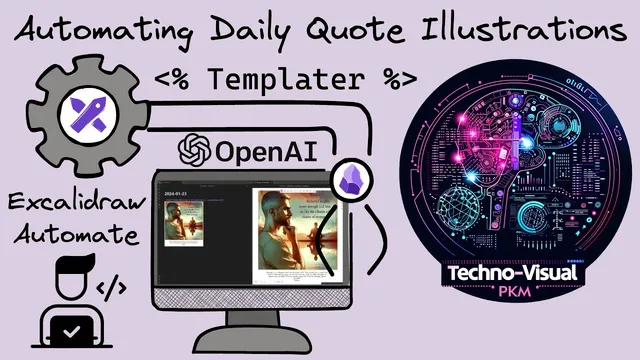
Excalidraw Scripting: Daily Quote Illustrations in Obsidian with Templater, Excalidraw and OpenAI
Based on Zsolt's Visual Personal Knowledge Management's video on YouTube. If you like this content, support the original creators by watching, liking and subscribing to their content.
Configure Templater to trigger a daily notes template on new file creation so the automation runs automatically each day.
Briefing
A daily Obsidian workflow can now automatically fetch a Stoic quote, generate a matching illustration with OpenAI, and insert both into a daily notes template—using Excalidraw scripting plus Templater. The core payoff is a hands-off “quote + image” ritual: each new daily note pulls fresh text from stoicquotes.com and produces a new, custom visual via a two-step OpenAI pipeline.
The build starts with a manual prototype inside Excalidraw. A Stoic quote is pasted into Excalidraw AI, which first sends the quote to ChatGPT to produce an image prompt. That prompt is then passed to Dolly to generate the actual illustration. The generated image prompt is visible under the image output, and the end-to-end process takes roughly 30 seconds. Early results vary in quality, but the workflow is functional enough to justify turning it into an automated daily-note feature.
From there, the setup is rebuilt “bottom up” in a fresh Obsidian Vault. Only two plugins are installed: Excalidraw (for scripting and image creation) and Templater (for triggering the automation when new daily notes are created). Templater is configured with a templates folder and a daily notes template location, and it’s set to trigger on new file creation so the automation runs whenever a new daily note appears.
Next comes the quote ingestion. The automation uses Obsidian’s request capability to call a stoicquotes.com API endpoint (the transcript references a URL ending in /api/sl_quote). The response arrives as a JSON string containing both the quote text and the author. That string is parsed into a JSON object, and the automation uses Excalidraw’s Excalidraw Automate API to create a text element (styled with a transparent background) and then create an Excalidraw file containing the quote metadata.
The image generation logic is then integrated. An Excalidraw AI script is extended with an OpenAI API key and a system prompt instructing ChatGPT to transform the quote into a detailed image description. The script extracts the model’s response from a code block, then calls a “generate image” function that sends the resulting prompt to Dolly for image creation at a chosen size (the transcript mentions 1024×1024-style options, including 1024 height/width constraints). The generated image is initially returned as a URL, but because OpenAI’s temporary image links expire, the workflow downloads the image immediately and saves it locally into the vault using Excalidraw/Obsidian binary file utilities.
Finally, the automation positions the image and the quote text inside the Excalidraw canvas and transcludes the resulting file into the daily note. Several practical issues are worked through: async timing (waiting for image download before inserting), correct use of Excalidraw’s add-image parameters (including scaling behavior), and element positioning (centering the text requires moving the text element itself, not just its container). The result is a working daily-note generator that produces a new illustration for each Stoic quote, with the remaining refinements mainly focused on layout polish and image text cleanliness.
Cornell Notes
The workflow automates daily Obsidian notes by pulling a Stoic quote from stoicquotes.com, generating an illustration with OpenAI, and inserting both into a daily notes template. It uses Templater to trigger the process on new daily note creation and Excalidraw scripting to create the canvas elements and save the generated image into the vault. OpenAI is used in two stages: ChatGPT first turns the quote into a detailed image prompt, then Dolly generates the image from that prompt. Because Dolly returns a temporary URL, the script downloads the image immediately and writes it as a local PNG file. Layout requires careful handling of Excalidraw element IDs and async timing so the image and quote text end up correctly positioned and centered.
How does the automation turn a Stoic quote into an image, step by step?
Why is async handling crucial when inserting the generated image into Excalidraw?
What’s the purpose of downloading the image immediately instead of relying on the returned URL?
How does the script ensure the quote text and author appear correctly in the Excalidraw file?
Why did centering the quote text require moving the text element rather than only the container?
What Excalidraw add-image parameter mattered for correct sizing?
Review Questions
- What two OpenAI calls are used, and what does each one produce (prompt vs. image)?
- Why must the script download the generated image immediately, and how is the downloaded data converted into a saved PNG?
- In Excalidraw, what’s the difference between moving a container rectangle and moving the text element itself, and why does that affect centering?
Key Points
- 1
Configure Templater to trigger a daily notes template on new file creation so the automation runs automatically each day.
- 2
Use Obsidian’s request + JSON parsing to fetch quote text and author from stoicquotes.com’s API endpoint.
- 3
Generate the image in two stages: ChatGPT creates a detailed image prompt from the quote, then Dolly renders the illustration from that prompt.
- 4
Treat Excalidraw image insertion as asynchronous: await the add-image step so the image is available before continuing.
- 5
Download Dolly’s temporary image URL immediately and save it locally into the vault to avoid link expiration.
- 6
Save and reuse Excalidraw element IDs (image, rectangle/container, text) so positioning logic can correctly center the quote text relative to the image.
- 7
Tune Excalidraw add-image parameters (notably scale) and adjust text placement using element dimensions for better layout.