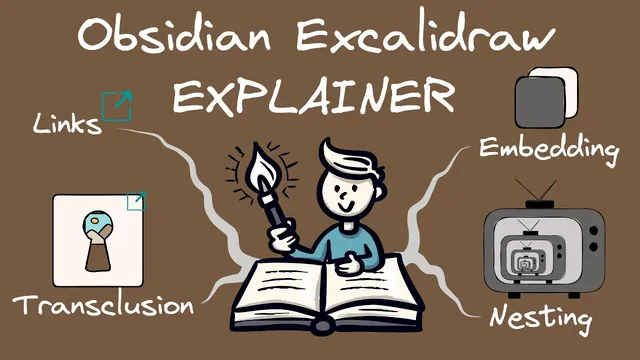
Explaining Links, Transclusions and Embedding in Obsidian Excalidraw
Based on Zsolt's Visual Personal Knowledge Management's video on YouTube. If you like this content, support the original creators by watching, liking and subscribing to their content.
Linking is a pointer for navigation; transclusion is a reference-based display; embedding is copying assets into the file.
Briefing
In Excalidraw inside Obsidian, “linking” is straightforward, but confusion usually starts with the difference between transclusion and embedding—especially because Excalidraw’s behavior often makes them feel interchangeable. The practical takeaway: most objects placed into Excalidraw from Obsidian are not copied into the Excalidraw file; they’re referenced from elsewhere (transcluded). Embedding—saving a full copy inside the Excalidraw file—is largely not supported in Obsidian, and that limitation is intentional.
Linking in Obsidian is simply creating a reference to another resource. Excalidraw supports both text links (typed into a text element) and element links (added to objects like rectangles). Clicking those links navigates to the target—either within Obsidian using Obsidian’s built-in navigation or externally via the device’s default application. There’s also a key precedence rule: if a text element already has a text link, that text link overrides any element-link you try to add to the same text element. For web pages, Excalidraw can optionally resolve a page title using an “iframe” service so pasted URLs can become more readable than raw links.
Transclusion is where the “it looks like it’s there, but it isn’t copied” idea matters. Transclusion means Excalidraw shows content by referencing the original file or a specific part of it. In practice, images placed into Excalidraw are transcluded from the Obsidian Vault, which is why Excalidraw files don’t become self-contained bundles of media. Transclusion can be interactive (called embeddables, such as YouTube videos or web pages) or static (non-interactive images that don’t respond to user input). Excalidraw also supports nesting: a transcluded Excalidraw drawing can itself contain other transcluded drawings, creating multiple reference layers. When upstream content changes, downstream nested drawings can refresh—demonstrated by deconstructing a drawing into separate components (mountains, car, person) and showing how edits propagate through the chain.
Embedding, by contrast, is the “copy everything into the file” approach: saving a copy of an object inside another file so the result is self-contained. That’s the default behavior on Excalidraw.com exports, where exporting to an Excalidraw file format can package images and other assets into the exported output. In Obsidian, embedding is practically not supported for Excalidraw files because Excalidraw files are Markdown-based and large embedded binaries would bloat the Markdown and strain Obsidian’s indexing and performance. From a PKM standpoint, embedding also reduces reusability—separating assets into the Vault keeps them manageable and referenceable over the long term.
The transcript also walks through concrete ways to transclude different asset types: images from the Vault, local files via local URI modifiers (with caveats for multi-device sync and mobile), markdown documents as embeddables or as images, and videos as embeddables or as thumbnails. It ends by reinforcing the core distinction: linking is a pointer, transclusion is a reference-based display (including nested references), and embedding is a full copy that Obsidian largely avoids.
Cornell Notes
Excalidraw in Obsidian relies heavily on transclusion: content appears in drawings by referencing files elsewhere in the Vault rather than copying them into the Excalidraw file. Linking is just a navigational pointer—text links and element links both work, but text links on text elements take precedence over element links. Transclusion comes in interactive forms (embeddables like YouTube/web pages) and static forms (non-interactive images). Excalidraw also supports nesting, letting transcluded drawings reference other transcluded drawings multiple layers deep, with updates able to propagate through the chain. Embedding—copying a full asset into the Excalidraw file—is largely not supported in Obsidian, largely to avoid bloated Markdown and to preserve long-term reusability.
What’s the simplest way to distinguish linking from transclusion in Excalidraw/Obsidian?
How do text links and element links differ, and what happens when both are present on a text element?
What does “interactive transclusion” mean, and what are “embeddables” in this context?
How does nesting work, and why is it useful?
Why is embedding largely avoided in Obsidian Excalidraw, even though Excalidraw.com can package assets?
What are the practical options for bringing markdown documents into Excalidraw?
Review Questions
- When a YouTube link is inserted into Excalidraw, what determines whether it becomes an interactive embeddable versus a static thumbnail?
- In a text element that already contains a text link, what happens if you try to add an element link to the same text element?
- Why does nesting in Excalidraw rely on transclusion rather than embedding, and what benefit does that provide for updating multi-layer drawings?
Key Points
- 1
Linking is a pointer for navigation; transclusion is a reference-based display; embedding is copying assets into the file.
- 2
Text links on text elements override element links on the same text element, while rectangles typically only use element links.
- 3
Interactive transclusions are called embeddables (e.g., YouTube videos and web pages), while static transclusions are non-interactive images.
- 4
Nesting enables multi-layer reuse by transcluding Excalidraw drawings inside other drawings, with updates able to propagate through the chain.
- 5
Obsidian Excalidraw largely avoids embedding to prevent bloated Markdown and to preserve long-term reusability of assets in the Vault.
- 6
Markdown documents can be transcluded as embeddables (interactive frames) or as images (static views), and sections can be referenced as well.