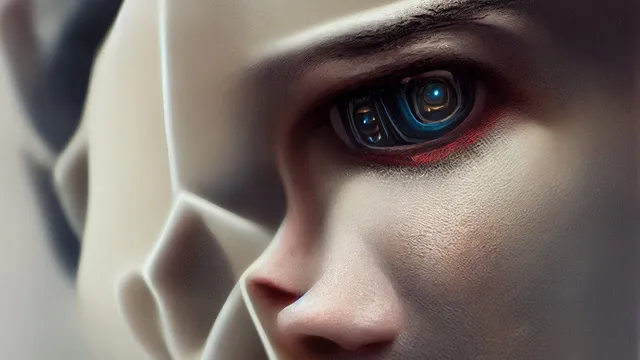
Exploring an AI’s Imagination (Stable Diffusion and MidJourney)
Based on sentdex's video on YouTube. If you like this content, support the original creators by watching, liking and subscribing to their content.
MidJourney tends to excel at stylized, render-like art, while Stable Diffusion is better suited for photo-real looking images.
Briefing
Text-to-image AI has moved from “make a pretty picture” to “generate almost any scene you can describe,” with two main paths emerging: MidJourney for stylized, render-like art and Stable Diffusion for more photo-real results. The practical takeaway is that creators can now steer output with prompts—down to style, color schemes, and even unusual combinations—without needing to train a model from scratch. That shift matters because it turns image generation into a fast, iterative design tool for everything from concept art to stock-photo-like imagery.
MidJourney is presented as a strong choice for artistic and conceptual visuals. Many outputs carry a default illustration/rendering feel, but targeted prompting can pull the model toward cartoon, sketch, or other stylings. Pushing toward realism takes more effort, yet remains possible using quality-focused keywords. The workflow described is largely prompt tinkering: adding and testing keyword strings until the results match the desired look. Beyond style, prompts can also control color palettes and themes—such as a black-and-white hotel lobby, a blue-and-gold lobby, or a “floor is lava” version.
For realism that resembles actual photographs, Stable Diffusion is framed as the better fit. MidJourney’s strength is artistic imagery; Stable Diffusion’s strength is producing images that look less like renders and more like real-life photos, even when they may still feel like edited or composited images. Stable Diffusion is available both through cloud services and as an open-source download. DreamStudio.ai is recommended as an easy starting point for running Stable Diffusion without local setup. For those with sufficient hardware—around 10GB of VRAM or more—the model can be run locally, while CPU/RAM-only setups are also possible at slower speeds.
The transcript also highlights how quickly these systems are improving and how they can be extended. Stable Diffusion’s base resolution is cited as 512×512, but upscalers can raise detail; MidJourney images are also paired with upscaling. The broader ecosystem is expanding too: multiple text-to-image models are in active development, and more tools for higher resolution and better fidelity are expected.
A key use case is “infinite variation.” With Stable Diffusion, changing a random seed can produce endless unique images from the same general prompt, which makes it useful for stock-photo-style generation and rapid ideation. The transcript gives examples like conference rooms and multiple scenarios involving a Porsche 911—mountains, jungle, beach, even more surreal settings. Another standout capability is compositional blending: prompts that combine entities (e.g., “A as B”) can merge recognizable features into a single image. Examples include “Elon Musk as Bill Gates,” “Elon Musk as Mark Zuckerberg,” and “Brad Pitt and John Oliver” blended together, with the resulting faces and traits appearing both distinct and fused.
Finally, the discussion ties capability to accessibility and adoption. MidJourney is described as relatively cheap and usable without programming, while Stable Diffusion’s open-source availability lowers barriers further. The speaker urges caution about licensing—especially for commercial use—and argues that, despite legal fine print, these tools are already commercially viable for concepting, environments, characters, and stock-like imagery. The overall message: image generation has accelerated from low-resolution, narrow outputs to highly controllable scenes, and the next year or two could bring another leap in realism, resolution, and creative control.
Cornell Notes
Text-to-image AI now supports highly specific image creation through prompting, with MidJourney leaning toward stylized, render-like art and Stable Diffusion better suited for photo-real results. MidJourney can be steered toward cartoon, sketch, and different color themes, though realism often requires extra prompt effort. Stable Diffusion is available via DreamStudio.ai for cloud use or as an open-source model you can run locally, and it can generate more “real-life” looking images. Both systems benefit from upscalers to improve detail beyond base resolution. Beyond variation via random seeds, the transcript highlights a striking compositing ability—blending two recognizable subjects into one image using prompts like “A as B.”
What practical difference separates MidJourney from Stable Diffusion in the kinds of images they produce?
How do prompts and keywords affect output quality and style control?
What options exist to use Stable Diffusion without heavy technical setup?
Why are random seeds important for generating many distinct images?
What unusual capability is highlighted beyond simple scene generation?
How do resolution limits and upscalers fit into the workflow?
Review Questions
- How would you decide between MidJourney and Stable Diffusion if your goal is a photo-real hotel lobby versus a stylized cartoon rendering?
- What role do random seeds play in scaling from one good image to dozens of usable variations?
- Why might compositing prompts like “A as B” be more than a novelty for creators?
Key Points
- 1
MidJourney tends to excel at stylized, render-like art, while Stable Diffusion is better suited for photo-real looking images.
- 2
Prompt specificity can control style (cartoon/sketch), color palettes (black-and-white, blue-and-gold), and even surreal scene elements (e.g., “floor is lava”).
- 3
Stable Diffusion can be used via DreamStudio.ai for cloud convenience or run locally from open-source downloads, depending on hardware and speed needs.
- 4
Changing random seeds enables rapid generation of many unique images from the same prompt concept, supporting ideation and stock-like workflows.
- 5
Upscalers help overcome base resolution limits (Stable Diffusion is cited at 512×512), improving detail for practical use.
- 6
Text-to-image models can blend subjects using prompts like “A as B,” producing fused identities that would be time-consuming to replicate manually.
- 7
Commercial use may require checking licensing terms—especially for MidJourney—before using generated images for revenue-generating projects.