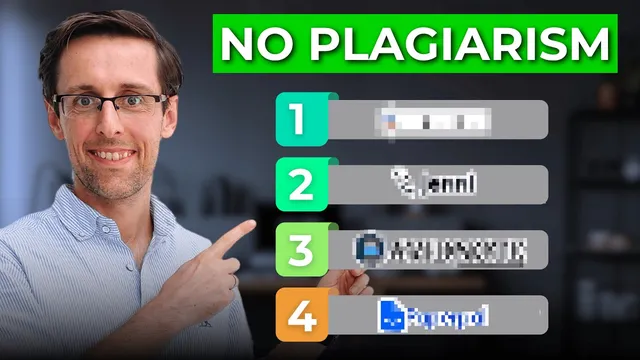
Fastest way to an exceptional literature review with AI (zero plagiarism)
Based on Academic English Now's video on YouTube. If you like this content, support the original creators by watching, liking and subscribing to their content.
Use Avid Note’s “keywords for literature search” template to generate both keywords and database-ready search queries with operators like “OR.”
Briefing
An efficient literature review workflow now hinges on one practical shift: generate the right search strings first, then use AI to compress days of reading into minutes of structured summaries—before drafting an outline and filling in ideas with literature-grounded answers. The process starts with keyword discovery and database-ready search queries. Instead of building search strings manually, researchers can use Avid Note (avidnote.com) under AI templates → “keywords for literature search.” By describing the research topic in as much detail as possible (the transcript suggests far less than 1,500 words—around 500 or even less), the tool produces both keywords and search queries using operators such as “OR,” which helps speed up retrieval of relevant papers. The result isn’t guaranteed to work perfectly for every field, but it’s positioned as a strong starting point that can be tweaked quickly after seeing database results.
Once relevant papers are gathered, the next bottleneck becomes understanding the field’s “big picture” without spending days reading everything end-to-end. Two tools are used for rapid, question-driven overviews. Consensus can take a yes/no or other research question and return a clear sense of agreement or disagreement across prior research, along with short summaries and bullet-point breakdowns tied to specific papers. Those citations can then be opened for abstract-level verification and deeper reading. SciSpace (spelled “SciPace” in parts of the transcript) offers a similar approach: enter a question and receive summaries based on the top five or top ten papers, with bullet points organized by themes and references to the underlying studies. The transcript emphasizes that these summaries are not “100% definite,” but they provide a fast orientation that supports later validation.
To go beyond field-level summaries, SciSpace can also generate section-by-section bullet summaries (for example, focusing on methods or conclusions) and can even summarize user-uploaded PDFs when full text access is limited. That upload feature is presented as a way to improve accuracy: summaries derived from an actual uploaded PDF are expected to be more reliable than summaries based on inaccessible text.
After reading and note-taking, the workflow targets the hardest writing stage: structuring the literature review. Jenny is recommended for generating detailed outlines for thesis chapters or research-paper sections, with the quality of the output tied to how specific the prompt is (including length, topic, and subthemes). When Jenny fails to cooperate in the demonstration, the process pivots to SciSpace’s AI writer module to produce a detailed structure quickly.
Finally, the transcript addresses the “blank screen” problem after heavy reading. AI is used for brainstorming and concept development—for example, asking how “native speakerism” originated to generate usable starting text. A second tool, Paper (described as a word plugin), is presented as especially valuable because it answers with references to sources, enabling direct verification—something the transcript criticizes as missing when using SciSpace’s AI answers. Taken together, the approach aims to produce an exceptional, ethically built literature review by combining fast search construction, rapid literature synthesis, outline generation, and citation-checkable idea development.
Cornell Notes
The workflow starts by generating the right keywords and database-ready search strings using Avid Note, using detailed topic descriptions to produce queries with operators like “OR.” After retrieving papers, Consensus and SciSpace provide fast, question-driven summaries that indicate where research agrees or disagrees and organize findings into bullet points tied to specific citations. SciSpace can go further by summarizing particular sections (e.g., methods or conclusions) and by producing more accurate summaries from user-uploaded PDFs. Once the field is understood, Jenny (or SciSpace’s AI writer) helps generate a detailed literature-review structure, reducing the blank-screen struggle. Finally, AI brainstorming and a citation-linked plugin like Paper help turn notes into draftable ideas that can be checked against sources.
How does Avid Note speed up the hardest early step of a literature review—building search strings?
What role do Consensus and SciSpace play once papers are found?
How can SciSpace improve accuracy when full text isn’t available?
Why does the workflow emphasize generating an outline before writing paragraphs?
What’s the difference between using SciSpace AI answers and using Paper for idea development?
Review Questions
- What inputs and outputs does Avid Note produce for literature searching, and why do query operators like “OR” matter?
- How do Consensus and SciSpace differ in how they summarize the literature (agreement/disagreement vs. top-paper summaries), and how should a researcher validate their outputs?
- When should a researcher switch from AI-generated summaries to reading full papers, and what features (like PDF upload or citation-linked answers) support that decision?
Key Points
- 1
Use Avid Note’s “keywords for literature search” template to generate both keywords and database-ready search queries with operators like “OR.”
- 2
Provide a detailed topic description to improve the quality of generated keywords and search strings, and expect to adapt the query after seeing database results.
- 3
Start with question-driven field overviews using Consensus (agreement/disagreement) and SciSpace (top five or top ten paper summaries) before deep reading.
- 4
Use SciSpace’s section-focused summaries and PDF upload feature to get more accurate, targeted bullet points when full text access is limited.
- 5
Generate a detailed literature-review outline early with Jenny (or SciSpace’s AI writer) to avoid blank-screen delays after extensive reading.
- 6
Use AI brainstorming to unblock writing, but prefer tools like Paper that return source references so claims can be checked against the literature.