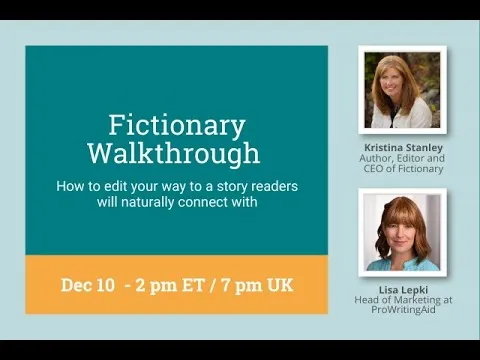
Fictionary Walk-Through, with Founder Kristina Stanley
Based on ProWritingAid's video on YouTube. If you like this content, support the original creators by watching, liking and subscribing to their content.
Fictionary’s editing workflow is built around importing a DOCX with chapter formatting and explicit scene-break characters so the app can reliably segment the manuscript into scenes.
Briefing
Fictionary’s founder Kristina Stanley walked through how the platform turns a manuscript into a scene-by-scene editing dashboard—then uses AI-derived story structure signals to help writers revise with less guesswork. The core pitch: writers can upload a DOCX, get an automatically analyzed story arc and scene breakdown, and then edit using structured “story elements” (hooks, POV clarity, emotional impact, purpose, and more) so revisions stay focused on what each scene must accomplish.
The workflow starts with importing a manuscript in a specific, industry-friendly format: each chapter begins with the word “chapter,” and scene breaks are represented by a unique character (Stanley recommends something like a tilde rather than punctuation that might appear frequently). Once uploaded, Fictionary analyzes the text to generate a story arc view, word counts per scene, and a cast-of-characters list. Because AI won’t perfectly identify every character, the interface lets writers quickly correct the character list—deleting false positives without removing anything from the manuscript, and adding missing characters so later insights remain accurate.
After an initial confirmation pass, writers move to an overview and then into the “evaluate” workspace, where the original manuscript appears on the left and editing happens in the middle while story-element diagnostics appear alongside it. Stanley emphasized that the tool is designed for incremental revision: each scene becomes a manageable unit rather than one overwhelming manuscript edit. On the scene level, writers can tag elements such as the entry hook (what makes the reader keep going), exit hook (what propels the next beat), and closing type of action (dialogue, thought, description, or movement). A key diagnostic is whether a scene can be named in just a few words; if it can’t, the scene may lack focus or a plot-linked purpose and becomes a candidate for cutting or reworking.
The platform also distinguishes between suspense and conflict. Suspense is the anticipation of something bad; conflict is the actual escalation—arguments, physical struggle, or action that changes the situation. Stanley used this distinction to show how writers can diagnose why a scene feels tense but not escalating, or escalating but not gripping.
For higher-level structure, Fictionary includes a “story arc” system inspired by Aristotle’s framework and used across commercially successful storytelling. Writers mark up to five plot-point anchors (with flexibility about where within a scene the anchor sits), and the app redraws the arc as revisions change. The goal isn’t strict formula-following; it’s spotting imbalances—such as a long stretch between inciting incident and plot point that can feel boring, or a steep, rushed climb that can feel shallow.
Stanley also addressed practical concerns raised by users: plot points are limited to five categories even if a story has more beats; advanced mode can be toggled to reduce cognitive load; scenes can be rearranged by dragging chapters; and the tool supports non-linear time patterns by helping writers detect structural patterns rather than auto-generating a timeline. She highlighted that Fictionary integrates with ProWritingAid via a Chrome extension for copyediting inside the workflow.
The session ended with guidance on exporting, reimporting (which overwrites prior edits), and using a two-week free trial. A discount code—pwa25—was offered for a limited time, reinforcing the broader message: the platform aims to make story editing both teachable and actionable, without replacing the writer’s judgment.
Cornell Notes
Kristina Stanley demonstrated how Fictionary helps writers revise by breaking a novel into chapters and scenes, then attaching structured “story elements” to each scene. After importing a DOCX (with chapter formatting and scene-break characters), the system analyzes story arc signals, word counts, and a character list that writers can correct. In the evaluate workspace, writers edit while tagging hooks, POV clarity, closing action types, emotional impact, and—critically—each scene’s purpose and whether it can be named in a few words. A separate story arc view (based on Aristotle’s framework) redraws as plot-point anchors are set, helping writers spot pacing problems like long gaps before major turning points or rushed climaxes. The approach matters because it turns editing into focused, repeatable checks rather than a single, overwhelming pass.
How does Fictionary’s import setup affect what the tool can analyze later?
What does “naming a scene in three words” reveal during revision?
What’s the difference between suspense and intensifying conflict, and how does that show up in editing tags?
How does the story arc feature work, and what does it help writers catch?
Why does Fictionary limit plot points to five, and what should a writer do if their story has more beats?
How does Fictionary handle non-linear time (past/present switching) and scene reordering?
Review Questions
- When would a writer leave a story-element field blank (e.g., conflict) versus tagging it, and how does that choice affect later pattern checks?
- How can the “entry hook” and “exit hook” tags help diagnose a scene that feels slow or disconnected from the next scene?
- What kinds of pacing problems does the story arc redraw help identify, and what does Stanley recommend doing after major scene moves?
Key Points
- 1
Fictionary’s editing workflow is built around importing a DOCX with chapter formatting and explicit scene-break characters so the app can reliably segment the manuscript into scenes.
- 2
Writers correct the AI-derived cast list (removing false characters and adding missing ones) because character accuracy drives later character and scene insights.
- 3
Scene-level revision centers on tagging hooks, closing action types, POV clarity, emotional impact, and—most importantly—each scene’s purpose and whether it can be named in a few words.
- 4
Suspense and conflict are treated as distinct levers: suspense is anticipation, while intensifying conflict is the escalation into action or struggle.
- 5
The story arc feature uses Aristotle-inspired plot-point anchors (five categories) with ranges, redrawing as revisions change to flag pacing imbalances like long delays or rushed climbs.
- 6
Chapters can be rearranged by dragging, and the system updates structural elements accordingly, but writers still need to verify the final arc after large changes.
- 7
Fictionary integrates with ProWritingAid via a Chrome extension so copyediting can happen inside the same workflow.