First hour with a Kaggle Challenge
Based on sentdex's video on YouTube. If you like this content, support the original creators by watching, liking and subscribing to their content.
Download and inspect the dataset’s directory structure first; multiple subsets and nested folders mean you must iterate through all relevant directories.
Briefing
A large Kaggle collection of scholarly COVID-era articles can be mined for concrete biomedical facts by treating the dataset like messy, nested JSON and then extracting “low-hanging fruit” with targeted text search. In the first hour, sentdex walks through a practical pipeline: download the dataset, inspect the directory structure and JSON schema, assemble title/abstract/full-text into a pandas DataFrame, and then pull out candidate “incubation period” mentions using simple keyword filtering plus a first-pass regular expression for day counts. The payoff is an initial distribution of extracted incubation times—enough to generate a histogram and an average estimate—while also revealing how easily naive parsing can produce false matches.
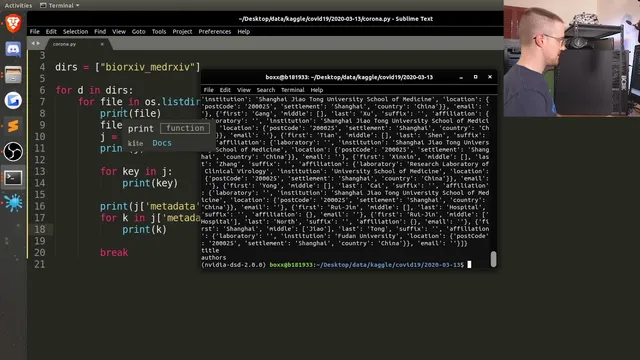
The process starts with the scale problem: the dataset contains tens of thousands of articles and full-text records, with frequent variability in how information appears. Instead of aiming for deep insight immediately, the workflow emphasizes getting the data into a consistent structure. After unzipping, the dataset is organized into multiple subdirectories (including commercial, non-commercial, and custom-license subsets), each containing many JSON files. Inspecting one JSON record shows fields like paper ID, metadata (title, authors), abstract, and body text. Body text arrives as chunks—lists of text segments—so the code concatenates those chunks into a single full-text string per paper. Abstracts can also be missing, so the script guards against absent or empty abstract lists.
Once the data is normalized into a DataFrame, the first extraction step is deliberately narrow. Rather than trying to detect complex biomedical relationships across arbitrary phrasing, the workflow filters for papers whose full text contains the word “incubation.” That yields a manageable subset (hundreds of matches from the first directory), and the script then iterates through the full-text strings to locate sentences containing “incubation.” From those sentences, it attempts to extract numeric durations expressed as “X day(s)” using a regular expression. Early results include examples like “7 days,” “5.2 days,” and ranges such as “2 to 14 days,” demonstrating that the method can capture both single values and some comparative language.
The extraction logic also exposes failure modes. Naive sentence splitting and simplistic regex patterns can misread numbers (for example, decimals and punctuation can break matching), and some extracted values may not represent true incubation durations rather than unrelated numeric references near the keyword. The histogram and mean incubation estimate therefore come with caveats: they reflect what the first-pass parser successfully captured, not a fully validated clinical extraction.
After running the same approach across additional subsets (non-commercial and custom-license), the workflow produces a broader set of extracted incubation mentions, plots a histogram, and computes an average incubation time (reported around the 9–10 day range for the more advanced matching run). The session ends with a clear next-step roadmap: refine the regex to handle decimals and ranges more reliably, save intermediate extracted arrays because later runs are slow, and inspect outlier bins to identify which sentences triggered incorrect matches. The overall message is that even a messy scholarly corpus can yield measurable distributions quickly—if extraction starts with constrained targets and iterates toward better precision.
Cornell Notes
The session builds a practical text-mining pipeline for a large Kaggle corpus of scholarly articles. It converts nested JSON records into a pandas DataFrame with title, abstract (when present), and concatenated full-text. It then filters papers by keyword (“incubation”) and extracts candidate incubation durations by scanning sentences and applying a first-pass regular expression for patterns like “X days” (including some decimals and range-like phrasing). The result is a histogram and mean estimate that provide an initial distribution of incubation times, while also highlighting common parsing errors and false positives. This matters because it shows how to turn unstructured biomedical text into measurable features before moving to more sophisticated NLP.
How does the workflow turn nested JSON articles into something analyzable in Python?
Why does the extraction start with keyword filtering instead of deeper NLP?
What regex strategy is used to extract incubation durations, and what patterns does it catch?
What are the main sources of error in the first-pass extraction?
How does the workflow validate that the extraction is producing plausible results?
Review Questions
- What steps are required to handle missing abstracts and chunked body text when converting JSON records into a DataFrame?
- Why might filtering on the substring “incubation” still produce false positives, even if the keyword is correct?
- How would you modify the regex to better capture ranges like “7–10 days” and decimals without breaking the grouping?
Key Points
- 1
Download and inspect the dataset’s directory structure first; multiple subsets and nested folders mean you must iterate through all relevant directories.
- 2
Treat the JSON schema as variable: abstracts may be missing or stored as lists, and body text often arrives as chunked segments that must be concatenated.
- 3
Normalize records into a pandas DataFrame (title, abstract, full text) before attempting any extraction logic.
- 4
Use constrained keyword filtering (e.g., full-text contains “incubation”) to reduce search space before applying more expensive parsing.
- 5
Extract durations by scanning sentences containing the keyword and applying a first-pass regular expression for “X day(s)” patterns.
- 6
Expect false positives from naive sentence splitting and simplistic regex; inspect example sentences and outlier histogram bins to improve precision.
- 7
Save intermediate extracted arrays when runs are slow, since reprocessing large subsets can take significantly longer than initial directories.