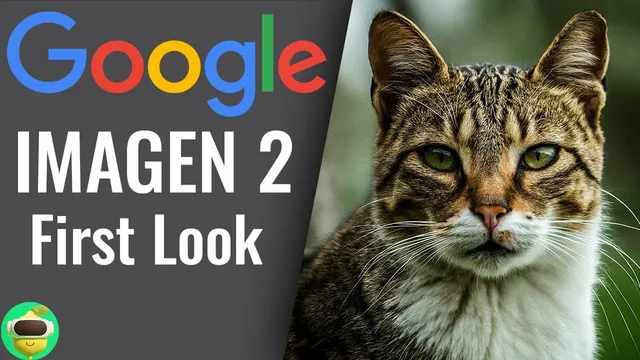
First Look at Google's New Imagen 2 & Image FX Interface!
Based on MattVidPro's video on YouTube. If you like this content, support the original creators by watching, liking and subscribing to their content.
Google’s Image Effects interface turns prompting into an interactive process by letting users click blue-highlighted prompt words and choose dropdown suggestions for attributes like style and scene framing.
Briefing
Google’s Imagen 2–powered “Image Effects” interface in the AI Test Kitchen stands out less for raw image quality and more for how it turns prompting into an interactive, exploratory workflow. Users can type a prompt, then click blue-highlighted words to swap attributes via dropdown suggestions—switching styles (photo vs drawing), composition cues, and descriptors in a way that feels more like steering an image than starting over from scratch. The result is a fast loop for iterating on “what the model thinks you mean,” with outputs that often land in strong photo-real territory.
Early generations look genuinely polished for a general-purpose image tool, with close attention to photographic details and a realism level the creator compares favorably against Midjourney and “Dolly 3” in certain cases. The interface also supports a “seed” control: locking the seed lets users change one element at a time (like “massive wave” to “small wave,” or swapping a “tabby cat” for a “purple cat”) while keeping the underlying variation stable—so changes behave more like edits than full rerolls. That makes it easier to understand cause-and-effect in prompting and to refine a concept without losing the overall framing.
Where the system draws sharp lines is policy enforcement. Prompts containing certain words—such as “battle,” “mediocre,” “animated,” or even seemingly unrelated terms—get blocked or altered, and the creator repeatedly hits cases where the model refuses or substitutes different words. The strictness is framed as a tradeoff: tighter safety controls can limit experimentation, and the interface sometimes blocks creative directions even when the intent is harmless. Still, the tool proves more permissive in some high-interest categories, especially famous characters.
A recurring “best use case” is generating recognizable characters in realistic scenes—particularly when paired with brands and settings like McDonald’s. The creator demonstrates Sonic, Bowser, and Mario-like figures eating McDonald’s items, noting that the character likeness and brand coherence are often strong, even when other prompts struggle. Attempts at more abstract or stylized directions (like “animated” or certain cinematic battle concepts) run into refusals or weaker results.
Text generation is treated as a mixed bag: the model can produce readable text in some cases, but it doesn’t consistently match the best dedicated text capabilities, and it may hallucinate unexpected phrases. The creator also points out common image-generator failure modes—like incorrect subject transformations (a man becoming a frog) and occasional anatomical oddities (hands or arm counts)—alongside moments where fixes work when the prompt is reframed more directly.
Access is described as available through the AI Test Kitchen’s Image Effects launch page, with availability varying by country (the creator reports the United States works). Overall, the interface’s biggest value is the prompting experience—especially the dropdown-driven attribute swapping and seed-based iteration—while performance remains uneven depending on prompt type, safety constraints, and the complexity of the requested scene.
Cornell Notes
Google’s Imagen 2–based “Image Effects” interface in the AI Test Kitchen emphasizes interactive prompting over one-shot generation. Blue-highlighted prompt words can be swapped using dropdown suggestions, letting users steer style and scene attributes (photo vs drawing, landscape vs studio portrait) without restarting. A key control is “seed”: locking it keeps the underlying output consistent while small prompt changes (wave size, cat color) behave like targeted edits. The system’s strengths show up most reliably in photo-realistic scenes and recognizable “famous character + brand setting” combinations. Strict safety filtering blocks certain prompt terms, which can limit experimentation and sometimes forces substitutions.
How does the interface help users iterate without losing the original concept?
What kinds of prompts seem to work best, and why does that matter for real use?
What role does policy enforcement play in shaping what users can create?
How does the model’s text generation perform compared with its image generation?
What failure modes show up, and how can prompt wording reduce them?
Review Questions
- When seed is locked, what kinds of prompt changes produce predictable edits rather than completely new images?
- Which prompt categories (e.g., famous characters, brand settings, stylized actions) appear to produce the most reliable results, and which categories trigger more refusals?
- How do policy blocks influence the user’s strategy for wording prompts in Image Effects?
Key Points
- 1
Google’s Image Effects interface turns prompting into an interactive process by letting users click blue-highlighted prompt words and choose dropdown suggestions for attributes like style and scene framing.
- 2
Imagen 2 generations often look photo-realistic and detailed, with the creator comparing performance favorably to other popular image tools in certain cases.
- 3
Seed locking is a practical control: it keeps the underlying generation consistent so small prompt edits (wave size, cat color) behave like targeted adjustments.
- 4
Safety filtering is strict and can block or substitute certain words, limiting experimentation with some creative directions (including “battle” and “animated”).
- 5
The most dependable results appear in photo-realistic scenes featuring famous characters, especially when paired with recognizable brand environments like McDonald’s.
- 6
Text generation is uneven: it can produce text, but it may be blurrier or more error-prone than top dedicated text-capable systems.
- 7
Access is routed through the AI Test Kitchen’s Image Effects launch page, with availability reported for the United States but uncertain for other countries.