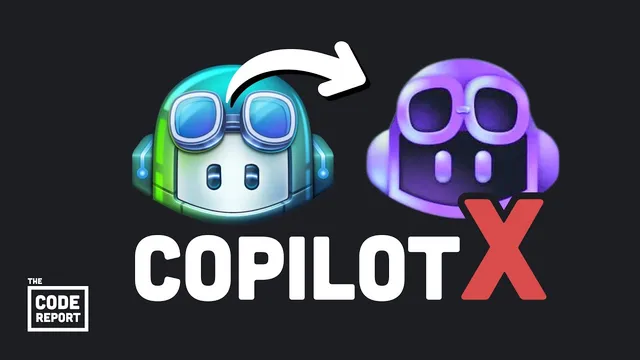
Game over… GitHub Copilot X announced
Based on Fireship's video on YouTube. If you like this content, support the original creators by watching, liking and subscribing to their content.
Copilot X is positioned as a step up from autocomplete into an IDE-integrated assistant that can explain, refactor, and generate unit tests from highlighted code.
Briefing
GitHub’s Copilot X is being positioned as a major leap from today’s coding assistants—moving from “autocomplete” to a chat-and-command layer that understands a developer’s actual codebase and can generate documentation, tests, pull-request text, and even terminal commands. The practical significance is straightforward: if the tool can reliably explain, refactor, and scaffold code in context, it can compress the time between an idea and working software, reshaping how professional coding work gets done.
The centerpiece feature is a built-in chat window inside the IDE. Developers can highlight a block of code and ask for an explanation, request a refactor, or have the assistant generate unit tests. While similar capabilities exist in general-purpose chat systems, Copilot X is framed as more specialized for coding tasks and—crucially—able to use context from the user’s real repository. The transcript contrasts model context limits, noting that GPT-4 can handle up to 25,000 tokens versus GPT-3.5’s 3,000, implying Copilot X can reason over larger slices of code rather than isolated snippets.
A second capability targets documentation workflows. Instead of searching through official docs or Stack Overflow, Copilot X is described as generating answers and tutorials grounded in specific library documentation. The integration mentioned includes React, Azure, and MDN, with the promise of on-the-fly guidance tailored to the libraries a developer is actually using.
Voice control is the third feature and the one presented as most transformative for day-to-day productivity. The assistant would allow developers to control VS Code and write code via voice commands, reducing reliance on typing speed and enabling coding in situations where a keyboard isn’t practical. The transcript compares this shift to how voice assistants changed household routines.
Copilot X also aims to reduce “collaboration friction” in GitHub workflows. For pull requests, it can draft the description based on the code changes, addressing a common pain point: writing clear PR summaries that help reviewers decide whether to merge.
Finally, Copilot X extends beyond the editor into the terminal. The CLI-style autocompletion would generate shell commands (with explanations) based on what the user wants to do—using ffmpeg as an example—so developers don’t need to memorize long command sequences.
Access timing remains uncertain: Copilot X is in technical preview, and public availability is suggested to be months away. The transcript closes with a mix of optimism and anxiety—optimism about faster building and more capable tooling, anxiety about job displacement and training-data concerns—while urging developers to keep contributing and to understand that AI still needs human oversight to deliver quality to end users.
Cornell Notes
GitHub’s Copilot X is presented as a next-generation coding assistant that goes beyond autocomplete into an IDE-integrated system for explanation, refactoring, testing, documentation, and workflow automation. Its built-in chat can work from the developer’s actual codebase context, with the transcript citing GPT-4’s larger context window (25,000 tokens) compared with GPT-3.5 (3,000). Copilot X is also described as integrating library documentation (React, Azure, MDN), enabling voice-driven coding in VS Code, drafting pull-request descriptions, and generating terminal commands via a CLI. The practical impact is faster development cycles and less friction in common tasks like PR writing and command recall, though public access is expected to arrive later.
What makes Copilot X different from earlier coding assistants?
How does the IDE chat feature work, and why does codebase context matter?
What does “Copilot for documentation” change in day-to-day development?
Why is voice control treated as a productivity shift?
How does Copilot X aim to help with GitHub collaboration tasks?
What does the terminal/CLI feature do, and what problem does it solve?
Review Questions
- Which Copilot X feature is most directly aimed at reducing time spent writing unit tests, and how does it interact with code selection in the IDE?
- How does the transcript connect model context length (25,000 vs 3,000 tokens) to the usefulness of Copilot X in real projects?
- What are the five Copilot X capabilities listed, and which one targets terminal command recall?
Key Points
- 1
Copilot X is positioned as a step up from autocomplete into an IDE-integrated assistant that can explain, refactor, and generate unit tests from highlighted code.
- 2
The built-in chat is framed as more useful because it can use context from the developer’s actual codebase, with the transcript citing GPT-4’s larger context window.
- 3
Copilot for documentation aims to generate answers and tutorials grounded in specific library docs, with integrations mentioned for React, Azure, and MDN.
- 4
Voice-activated Copilot is described as enabling full coding workflows in VS Code via voice commands, reducing reliance on typing speed.
- 5
Copilot X is set to help with GitHub pull requests by drafting PR descriptions based on the code changes.
- 6
A CLI/terminal feature would generate shell commands (and explanations) from natural-language intent, reducing the need to memorize command syntax.
- 7
Copilot X is in technical preview, and public availability is suggested to be months away.