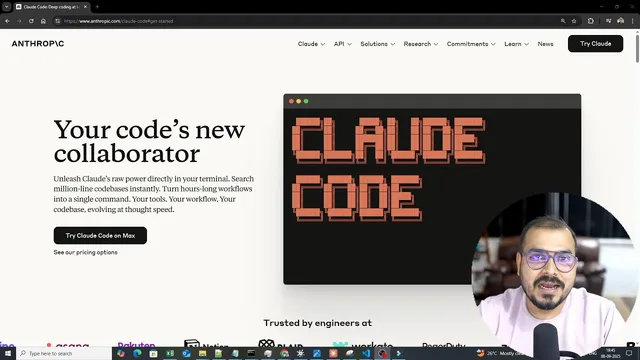
Getting Started With Claude Code With VS Code
Based on Krish Naik's video on YouTube. If you like this content, support the original creators by watching, liking and subscribing to their content.
Claude Code integrates with VS Code and the terminal to convert natural-language instructions into a planned sequence of file edits, command execution, and dependency management.
Briefing
Claude Code is positioned as a “coding collaborator” that turns a developer’s intent into executable work inside a terminal—planning tasks, editing files, installing dependencies, and running commands with deep awareness of the local codebase. The practical payoff is speed: a developer can generate and complete working features (including UI files and backend logic) through a single instruction flow, rather than stitching together many manual steps.
The walkthrough starts with setup in a VS Code workflow. A project is initialized with a virtual environment using UV (the transcript shows commands like initializing with UV and creating/activating a UV env). Claude Code is then installed as a VS Code extension, after which a Claude Code chat terminal becomes available via an icon in the editor. Once logged in, the tool can be used either through the VS Code-integrated chat terminal or by running Claude Code from a command prompt in the project directory.
Pricing is discussed in terms of tiers: a Pro option and higher “max” plans (noted as max 5x and max 20x). The presenter frames Pro as suitable for short coding sprints in smaller codebases, while the higher tier is described as better aligned with larger teams and bigger repositories—citing strong performance and productivity gains. Model availability is also highlighted, including Claude Opus 4.1 and Claude Sonnet models, with the claim that these models are used directly in the terminal.
The core demo shows how Claude Code handles a multi-step build through planning and permission prompts. In a working folder (“cloudy demo” on the E drive), the user asks what’s in the codebase; Claude Code responds by summarizing the repository contents (including identifying a main.py file). Then the user requests a “flask app for advanced calculator.” Claude Code begins by creating a plan, listing dependencies and steps, and then asks for confirmation line-by-line (e.g., whether to edit main.py). It proceeds to create directories (like templates), generate HTML/CSS/JavaScript for the calculator UI, implement calculator logic, and then handle dependency installation.
When the environment needs Flask, Claude Code triggers installation steps and the transcript notes an editable-install conflict during pip-based setup; the workaround shown is using UV to add Flask (uv add flask). After dependencies are in place, Claude Code runs the app (python main.py) and addresses errors by backtracking and fixing issues. The result is a working calculator where the user can compute arithmetic, exponentiation (2^8), and functions like sine, log, square root, factorial, and more—completed within minutes.
A second demo shifts to building a RAG application. The user instructs Claude Code to create a source folder and then generate a RAG pipeline that performs data injection from PDFs in a data folder, applies chunking, uses Hugging Face sentence-transformer embeddings, and stores vectors in a vector store. Claude Code creates the full project structure under src (including init files for packages), writes the data injection code (such as extracting text from PDFs), and generates embedding/chunking modules. The workflow emphasizes that an experienced developer can review and test the generated code, and that Claude Code can iterate by running tests, surfacing errors, and proposing fixes.
Overall, the transcript argues that productivity gains depend on developer competence: the AI can accelerate implementation, but understanding the code and validating outputs remains essential. The tool is framed as especially useful for repetitive scaffolding and end-to-end development tasks, with follow-up plans to cover GitHub Copilot and a complete Claude Code end-to-end project.
Cornell Notes
Claude Code is presented as an AI coding assistant integrated with VS Code and the terminal that can plan tasks, edit files, install dependencies, and run commands based on local codebase context. In the demo, a single instruction (“create a flask app for advanced calculator”) triggers a step-by-step plan with confirmations, generates the Flask app plus templates and frontend code, installs Flask using UV, and runs the app while resolving errors. A second example builds a RAG pipeline that ingests PDFs, extracts text, chunks content, embeds with Hugging Face sentence-transformer models, and prepares vector-store storage. The main takeaway is that speed comes from automation, but effective use still requires strong coding knowledge to review, test, and iterate.
What does Claude Code do end-to-end when given a coding request in a terminal workflow?
How is the VS Code setup described for using Claude Code?
Why does the demo emphasize “planning” and permission prompts?
What dependency-install issue appears, and how does the transcript resolve it?
How does the RAG demo translate an instruction into a project structure and code modules?
What role does developer skill play in making Claude Code effective?
Review Questions
- When Claude Code is asked to build the advanced calculator, what sequence of actions (plan → confirmations → file creation → dependency install → run → error fixing) is shown in the transcript?
- What specific components does the RAG pipeline instruction require (data injection, chunking, embeddings, vector store), and where does Claude Code generate them in the project structure?
- How does the transcript suggest handling dependency installation problems in the environment (including the UV-based workaround)?
Key Points
- 1
Claude Code integrates with VS Code and the terminal to convert natural-language instructions into a planned sequence of file edits, command execution, and dependency management.
- 2
A typical workflow starts with codebase awareness: Claude Code can summarize existing files before generating new functionality.
- 3
Task execution is controlled through step-by-step plans and confirmation prompts for edits like modifying main.py and creating template directories.
- 4
Dependency installation can be automated, but environment-specific conflicts may require switching approaches—such as using uv add flask instead of pip in the demo.
- 5
The advanced calculator example demonstrates end-to-end generation: backend logic plus templates and frontend behavior, followed by running the app and resolving errors.
- 6
RAG scaffolding is also automated: Claude Code can generate a src-based pipeline for PDF text extraction, chunking, Hugging Face sentence-transformer embeddings, and vector-store preparation.
- 7
Productivity gains depend on developer competence: reviewing generated code and testing are essential to catch and fix issues quickly.