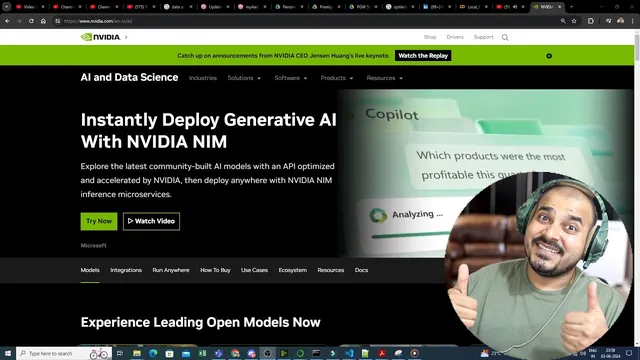
Getting Started With Nvidia NIM-Building RAG Document Q&A With Nvidia NIM And Langchain
Based on Krish Naik's video on YouTube. If you like this content, support the original creators by watching, liking and subscribing to their content.
NVIDIA NIM is presented as an API-first way to run inference via scalable microservices, with streamed responses for faster interactive experiences.
Briefing
NVIDIA NIM is positioned as a fast, scalable way to deploy generative AI through inference microservices, letting developers call multiple model types via APIs—then immediately build applications on top of that infrastructure. The walkthrough emphasizes that the key advantage isn’t just model access (open-source and NVIDIA foundation models), but practical deployment speed: inference runs through NVIDIA NIM endpoints, and responses stream back quickly when invoked from code.
The session starts with getting access to NVIDIA’s “Try it now” environment, where users can browse available models such as Llama 370B and multimodal options, along with capabilities like reasoning, vision, retrieval, and speech. To use models in an application, an API key is required. The process is demonstrated end-to-end: create an NVIDIA account, start with 1,000 credits on signup (with additional credits available for experimentation), then generate an API key from the NVIDIA NIM interface. That key authenticates calls to an NVIDIA AI Foundation endpoint used for test and evaluation.
Next comes a minimal “hello world” style integration using Python. A virtual environment is created with Python 3.10, dependencies are installed, and the code constructs an OpenAI-compatible client pointed at an NVIDIA base URL (integrate.api.nvidia.com/v1). The API key is loaded via environment variables (using a .env file) rather than hard-coded. A chat completion request specifies the model name (the example uses Llama 370B Instruct), sets parameters like temperature and max tokens, and enables streaming so the output arrives incrementally. Running the script produces streamed text quickly, reinforcing the theme that NVIDIA NIM handles inference efficiently.
The core build then shifts to an end-to-end RAG (retrieval-augmented generation) app using LangChain and Streamlit. The project reads multiple PDF files from a local folder (the example uses U.S. Census PDFs), loads and splits them into chunks with a recursive character text splitter (chunk size 700, overlap 50), and embeds the chunks using NVIDIA embeddings. Those embeddings are stored in a vector database (FAISS), enabling similarity search over the document collection.
On the UI side, a Streamlit button triggers vector-store creation (“document embedding”), after which a user can ask questions. A prompt template instructs the model to answer using only the provided context. LangChain builds a document chain and a retrieval chain that connect the FAISS retriever to the NVIDIA NIM-backed chat model (again using Llama 370B). The app also displays retrieved context snippets to show what evidence the system used. A sample question about uninsured rates by state in 2022 returns an answer grounded in the retrieved document passages, demonstrating the practical RAG workflow: ingest PDFs → chunk → embed → index → retrieve → generate with NVIDIA NIM inference.
Cornell Notes
NVIDIA NIM provides inference microservices for deploying generative AI models through API calls, with fast streaming responses. After generating an NVIDIA API key and configuring an OpenAI-compatible client to point at integrate.api.nvidia.com/v1, a simple chat completion example shows quick, streamed outputs from a model like Llama 370B Instruct. The walkthrough then builds a RAG app using LangChain and Streamlit: PDFs are loaded, split into chunks (700 size, 50 overlap), embedded with NVIDIA embeddings, and indexed in FAISS. At query time, a retriever pulls relevant chunks, and a retrieval chain feeds that context into a chat model (Llama 370B) to generate answers grounded in the documents, with context displayed to the user.
What is NVIDIA NIM in practical terms for developers building apps?
How does the walkthrough configure API access for NVIDIA NIM from Python?
What does the minimal chat completion example demonstrate?
How is the RAG pipeline constructed from PDFs to answers?
What role do LangChain components play in the RAG app?
How does the Streamlit UI support the RAG workflow?
Review Questions
- What configuration steps are required before making NVIDIA NIM calls from Python, and why should the API key be stored in an environment variable?
- Describe the sequence of transformations in the RAG app from PDF files to a FAISS vector database and then to a generated answer.
- Which LangChain objects connect retrieval (FAISS similarity search) to generation (chat model + prompt template), and how does the prompt constrain answers to the provided context?
Key Points
- 1
NVIDIA NIM is presented as an API-first way to run inference via scalable microservices, with streamed responses for faster interactive experiences.
- 2
An NVIDIA API key is required; generating it from the NIM console and storing it in a .env file is the recommended workflow.
- 3
A Python integration can use an OpenAI-compatible client pointed at integrate.api.nvidia.com/v1, enabling chat completions against NVIDIA-hosted models.
- 4
The RAG build follows a standard pipeline: load PDFs → split into chunks (700/50) → embed with NVIDIA embeddings → index in FAISS.
- 5
LangChain connects the FAISS retriever to a chat model through a document chain and retrieval chain, ensuring answers are grounded in retrieved context.
- 6
A Streamlit interface can make the workflow practical by separating the expensive embedding/indexing step (button-triggered) from the fast question-answering step.
- 7
Displaying retrieved context helps validate that the generated response is based on the underlying documents.