Google’s NotebookLM is Getting Even More Powerful
Based on Tiago Forte's video on YouTube. If you like this content, support the original creators by watching, liking and subscribing to their content.
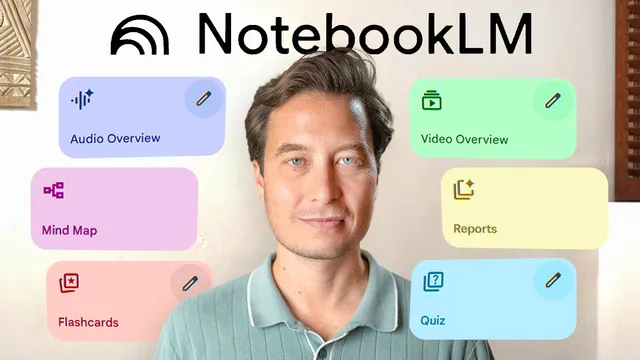
NotebookLM’s Studio now supports video overviews, enabling source-grounded explanations that include visuals, quotes, and diagrams—not just narration.
Briefing
NotebookLM is shifting from “summarize my notes” to a full learning-and-research workspace—turning scattered sources into customized explanations, audio/video briefings, and even actionable outputs—while also making it easier to discover new research without leaving the interface. The most consequential change is the new Studio capability for generating *video overviews* (not just audio), letting users see key diagrams, quotes, and visuals alongside narration. In a demo built around a book project on annual life reviews, five academic PDFs were dragged into a notebook, then a prompt was used to generate a video overview that connected the sources into a coherent narrative about reflection leading to action. The payoff wasn’t just faster summarization; it was the ability to decide quickly whether sources fit a specific argument—without reading every paper end to end.
That same “turn time into learning” theme expands with mobile access. NotebookLM now supports sharing into a mobile app, where users can ask questions by voice and get context-aware recommendations rather than one-size-fits-all answers. In the change-management example, a user asked for the single most effective method; the system pushed back, saying no universal best approach exists and instead offered options tailored to AI adoption scenarios—such as nudging employees toward a specific AI-powered task for small behavioral changes, and using the ADCAR model for individual performance shifts. A separate audio overview generation could run in the background for minutes, enabling a commute-style workflow: generate during a break, listen later, and stitch microlearning moments into a continuous research loop.
Another major upgrade is public and featured notebooks, which reduce the “source hunting” bottleneck by letting users interact with curated collections created by experts. A featured notebook assembled by Eric Toppel (a longevity author and Scripps professor) was used to answer a health question about cancer risk, with the system emphasizing that no intervention guarantees prevention and recommending a comprehensive lifestyle approach. The interaction then went further—translating broad guidance into a practical, location-specific weekly meal plan and producing a grocery list organized by store sections.
Finally, NotebookLM adds “discover sources” inside the interface, so users can search for research relevant to their project without juggling dozens of tabs. A prompt about “infraian rhythms” returned a curated set of roughly ten sources across multiple time scales, which could be imported and then converted into multiple output formats (audio overview, video overview, mind map, briefing doc). When the user needed to broaden the search, the system could also pull in materials from Google Drive and draft a chapter outline tying hourly-to-yearly rhythms to cognition, motivation, and performance.
Underneath the feature list is a strategic shift: the hardest part of research moves from finding credible information to extracting unique insights and mapping how sources connect. Interactive mind maps address that zoom-out problem by letting users drill from broad topics (like biological rhythms) into subtopics and then spawn targeted chats. Additional refinements include new audio overview modes (deep dive, brief, critique, debate), a student version with stricter privacy and a $9.99/month discount, and PDF support via upload or links.
NotebookLM’s core message is that AI should amplify a person’s existing knowledge—accelerating capture, organization, distillation, and expression—*if* the underlying information-management systems are in place. The result is a more complete research platform that compresses hours of reading and synthesis into minutes, while keeping citations and source grounding central to the workflow.
Cornell Notes
NotebookLM is expanding into a full learning and research platform by generating not only audio summaries but also video overviews, mind maps, briefing docs, and other structured outputs from uploaded sources. Mobile sharing and voice-based prompts make it practical to turn short breaks into customized learning—such as tailoring change-management guidance to AI adoption scenarios. Public and featured notebooks let users interact with expert-curated source collections, then translate high-level advice into concrete plans (like a weekly meal schedule and grocery list). “Discover sources” reduces the time spent hunting for credible materials by importing curated research directly inside the interface. The workflow shift is from acquiring information to synthesizing insights and connecting ideas, with mind maps helping users zoom out and drill down.
How does video overview change the way NotebookLM supports research compared with audio-only summaries?
Why did the change-management example avoid naming a single “best” method?
What do public and featured notebooks accomplish for users who don’t have time to vet sources?
How does “discover sources” reduce research friction inside NotebookLM?
What problem do mind maps address in the research process?
Review Questions
- When would video overview be more useful than audio overview in a research workflow, and what kinds of evidence does it surface?
- How do public/featured notebooks change the balance between knowledge gathering and knowledge synthesis?
- What does the “discover sources” feature optimize for, and how might mind maps change how you iterate on research questions?
Key Points
- 1
NotebookLM’s Studio now supports video overviews, enabling source-grounded explanations that include visuals, quotes, and diagrams—not just narration.
- 2
Mobile sharing brings NotebookLM into microlearning workflows, including voice-based questions and background generation of audio overviews.
- 3
Public and featured notebooks let users interact with expert-curated source collections, then translate guidance into concrete outputs like meal plans and grocery lists.
- 4
“Discover sources” imports curated research directly inside NotebookLM, reducing tab-hopping and speeding up the start of synthesis.
- 5
Interactive mind maps address the “connect the dots” problem by letting users zoom out across topics and drill down into specific subtopics that spawn targeted chats.
- 6
New audio overview modes (deep dive, brief, critique, debate), a student version with stricter privacy and a $9.99/month discount, and PDF support expand the platform’s usability across education and document workflows.
- 7
The strategic shift is from finding information to extracting unique, project-specific insights and mapping relationships among sources—while keeping citations verifiable.