Hands On Testing! Open AI's New "GPTs" & ChatGPT Update!
Based on MattVidPro's video on YouTube. If you like this content, support the original creators by watching, liking and subscribing to their content.
ChatGPT’s update replaces the old GPT 3.5/GPT 4 switching bar with a simpler dropdown toggle and automatic model switching for use cases.
Briefing
ChatGPT’s latest update streamlines model switching and folds more multimodal tools into a single workflow—while OpenAI’s new GPTs feature promises a wave of purpose-built assistants. The most immediate change is interface-level: users no longer juggle a GPT 3.5 vs GPT 4 selector bar. Instead, a simple dropdown toggle lets ChatGPT automatically switch models for different tasks, including the newly highlighted GPT-4 Turbo (described as the “turbo 128k” variant). Early hands-on testing suggests GPT-4 Turbo is faster than the older GPT-4 experience, though heavy demand can still slow responses inside ChatGPT.
Beyond speed, the update makes prompt iteration and sourcing easier. Hovering over prior messages reveals a drawing/editing icon that allows users to retype and resubmit prompts without starting fresh chats—useful when refining wording. When responses include citations, hovering surfaces the source site’s logo and provides direct links, keeping web research and answer context in the same place. The workflow also supports “fact grounding” behavior: when asked for goldfish facts, the assistant begins by searching the web, and users can adjust instructions (e.g., requesting memory-only rather than web search).
Multimodal capabilities are treated as first-class features rather than separate experiments. Image generation with DALL·E is integrated directly into ChatGPT, including a workflow where users upload a photo and ask for a DALL·E recreation. During testing, DALL·E generation sometimes fails or stalls under load, but regeneration typically succeeds—producing an example lemon character in a pop-art style. File uploads also work inside the chat: a user uploads a document (a Wikipedia page about Squidward Tentacles), and a custom GPT reads and summarizes it, then applies that content to tasks like negotiation strategies.
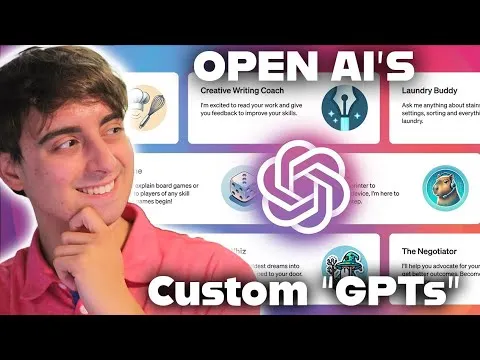
OpenAI’s bigger platform shift is “GPTs,” a beta feature for creating custom versions of ChatGPT tailored to specific purposes. The account area includes “My GPTs,” plus a “Create a GPT” option (beta, with availability described as coming in the coming weeks). OpenAI also provides a set of pre-made GPTs—some framed as legacy-style (e.g., DALL·E, data analysis, and ChatGPT classic) and others as specialized assistants such as Game Time, The Negotiator, Creative Writing, Tech Support Advisor, Coloring Book Hero, and a meme-focused helper. The transcript emphasizes that the real value may arrive when the community can publish and share GPTs through a future store.
Hands-on tests show how these GPTs behave differently: Game Time explains Monopoly for a child; The Negotiator generates a character-specific negotiation plan using uploaded Squidward material; Coloring Book Hero turns ideas into stylized images and can transform an uploaded image into a coloring-book-like version (with at least one request denied). The Tech Support Advisor offers practical troubleshooting steps for an XLR microphone noise issue, including checks for cable connections, gain levels, phantom power, electrical interference, and potential ground-loop causes. Overall, the update pairs a simpler interface with faster GPT-4 Turbo performance and a growing ecosystem of specialized assistants—positioning ChatGPT as a more modular toolset rather than a single generic chatbot.
Cornell Notes
ChatGPT’s update makes model switching simpler and brings more multimodal features into one place. GPT-4 Turbo is highlighted as faster than older GPT-4, though response times can still degrade under heavy demand. Users can edit and resubmit prompts from prior messages, and citations are easier to inspect with direct source links. Integrated DALL·E image generation works alongside vision and file uploads, enabling tasks like recreating an uploaded photo in a new style and summarizing documents inside the same chat. The new GPTs beta adds purpose-built assistants (e.g., Game Time, The Negotiator, Tech Support Advisor), with the expectation that community-made GPTs and a future store will unlock the most useful variations.
What changed in ChatGPT’s interface that affects day-to-day use?
How does GPT-4 Turbo performance compare to older GPT-4 in the transcript’s testing?
What evidence is shown that web citations and prompt grounding are more usable now?
How are DALL·E image generation and vision integrated into the updated ChatGPT workflow?
What is the GPTs feature, and how do the pre-made GPTs differ from one another?
How does document upload change what a GPT can do?
Review Questions
- How does the updated ChatGPT interface make it easier to refine prompts without starting new chats?
- What practical troubleshooting steps does the Tech Support Advisor suggest for an XLR microphone noise problem?
- Why might community-created GPTs be more valuable than the pre-made GPTs listed in the transcript?
Key Points
- 1
ChatGPT’s update replaces the old GPT 3.5/GPT 4 switching bar with a simpler dropdown toggle and automatic model switching for use cases.
- 2
GPT-4 Turbo is positioned as faster than older GPT-4, but response speed can still drop during periods of high demand.
- 3
Hover-based editing lets users retype and resubmit prompts from earlier messages, supporting iterative prompt refinement.
- 4
Citations now surface source-site logos on hover with direct clickable links, keeping web research and answers in one workflow.
- 5
DALL·E image generation is integrated into ChatGPT, including vision-based workflows that use uploaded images to guide new generations.
- 6
File uploads feed into custom GPTs, enabling document-grounded tasks like character-specific negotiation strategies.
- 7
The GPTs beta introduces purpose-built assistants (e.g., Game Time, The Negotiator, Tech Support Advisor), with a future community store expected to expand usefulness.