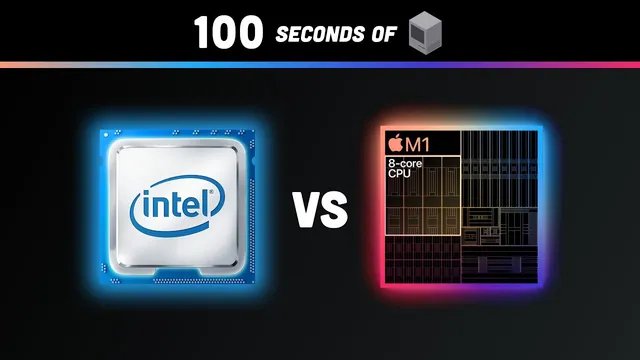
How a CPU Works in 100 Seconds // Apple Silicon M1 vs Intel i9
Based on Fireship's video on YouTube. If you like this content, support the original creators by watching, liking and subscribing to their content.
CPUs repeatedly run a fetch–decode–execute instruction cycle, synchronized by a clock generator, and scale performance using multiple cores.
Briefing
Modern CPUs are built from billions of tiny transistors that act like on/off switches, letting logic gates perform math and decision-making at extreme speed. Their operation hinges on a repeating instruction cycle: the CPU fetches instructions from RAM, decodes them to determine the operation (like add or subtract) and where the data lives, then executes by routing signals through units such as the arithmetic logic unit (ALU). A clock generator synchronizes this work, and higher clock rates generally mean more operations per second. To keep performance scaling, modern designs also use multiple CPU cores so different computations can run in parallel.
That foundation matters because Apple Silicon’s performance story isn’t just about raw CPU speed—it’s about how the chip is packaged and how tightly its components work together. Instead of the traditional Intel-style approach where the CPU, memory, and I/O live in separate places, Apple Silicon uses a system on chip (SoC) design: multiple components—CPU, GPU, I/O controller, and machine learning engine—are co-located inside one silicon container. The transcript’s refrigerator-and-sandwich analogy frames the tradeoff: an SoC behaves like having all ingredients in one place, reducing “travel” (data movement and power waste). The result is energy efficiency and speed, especially for workloads that touch several components.
In practical developer terms, the testing described centers on Apple’s first-generation M1 versus Intel systems, with a recurring theme that build and benchmark results often favor the M1—though not uniformly. In browser testing, Speedometer measures responsiveness by running automated interactions in demo web apps built with common UI frameworks (including Angular, React, Ember, and vanilla JavaScript, plus jQuery). The M1 on Safari produced far more iterations, even reaching beyond the scale, while Chrome also performed well.
For Node-based JavaScript, a CPU-intensive benchmark called “fancook redux” (from the Benchmarks Game) showed the Intel Core i9 MacBook Pro beating the M1 MacBook Air, but by a small margin. The transcript emphasizes that the M1 stayed cool and barely affected battery life, raising the question of whether Intel’s extra seconds are worth the cost.
More telling for real workflows, builds of an official NativeScript plugins repository (organized with Nx workspaces) showed only tens of seconds difference on a roughly three-minute build—yet the M1 MacBook Air won two out of three times. The biggest gains for developers, based on the described tests, show up when compiling C++ and building iOS-related components: Xcode and Swift builds, plus C++ algorithms and compiling OpenCV and WebKit, reportedly improved by about 40–50%.
The least favorable results appear in areas still dependent on translation layers or immature tooling. Rosetta can run Intel x86 software on Apple’s ARM chips, and some native workflows even perform surprisingly well, but Android development via Android Studio and emulators is less usable because it leans heavily on Rosetta and remains CPU-hungry. .NET support is also uneven: .NET 5 works for simple console apps, but ASP.NET Core web workflows don’t work yet, with full ARM support expected with .NET 6. For Windows development, Parallels is the only vendor mentioned as supporting M1 for virtual Windows, but the ARM Windows guest environment is described as immature; Visual Studio 2019 is not compatible with ARM. Unity gaming reportedly runs via Rosetta and works surprisingly well, though not as fast as native x86—until native support arrives.
Overall, the transcript paints Apple Silicon as a meaningful productivity upgrade for many developer build tasks—especially compilation-heavy iOS and C++ workloads—while highlighting that Android, some .NET web scenarios, and certain Windows-centric workflows still lag behind due to translation and platform support gaps.
Cornell Notes
The transcript explains how CPUs execute programs through a fetch–decode–execute instruction cycle synchronized by a clock, using logic gates built from transistors. It then connects that fundamentals to Apple Silicon’s system-on-chip (SoC) design, where CPU, GPU, I/O, and ML components sit together on one chip for better energy efficiency and performance. In developer testing, the M1 often beats Intel in responsiveness (Speedometer on Safari), and frequently wins or matches Intel in build tasks like NativeScript plugins. The largest improvements appear in iOS and C++ compilation workloads, with reported 40–50% build-time gains. The weakest areas are workflows dependent on translation layers or incomplete ARM support, including Android emulation and some .NET web development scenarios.
How does a CPU turn stored instructions in RAM into actual computation?
Why does Apple Silicon’s system-on-chip design matter for performance and power?
What benchmarks and tests were used to compare M1 and Intel for developer workflows?
Which developer workloads benefit most from Apple Silicon in the described results?
Where do the results look weakest, and why?
How does Rosetta fit into the performance picture?
Review Questions
- What are the three stages of the CPU instruction cycle, and what roles do the program counter and instruction register play?
- How does a system-on-chip design change the balance between performance and energy use compared with a design where components are spread across the motherboard?
- Which categories of developer workloads show the largest gains on Apple Silicon, and which categories lag due to translation or missing ARM support?
Key Points
- 1
CPUs repeatedly run a fetch–decode–execute instruction cycle, synchronized by a clock generator, and scale performance using multiple cores.
- 2
Apple Silicon’s system-on-chip design co-locates CPU, GPU, I/O controller, and ML engine to reduce power waste from data movement.
- 3
In browser responsiveness testing (Speedometer), M1 on Safari produced dramatically more iterations than the Intel comparison, with Chrome also performing strongly.
- 4
For developer build tasks like NativeScript plugins (Nx workspaces), M1 frequently matches or beats Intel with only tens-of-seconds differences overall.
- 5
The biggest reported improvements come from iOS and compilation-heavy workloads, including C++ builds and building OpenCV/WebKit, with 40–50% faster build times cited.
- 6
Workflows that depend on Rosetta translation or incomplete ARM support—especially Android emulation and some .NET web development—show weaker or unusable results in the described testing.
- 7
Windows and IDE support remain constrained on M1: Parallels is mentioned for virtual Windows, Visual Studio 2019 is not compatible with ARM, and ARM Windows guests are described as immature.