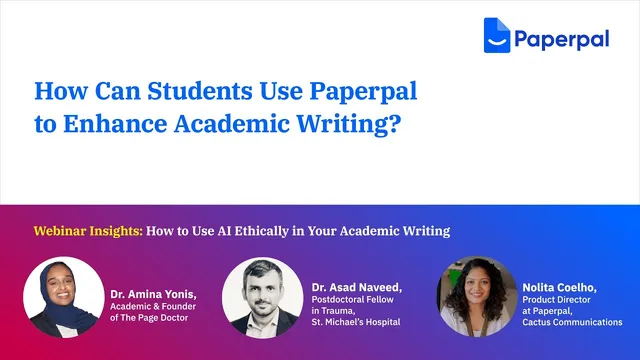
How Can Students Use Paperpal to Enhance Academic Writing?
Based on Paperpal Official's video on YouTube. If you like this content, support the original creators by watching, liking and subscribing to their content.
Paperpal integrates with Microsoft Word to provide real-time spelling, verb-form, and rephrasing suggestions while drafting.
Briefing
Paperpal is presented as an in-writing assistant for students who want to upgrade academic work without outsourcing authorship. The core workflow is built around Microsoft Word integration, where suggestions appear while a draft is being typed—flagging spelling and grammar issues, verb-form problems, and offering rephrasing options tailored to academic conventions. A key detail is the ability to set British English, which drives corrections such as “behaviour” spellings, and the system’s focus on language patterns found in research papers and theses.
From there, the tool’s value shifts from basic correction to targeted language improvement. Students can swap overused terms using a synonyms feature that proposes alternatives ranked by how frequently they appear in academic literature. The transcript illustrates this with replacing a repeated word with a more literature-aligned choice (e.g., changing phrasing to “relying on a multitude of molecular players”). Another major capability is paraphrasing: a selected sentence can be regenerated while retaining its meaning, then inserted back into the draft. The ethical emphasis is explicit—paraphrasing should be reviewed for coherence, tone, and flow, and the end result should remain the student’s own work rather than a copy-paste replacement.
Paperpal also supports “generate text” functions aimed at speeding up early-stage writing tasks. Students can request outputs such as titles, abstracts, summaries, and outlines. Titles are framed as a time sink for many students, and the system is positioned as a way to produce options that reflect what the draft already says—followed by student editing using synonyms to refine wording. Abstracts and summaries can be used both as drafts and as quality checks: students can compare the generated version against their original argument to confirm whether it accurately reflects the work. Outlines are treated as a productivity tool for overcoming writer’s block—students specify the topic and even length (e.g., a 2,000-word or 5,000-word essay), then use the returned structure as a starting point for research and drafting rather than having the essay written for them.
The finishing-touches features address two common academic constraints: word count and academic tone. A “trim” function lets students highlight a section and reduce it from a current word count to a target number, producing a shortened paragraph that can then be reviewed for whether references or key ideas were removed too aggressively. Another option, “make academic,” highlights text and generates a tighter, more research-paper-like version without changing the sentence’s length—aiming to replace looser phrasing with more concise academic wording.
Overall, the transcript draws a line between assistance and replacement. The emphasis is that Paperpal should enhance what students already wrote—cutting, refining, and structuring—while students remain responsible for originality, meaning, and the research skill behind the draft. The analogy offered is that AI here functions like a calculator: it improves efficiency, but it does not replace the learning and judgment required to produce academic work.
Cornell Notes
Paperpal is presented as an academic-writing assistant that integrates directly into Microsoft Word, offering real-time corrections and suggestions as students type. It helps students check text (spelling, verb forms, and rephrasing) with settings like British English, and it focuses on language patterns common in research papers and theses. Students can enhance drafts by using synonyms, paraphrase tools that keep meaning while requiring review for tone and flow, and generation features for titles, abstracts, summaries, and outlines. Finishing tools include trimming word counts and making sentences sound more academic without changing length. The ethical message is consistent: AI should enhance and speed up the process, not replace the student’s authorship or research judgment.
How does Paperpal fit into a student’s writing workflow while drafting in Microsoft Word?
What’s the difference between using synonyms, paraphrasing, and generating new text?
Why does the transcript stress ethical use when using AI paraphrasing or generated text?
How can generated outlines, titles, and abstracts help without writing the full paper?
What are the “finishing touches” tools for word count and academic tone?
Review Questions
- When using paraphrase, what specific checks does the transcript say students should perform to maintain tone, flow, and originality?
- How does the trim tool work in practice, and what should students do after the shortened paragraph is generated?
- What kinds of outputs (titles, abstracts, outlines, summaries) are meant to support planning and quality-checking rather than replacing the student’s writing?
Key Points
- 1
Paperpal integrates with Microsoft Word to provide real-time spelling, verb-form, and rephrasing suggestions while drafting.
- 2
British English settings matter because they drive spelling behavior such as “behaviour.”
- 3
Synonyms suggestions are ranked using usage patterns from academic literature, helping students replace overused or imprecise terms.
- 4
Paraphrasing should preserve meaning, but students must review tone, coherence, and flow to keep the work genuinely theirs.
- 5
Generated titles, abstracts, summaries, and outlines are positioned as planning and verification aids, not full-paper replacements.
- 6
The trim feature reduces word counts by generating shorter versions of highlighted text, followed by student review for completeness and references.
- 7
Finishing tools like “make academic” aim to tighten wording and match research-paper style without changing sentence length.