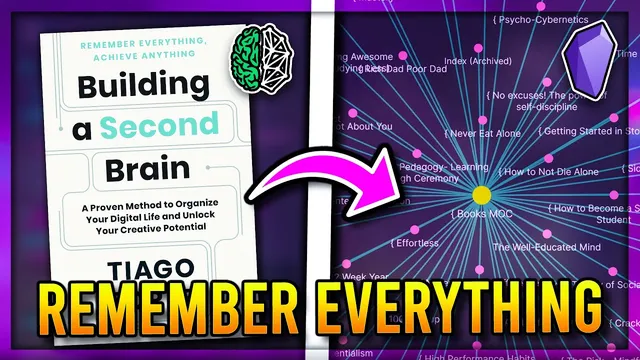
How I Built a SECOND Brain 🧠 in Obsidian MD (Tiago Forte BASB / PARA Method)
Based on John Mavrick Ch.'s video on YouTube. If you like this content, support the original creators by watching, liking and subscribing to their content.
Capture every intake into template-based Obsidian notes so ideas don’t remain as unstructured bookmarks.
Briefing
A practical second-brain system in Obsidian hinges on turning constant intake—highlights, bookmarks, and personal insights—into organized, searchable notes that can actually drive outputs. The core workflow follows Tiago Forte’s CODE pipeline for capture-to-action, then uses PARA-style organization (Projects, Areas, Resources, Archives) to keep knowledge from turning into a cluttered backlog. The payoff is straightforward: fewer scattered ideas and more “evergreen” notes and connections that support thinking and creation.
The process starts with capture. As content is consumed, new Obsidian notes are created from templates so each input gets consistent metadata: a started date, status, tags, links, and—when relevant—a finish timestamp and personal rating. Inputs are tracked in a dedicated “inputs” view powered by queries, letting the user sort by recency and filter by status (e.g., consuming, finished). For articles, the workflow emphasizes extracting structure: highlights are taken from the reading, then pasted into the note with manual handling for tools that don’t sync cleanly (Raindrop io highlights require manual transfer, while Pocket and Readwise have community plugins for syncing).
Alongside external highlights, the system captures internal thinking. When an article triggers a personal idea, a “thought” note is created with a clear structure: context (what sparked it), feelings (how it lands emotionally), and a brain-dump section for raw associations. Over time, these thoughts are organized into categories such as memories (anecdotes/experiences), reflections (personal lessons), and musings (random ideas). This distinction matters because it determines how the note will later connect to projects and resources.
Organization then applies PARA and complementary note structures. Projects are time-bound goals with deadlines and task tracking; the workflow uses a project template that creates a folder, sets an Area (e.g., a YouTube channel), and builds an OKR-based plan (Objective plus Key Results). Key Results feed into a Kanban board with tasks that can be moved from “to start” to “started” to “finished,” with optional links from Kanban cards to new notes. Areas represent long-term commitments (identity and responsibilities like health, finances, relationships), and the user uses dynamic templates and data-view queries to organize notes by type rather than relying only on folders.
Resources hold general principles and “maps of content” (MOCs) that act as launching pads. Instead of duplicating content into separate resource notes, the approach leans on linking: MOCs include queries that surface notes that reference them, so adding a link makes a note appear automatically. Archives are treated as a hiding mechanism, with the caveat that link-based systems make it harder to track archived versus active notes.
Finally, knowledge becomes usable through progressive summarization and evergreen notes. Larger inputs (like books) get three summarization rounds: bold essential sentences, highlight key terms for skimmability, then convert the result into an executive summary. Evergreen notes are atomic ideas that are continually revisited and refined, forming a “forest” of interconnected concepts. Those concepts then feed brainstorming templates for content creation and problem-solving, and retrieval uses four levels: keyword search, related-note navigation, MOC-based maps, and controlled “luck” via random notes filtered by tags.
In short, the system’s central claim is that a second brain isn’t built by collecting more—it's built by capturing consistently, organizing with PARA and linking, distilling through summaries, and maintaining evergreen connections that make future creation faster.
Cornell Notes
The system turns heavy daily content intake into actionable knowledge inside Obsidian using Tiago Forte’s CODE pipeline plus PARA organization. Capture is template-driven: each article or idea becomes an “input” note with status, dates, highlights, and ratings, while personal insights become structured “thought” notes. Organization uses PARA: Projects run on deadlines with OKRs and Kanban tasks; Areas store long-term commitments; Resources rely on linking and “maps of content” (MOCs) to surface related notes; Archives hide notes when they’re no longer active. Usability comes from progressive summarization (bold essentials → highlight keywords → executive summary) and evergreen notes that connect atomic ideas into a growing network for retrieval and creation.
How does the workflow prevent bookmarks and highlights from becoming a dead archive?
What does “CODE” mean in practice inside the Obsidian setup described here?
How are Projects managed so they translate into real work rather than vague intentions?
What role do “maps of content” (MOCs) play compared with folders?
Why does progressive summarization happen in three rounds, and what does each round produce?
How does retrieval work once the vault grows into many interconnected notes?
Review Questions
- What metadata and status fields are used to track inputs, and how do queries change what you see in the inputs list?
- How do OKRs and Kanban tasks connect to note creation (e.g., linking a card to a script note)?
- In what way do MOCs rely on linking and queries to surface related notes automatically, and why is that different from folder-only organization?
Key Points
- 1
Capture every intake into template-based Obsidian notes so ideas don’t remain as unstructured bookmarks.
- 2
Track each input with status, dates, and ratings using data-view queries so the system stays navigable.
- 3
Separate external highlights from internal thinking by storing personal insights in structured “thought” notes with context and feelings.
- 4
Organize with PARA: run time-bound goals as Projects (OKRs + Kanban), store long-term commitments as Areas, and use Resources via linking and MOCs.
- 5
Distill larger inputs through three-step progressive summarization to create executive summaries and skimmable layers.
- 6
Build evergreen notes as atomic ideas that are continually revisited and connected, forming a network for faster future creation.
- 7
Use a four-level retrieval strategy—keyword search, related links, MOCs, and filtered randomness—to balance accuracy and discovery.