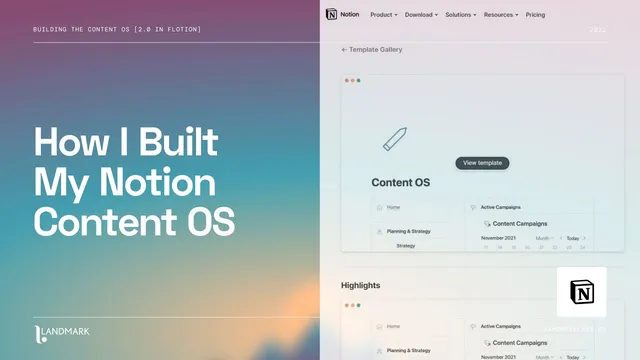
How I Built My Notion Content OS (Flotion 2.0 Rebuild From Scratch)
Based on Landmark Labs's video on YouTube. If you like this content, support the original creators by watching, liking and subscribing to their content.
Treat a content plan as the roadmap, then build a content OS as the execution layer that turns that roadmap into tasks, research, and measurable output.
Briefing
A content OS built inside Notion is less about planning ideas and more about running the workflow that turns those plans into research, tasks, publishing, and measurable results. The rebuild centers on recreating a “content hub” dashboard—complete with planning, actions, and performance—so creators can manage content end-to-end from one operational system.
The system starts by separating a content plan (roadmap, objectives, strategy) from a content OS/content hub (execution). The hub’s “home dashboard” becomes the control center: a left-side synced menu organizes distinct areas for Planning, Actions, and Performance. Planning is structured with tabs and components for strategy and research, including persona templates, competitor and research tables, and strategy summaries such as “key pillars.” Actions are organized around work that must happen next—linked to campaigns/projects—and tracked through board views that show status and completion. Performance ties the workflow to analytics, embedding Google Analytics dashboards (and optionally YouTube analytics) so content output can be measured against results.
The rebuild proceeds by creating a fresh workspace/page (called “content os rebuild”) and then generating the required page skeletons in bulk. In Flotion, this is done by creating new “projects” (flows) and using a quick “generate new page” button to spawn pages with consistent formatting. The builder mirrors the original template’s structure by adding menu dividers and then creating or removing pages as needed (for example, skipping a page that already exists in the editor).
Once the page framework is in place, the heavy lifting is done through reusable components—pre-built building blocks that include rich fields and linked databases. Strategy pages get components like a personas gallery/template, a workbook-style notebook, competitor tables, research hubs, and key pillars layouts. The calendar and timeline views are recreated with Notion database views grouped by areas and then converted into timeline-style organization. Content types are handled through filtered database views: articles use an existing filtered view, videos are built as a board grouped by status and sub-grouped by due date, and tweets are recreated as a topic-grouped board. Emails are handled either by adding an “email” type to the master content database or by using Flotion’s dedicated emails table.
For execution, the actions board is rebuilt as a board grouped by campaign/project (with status at the top level) and configured to show key properties such as name, area, status, and completion. Supporting databases round out the OS: an assets section is created via a linked database gallery of the existing Flotion assets database, and a workflows section is added using a gallery component grouped by tags for manageability. Performance is assembled through Flotion’s embed/integration components, including a Google Analytics dashboard powered by a Data Studio template, plus an optional YouTube analytics embed.
The final step is “tidying up,” especially the missing home dashboard. The rebuild is then positioned as a template that can be linked back into Flotion so new workspaces start with the same content OS structure, with component links provided for duplication in either Flotion or a standard Notion workspace.
Cornell Notes
The rebuild focuses on creating a Notion “content OS/content hub” that operationalizes a content plan. Instead of only mapping strategy, the hub organizes execution through three main areas: Planning (research, personas, competitors, key pillars), Actions (campaign/project-linked task boards with status and completion), and Performance (embedded analytics such as Google Analytics and optionally YouTube analytics). The build starts from a fresh workspace, generates the page skeletons in bulk, then populates each page using reusable components that include linked databases and templates. Content types are handled with filtered views (articles, videos, tweets, emails), and supporting systems like assets, workflows, and archives are added to keep the workflow manageable. The result is a reusable template that can be duplicated in Flotion or plain Notion.
What’s the practical difference between a content plan and a content OS/content hub in this system?
How does the rebuild create the page structure efficiently before adding components?
What role do reusable components play in rebuilding the OS?
How are different content types represented in the Actions/Creation area?
How is the archive functionality designed?
What makes the Performance section actionable rather than just informational?
Review Questions
- How does the system’s Planning/Actions/Performance structure help distinguish strategy from execution?
- Describe how the videos board view is configured (grouping, sub-grouping, and filtering).
- What database-view technique is used to implement archives across content and campaigns?
Key Points
- 1
Treat a content plan as the roadmap, then build a content OS as the execution layer that turns that roadmap into tasks, research, and measurable output.
- 2
Start from a clean workspace/page and generate the page skeletons first; mirror the template’s menu structure with dividers and consistent page formats.
- 3
Use reusable components (personas, competitor tables, research hubs, key pillars, workflows) to avoid rebuilding complex linked databases from scratch.
- 4
Represent content types using filtered database views—articles, videos, tweets, and emails each get their own board or table configuration.
- 5
Build archives as filtered views driven by a shared “archived” property so archiving automatically routes items into the right archive sections.
- 6
Link Actions to campaigns/projects and configure board views to show the properties that matter (name, area, status, completion).
- 7
Embed analytics in Performance using Flotion’s integration components, including Google Analytics (and optionally YouTube analytics) to connect output to results.