How I Process My Digital Notes
Based on Tiago Forte's video on YouTube. If you like this content, support the original creators by watching, liking and subscribing to their content.
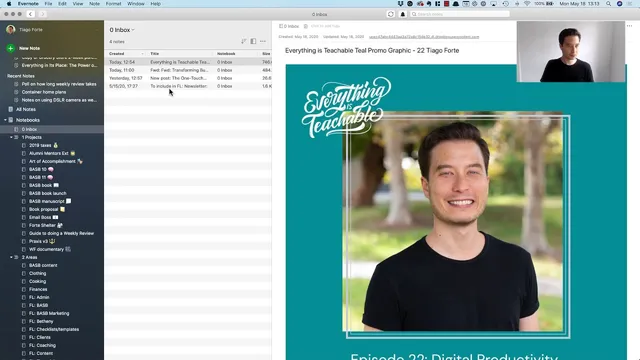
Process Evernote’s default Inbox in chronological order during weekly review to prevent backlog from accumulating.
Briefing
Tiago Forte’s weekly review step centers on one practical move: draining Evernote’s default “Inbox” by converting raw incoming notes into actionable, project-specific items. Instead of letting a week’s worth of captured material pile up, he starts with the oldest Inbox entry and works forward, quickly deciding what each note is for and where it belongs. The result is an Evernote system that stays usable—his Inbox typically holds about a week of notes (often around a dozen to 20), and the goal is to clear it completely before starting the next cycle.
For each Inbox item, Forte treats the note as both information and an opportunity to create next actions. He edits the note title into something more descriptive (Evernote auto-generates a title from the first line, but he replaces it with clearer wording). Then he copies the note link and uses it to create a task in Things (via Quick Capture). That task includes a short instruction—often phrased as a “review” step—and the pasted link points directly back to the source note. He then assigns the task to the right project area, such as “Art of Accomplishment” for upgrading his webcam setup for video calls, or “Forte Academy” for planning and roadmap work tied to ConvertKit.
The workflow also handles non-obvious inputs. A screenshot saved from Reddit about how long weekly reviews take becomes a note in a newly created notebook called “Guide to doing a weekly review,” placed inside a “project stack” that groups related notebooks. Email content can be forwarded into Evernote; once it lands in the Inbox, he can move it into the relevant course notebook when he’s ready to work on it. Even podcast-related material follows the same pattern: he copies the note link, then files it into a blog-oriented notebook (“Praxis”) while setting a reminder to use an interview image for future social posts.
Across these examples, the key mechanism is consistent: Inbox items get renamed for clarity, linked for traceability, turned into tasks when action is needed, and filed into the correct notebook or project stack. Forte finishes by emptying Evernote’s trash, signaling a clean break between weeks. By the end of the step, the Inbox is cleared and ready for new captures, turning weekly review from a heavy administrative chore into a fast, repeatable filing routine that keeps projects and tasks connected to their source notes.
Cornell Notes
The weekly review step focuses on clearing Evernote’s default Inbox by processing each incoming note in chronological order. For every item, Tiago Forte renames it for clarity, copies its Evernote note link, and uses that link to create a task in Things via Quick Capture. He then assigns the task to the correct project notebook or project stack—such as “Art of Accomplishment” for webcam upgrades or “Forte Academy” for ConvertKit Q3 planning. He also files research and media inputs (like a Reddit poll screenshot or a podcast interview) into purpose-built notebooks, including creating a new “Guide to doing a weekly review” notebook when needed. The payoff is a clean, centralized system where tasks and projects always point back to the underlying notes.
Why does Forte start with Evernote’s Inbox, and what does “Inbox” mean in his system?
How does copying an Evernote note link turn information into an actionable task?
What determines where a note gets filed—what’s the decision rule?
How does he handle inputs that aren’t obviously “tasks,” such as research screenshots or forwarded emails?
What’s the role of project stacks and notebook creation in the workflow?
How does Forte ensure the system feels “complete” at the end of the step?
Review Questions
- When processing an Inbox note, what sequence of actions does Forte use to convert it into something usable (rename, copy link, create task, assign destination)?
- Give two examples of different destinations Forte uses (e.g., “Art of Accomplishment” vs. “Forte Academy”). What kind of note goes to each?
- Why does Forte create a new notebook for the weekly review guide instead of storing that research in an existing notebook?
Key Points
- 1
Process Evernote’s default Inbox in chronological order during weekly review to prevent backlog from accumulating.
- 2
Rename notes for clarity because Evernote’s auto-title (first line) may not be descriptive enough for later retrieval.
- 3
Use “copy note link” and Things Quick Capture so tasks always point back to the exact source note.
- 4
Assign each task or note to the correct project notebook or project stack (e.g., webcam upgrades to “Art of Accomplishment,” planning to “Forte Academy”).
- 5
Create new notebooks when a recurring theme emerges (like a dedicated “Guide to doing a weekly review” notebook).
- 6
Forwarded emails and saved research still follow the same Inbox-to-destination workflow, even if deep review happens later.
- 7
Empty Evernote’s trash at the end to mark the week as fully processed and keep the system feeling clean.