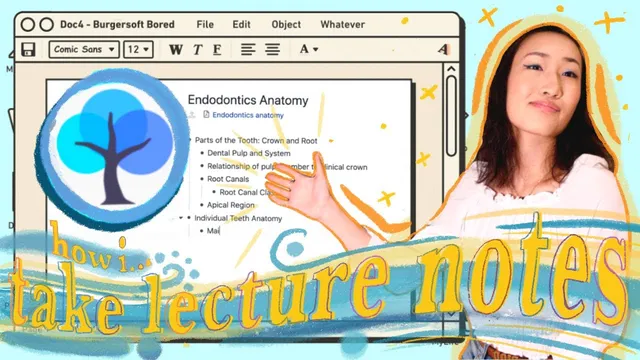
How I take notes in Lectures? (ft. remnote)
Based on Priscilla Xu's video on YouTube. If you like this content, support the original creators by watching, liking and subscribing to their content.
Copying lecture slides can feel productive while undermining comprehension; the workflow targets deeper processing instead.
Briefing
A passive, copy-the-slides approach to lectures can create an “illusion of learning,” but a structured, bottom-up note system can turn classroom information into durable understanding—complete with spaced repetition, active recall, and question-driven review. The core claim is that deep learning requires more than transcription: it demands hard work, deliberate rephrasing, and a workflow that forces concepts to connect.
The journey starts with a common failure mode. In-person or online lectures often feel like information streams that students absorb without real processing—especially when notes become a direct rewrite of PowerPoint. That habit is described as “transmissionism,” where copying and rewording aim to preserve memory but end up blocking genuine comprehension. Online learning intensifies the problem, and the result is a standardized routine that feels productive while leaving gaps.
To counter that, the workflow is built around RemNote, framed as a system that matches how knowledge accumulates: bottom-up processing. Each lecture idea becomes an “atomic building block” in the knowledge base, using descriptors and concepts. The method emphasizes that notes should be incremental and anatomical—built from basics upward—rather than a linear transcript. RemNote’s features support this structure through space repetition and active recall, so review happens later without relying on last-minute cramming.
During lectures, the process begins with preparation and purpose. Before taking notes, the student identifies the subject type (concept-based, content-heavy, logic-heavy, or analysis-heavy) and defines the “enemy” to tackle. Then they scope the lecture by scanning the outline and setting a hierarchy for titles. Notes are taken only after understanding clicks: the student explains concepts in their own words, using minimal flashcard-ready definitions (e.g., the tooth’s crown and root) and avoids over-noting when the idea is already clear.
Annotations are integrated directly with the lecture materials. PDFs are opened alongside the notes, highlighted text can be converted into references, and images (like x-rays or case study visuals) are captured as screenshot inserts that link back to the source. When professors connect ideas across lectures—such as anatomy relating to bacterial invasion and treatment—the student uses RemNote’s search/link tools (like double brackets) to tie new material to prior notes.
A major step is metacognition: thinking about thinking. The student uses graph view to visualize relationships, then generates structured questions using a repeatable template: summarize for a five-year-old, identify what’s unclear, and use “why/how/what” prompts to test purpose, reasoning, and differences between concepts. Office hours become part of the same workflow: questions are tagged so answers can be written on a single page, avoiding document-hopping that reduces efficiency.
After class, the notes are converted into flashcards (including Gold Card functionality), and a template called “Things to know” is used to organize objectives, main points, and the specific areas where understanding breaks down. The final takeaway is not a universal method but ownership of learning: question breakdown and practice should adapt to the subject—calculus favors applying theorems through problems, while science benefits from explaining concepts to others. The broader message is to start finding a workflow early, because waiting makes it less likely to happen.
Cornell Notes
The transcript argues that copying lecture slides can produce an “illusion of learning,” especially in online classes. A better approach is bottom-up note-taking that turns lecture ideas into connected building blocks, then uses spaced repetition and active recall to make understanding stick. RemNote is presented as the system that supports this workflow: references to lecture PDFs and images, linked concepts across sessions, and flashcards generated from concise definitions. The method also adds metacognition—regularly generating questions (why/how/what, summarize simply, and identify what’s unclear) and using office hours without breaking focus. The result is a review-ready knowledge base rather than a linear transcript of what was said.
Why does “copying and rephrasing” lecture slides sometimes fail to improve understanding?
What does bottom-up processing mean in this note-taking workflow?
How does the workflow decide what to write during a lecture?
How are lecture materials (PDFs and images) turned into usable knowledge?
What role does metacognition play after notes are taken?
How does the workflow prevent office hours from disrupting the note system?
Review Questions
- What specific habits are described as creating an “illusion of learning,” and how does the proposed workflow counter them?
- How does the transcript’s question-generation template (five-year-old summary, unclear concepts, why/how/what) support active recall and deeper understanding?
- Why does the workflow emphasize bottom-up knowledge building rather than linear note transcription?
Key Points
- 1
Copying lecture slides can feel productive while undermining comprehension; the workflow targets deeper processing instead.
- 2
Bottom-up processing treats knowledge as incremental building blocks that connect from basics to higher-level understanding.
- 3
RemNote is used to convert lecture ideas into linked notes, references, and flashcards supported by spaced repetition and active recall.
- 4
During lectures, notes should be concise and only expanded when understanding is incomplete; minimal definitions become flashcards.
- 5
Metacognition is operationalized through structured question templates and visualization (graph view) to expose gaps.
- 6
Office hours are integrated by tagging questions so answers are captured in one place without breaking focus.
- 7
Review is streamlined with templates (like “Things to know”) that separate objectives, main points, and the hardest areas to revisit.