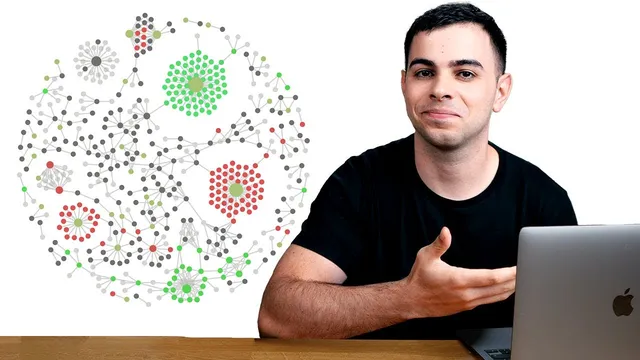
How I Use Maps Of Content (MOCs) // EP 5 Mastering Obsidian
Based on FromSergio's video on YouTube. If you like this content, support the original creators by watching, liking and subscribing to their content.
MOCs organize notes around topics using direct links, avoiding the rigid parent/child limits of folder hierarchies.
Briefing
Maps of Content (MOCs) are a practical way to organize an Obsidian vault around topics using bidirectional links—so notes stay easy to connect as interests evolve, instead of getting trapped in rigid folder trees. The core idea is that a MOC acts like a hub for a theme (programming, philosophy, filmmaking), pulling together related notes through links. That matters because folder hierarchies only model simple parent/child relationships, while real research often spans “siblings,” “cousins,” and cross-cutting connections—like linking an insight from a book to a YouTube script even when the book lives in a completely different folder.
In Obsidian, direct linking removes that friction: a note can point to another note regardless of where it sits in the vault. As the vault grows, MOCs are meant to change with it—new thoughts create new hubs, and existing hubs can be revised without breaking the system. The approach also shifts the workflow from “decide where everything goes first” to “create first, organize later,” leveraging Obsidian’s strength: linking notes freely so structure emerges over time.
The transcript outlines two common triggers for building MOCs. One is migration—moving hundreds of notes from tools like Evernote or Notion into Obsidian and needing a topic-based map to replace the old structure. The other is organic growth—when many notes start linking to the same theme, graph view often reveals that a dedicated MOC is overdue.
A concrete example is a “YouTube channel” MOC. It includes a home directory at the top that acts as a root for the vault’s MOCs, giving a bird’s-eye view of what exists and what needs attention. Within that hub, the creator adds a rotating quote for inspiration, a simple to-do list for immediate tasks, and a Kanban board to track video production stages (idea generation, scripting, editing, publishing). Notes are also prefixed with short identifiers like “yt” for YouTube-related MOCs, enabling fast search across large vaults by typing the prefix.
The transcript then expands the concept into a “home note,” treated as a macro version of a MOC. This home page is organized into work, interests, and side projects, further divided into MOCs actively in use versus those moved into a less prominent “non-active” area—an approach meant to reduce clutter while preserving older work. Numbering in titles helps file explorer sorting, and graph view can display the network of attached MOCs.
Finally, the transcript recommends customizing search by tagging different media types in note titles: a colon for articles, a dollar sign for tweets, and other symbols for books and other sources. The takeaway is a workflow philosophy: resist the urge to over-organize every note upfront, because Obsidian’s linking makes later organization both feasible and less stressful—letting creativity lead while structure catches up.
Cornell Notes
Maps of Content (MOCs) in Obsidian organize notes around topics using links, not folders. The system works because direct linking supports complex relationships that folder hierarchies struggle to represent (beyond simple parent/child). MOCs can be built during migration from tools like Evernote/Notion or when graph view reveals many notes converging on the same theme. A “home note” can act as a macro MOC, separating active work from non-active items to keep attention focused. Fast retrieval is reinforced with title prefixes/symbols (e.g., “yt” for YouTube, “:” for articles, “$” for tweets) and optional graph/tag views as the vault grows.
Why do MOCs outperform folder hierarchies for knowledge work in Obsidian?
When should someone create a new MOC instead of just linking notes ad hoc?
What does a “YouTube channel” MOC include, and how does it support day-to-day work?
How does the home note differ from a MOC, and why keep “active” and “non-active” sections?
How do title symbols and prefixes improve search across a large vault?
What workflow rule prevents over-engineering the vault?
Review Questions
- What specific limitation of folder hierarchies makes bidirectional linking (and MOCs) more suitable for complex research connections?
- Describe two different situations that justify creating a new MOC, and explain how graph view can influence that decision.
- How do title prefixes/symbols (like “yt,” “:”, and “$”) change the way you search in Obsidian as the vault grows?
Key Points
- 1
MOCs organize notes around topics using direct links, avoiding the rigid parent/child limits of folder hierarchies.
- 2
Direct linking lets notes connect regardless of location in the vault, supporting cross-topic research connections.
- 3
Build MOCs during migration from tools like Evernote/Notion or when graph view shows many notes converging on the same theme.
- 4
Use a vault “home note” as a macro MOC to separate active work from non-active items and reduce clutter.
- 5
Add short prefixes (e.g., “yt” for YouTube, “pg” for programming) to make search fast across large vaults.
- 6
Customize search by encoding media type in titles with symbols such as “:” for articles and “$” for tweets.
- 7
Avoid over-organizing every note upfront; prioritize creating and linking, then refine structure later.