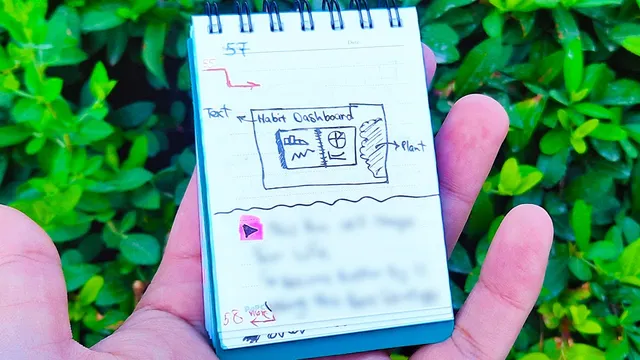
How I Use My Pocket Notebook
Based on Daily Atomic Steps's video on YouTube. If you like this content, support the original creators by watching, liking and subscribing to their content.
Use the pocket notebook for detailed, on-the-go logging (e.g., minutes, pages, and book titles after reading sessions) and keep the Bullet Journal focused on totals and high-level categories.
Briefing
A pocket notebook can do more than capture quick thoughts—it can serve as the detailed engine behind a Bullet Journal “dashboard,” letting someone track time, money, ideas, and experiences without carrying bulky notes. The core setup relies on a consistent framework and layout: use the pocket notepad for granular data (like minutes spent, pages read, and which book), then roll up summaries into the Bullet Journal at the end of the day or week. That division matters because it keeps high-detail logging close at hand while preserving a clean, high-level view for planning and review.
Time tracking sits at the center of the system. After each reading session, the notebook records how many minutes were spent, how many pages were read, and the book source. The approach avoids turning the Bullet Journal into a place for exhaustive details—those entries stay minimal there. Instead, the pocket notepad travels everywhere, capturing specifics on the spot. Later, the person totals reading time across the chosen period and writes the aggregated result under the relevant category in the Bullet Journal, effectively turning the Bullet Journal into a progress dashboard while the pocket notebook holds the supporting evidence.
Money tracking is handled similarly, with the back of the notepad reserved for expenses and revenues. To keep financial notes visually distinct from other logs, a dollar sign symbol marks money-related entries.
Ideas are organized into three categories using symbols: “Reflect,” “Video ideas,” and “Others.” “Reflect” is defined as reviewing the day to identify what worked well to repeat and what didn’t to fix—denoted with a specific symbol. “Video ideas” are straightforward and marked with another symbol. “Others” captures everything that doesn’t fit those two buckets, including business ideas or lessons drawn from books such as the “Thanksgiving Journal” concept mentioned from Chapter 2 of The Compound Effect, which the system treats as neither pure reflection nor video material.
Beyond ideas, the notebook also supports special experiences and moments through a triangle symbol—examples include quitting video uploads for specific reasons or discovering a new topic worth deeper exploration. Temporary notes, such as phone numbers jotted during calls, use a separate symbol so short-lived information doesn’t clutter longer-term thinking.
Cross-referencing is the glue that prevents the system from becoming a pile of disconnected pages. Each page is numbered, enabling two kinds of references: within the same notepad (linking an idea on page 55 to added notes on page 57) and across different notebooks (linking a Bullet Journal entry back to a specific pocket-notepad page, or linking from the pocket notebook to a particular Bullet Journal page). The method emphasizes that a pocket notebook alone is limited for insight; its real value emerges when paired with a higher-level tool like the Bullet Journal, which turns scattered details into patterns, progress, and actionable review.
Cornell Notes
The system uses a pocket notebook to capture detailed, time-stamped information and a Bullet Journal to maintain a high-level dashboard. The pocket notebook records specifics such as minutes spent, pages read, and book titles after reading sessions, then those details get totaled and summarized in the Bullet Journal under the right category. Ideas are sorted into three symbol-based types—Reflect, Video ideas, and Others—while special moments and temporary notes use separate symbols. Numbered pages enable cross-referencing both within the pocket notebook and between the pocket notebook and the Bullet Journal, so details can be expanded later without losing context. The payoff is turning fast, on-the-go notes into structured insight over time.
Why track reading sessions in the pocket notebook instead of writing everything directly in a Bullet Journal?
How does the system keep time tracking from mixing with other notes?
What are the three idea categories, and how are they represented?
How does the notebook handle different kinds of life notes (special vs temporary)?
What does cross-referencing require, and how does it work across notebooks?
What’s the system’s main argument about why the pocket notebook alone isn’t enough?
Review Questions
- How would you record and later summarize a week of reading using this pocket-notebook-to-Bullet-Journal workflow?
- What symbol system would you use for a daily lesson that improves a relationship (not strictly a reflection or a video idea), and why?
- Describe two different cross-referencing scenarios: one within the same notepad and one between the pocket notebook and the Bullet Journal.
Key Points
- 1
Use the pocket notebook for detailed, on-the-go logging (e.g., minutes, pages, and book titles after reading sessions) and keep the Bullet Journal focused on totals and high-level categories.
- 2
Write time tracking on the back of the notepad to prevent it from mixing with other notes.
- 3
Track expenses and revenues on the back of the notepad, using a dollar sign symbol to distinguish money entries from everything else.
- 4
Organize ideas with symbols into Reflect, Video ideas, and Others, with Reflect defined as reviewing what worked and what didn’t each day.
- 5
Use a triangle symbol for special experiences and moments, and a separate symbol for temporary notes like phone numbers.
- 6
Number every page to enable cross-referencing within the pocket notebook and between the pocket notebook and the Bullet Journal.
- 7
Treat the pocket notebook as the detail layer and the Bullet Journal as the insight layer that synthesizes progress over time.