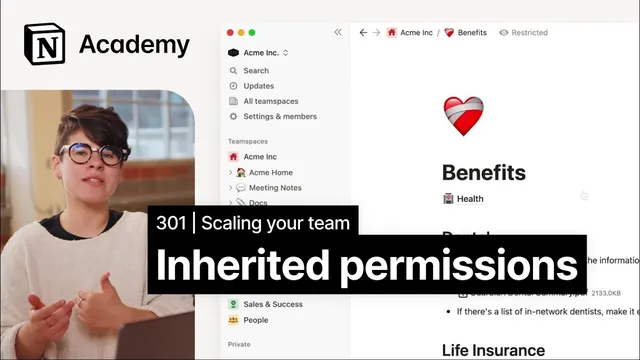
How page access gets passed down
Based on Notion's video on YouTube. If you like this content, support the original creators by watching, liking and subscribing to their content.
Notion page permissions are inherited from parent pages and team spaces, even when page-level settings are changed.
Briefing
Notion’s page permissions follow two hard rules: access is granted or revoked at the page level, but it’s inherited from parent pages and team spaces. On top of that, when multiple permission sources conflict, the highest access level a user can receive wins—so a user’s effective access is determined by the maximum permission granted through any applicable group, page, or team-space setting. This matters because it explains why “I changed it here” sometimes doesn’t produce the expected result, and why permission troubleshooting in Notion often comes down to finding the strongest permission path.
At the team space level, owners can set default permissions for different categories: team space owners, team space members, and workspace members who aren’t part of the team space. A team space’s top-level page starts with those defaults, but child pages inherit permissions from their parents. That inheritance can be overridden on a subpage if permissions are explicitly changed there, yet otherwise the permission chain stays linked—so updates to a parent can ripple through all nested pages.
Conflicts are resolved by the “highest level wins” principle. For example, a person who is a team space member with “can edit” access can still end up with full access if they belong to a group that has higher permissions within the same team space. Conversely, manually revoking a user’s access from a page via the share menu may not fully remove their access if the team space settings still grant them access. In one scenario, removing a team space owner’s access on a specific page wouldn’t work unless the team space owner settings were updated as well—because the inherited permissions continue to apply.
There’s also a practical warning: it’s possible to remove your own access to a page. Notion recommends granting yourself full access before reconfiguring page permissions, reducing the risk of locking yourself out while you’re adjusting defaults or inheritance.
The transcript walks through a common workflow: create a new “benefits” page in a general team space, then decide whether to restrict access while it’s still being drafted. One approach is to change the default access level on the page to “no access,” then explicitly invite only the intended collaborators—such as a manager and a specific group of peers. As the guide matures, access can be granted back to team space members by updating the parent page’s sharing settings, which then flows down to subpages.
Finally, the guidance emphasizes how to use groups to reflect real company structure—especially on Enterprise plans where users can be provisioned into groups. It also notes how to handle guests: adding a personal email via the share menu on the parent page grants inherited access to all subpages without giving the guest access to the entire team space. Overall, the takeaway is that understanding inheritance and the “highest access wins” rule turns permission management from guesswork into a predictable system.
Cornell Notes
Notion permissions are governed by two principles: page-level changes are inherited from parent pages and team spaces, and when permission sources conflict, the highest access level wins. Team space owners set default permissions for team space owners, team space members, and workspace members outside the team space; top-level pages start with those defaults and child pages inherit them. Manually revoking access on a page may fail if team space defaults still grant access, so effective permissions often come from the strongest inherited path. To avoid lockouts, it’s recommended to ensure you personally have full access before changing permissions. Using groups and adding guests via personal emails on the parent page lets access flow predictably to all subpages.
What are the two rules that most strongly determine effective permissions in Notion pages?
How do team space default permissions affect a newly created page?
Why might manually revoking someone’s access from a page not remove their access?
What’s the recommended safety step before reconfiguring page permissions?
How can a team restrict access while a page is still being drafted, then open it later?
How do guests and groups fit into the inheritance model?
Review Questions
- If a user is a team space member with “can edit” but also belongs to a group with higher permissions, what access level will they effectively have and why?
- What steps would you take to ensure a user’s access is truly revoked when team space defaults still grant access?
- How does changing permissions on a parent page affect subpages, and when would you need to overwrite permissions on a subpage?
Key Points
- 1
Notion page permissions are inherited from parent pages and team spaces, even when page-level settings are changed.
- 2
When multiple permission sources apply, the highest access level wins for that user.
- 3
Team space owners control default permissions for team space owners, team space members, and workspace members outside the team space.
- 4
Manually revoking access on a page may not work if team space defaults still grant access through inheritance.
- 5
It’s possible to remove your own access to a page; grant yourself full access before changing permissions.
- 6
New pages typically start with team space default permissions, and subpages inherit those permissions unless explicitly overwritten.
- 7
Adding a guest via personal email on a parent page grants inherited access to all subpages without granting access to the whole team space.