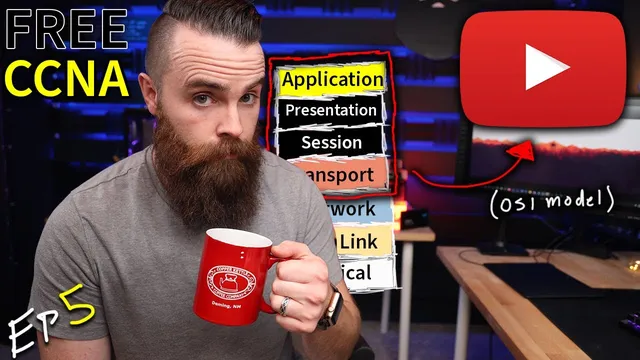
how the OSI model works on YouTube (Application and Transport Layers) // FREE CCNA // EP 5
Based on NetworkChuck's video on YouTube. If you like this content, support the original creators by watching, liking and subscribing to their content.
The browser’s HTTP request starts at the Application layer, then the Presentation layer formats (e.g., HTML) and may encrypt (SSL-related) the data.
Briefing
Watching a YouTube video pulls in the OSI model’s upper layers: the browser formats and secures requests (Application/Presentation), keeps a logical conversation open (Session), then relies on transport protocols to move data reliably or quickly (Transport). The practical takeaway is that “web browsing” isn’t one network action—it’s a coordinated stack where different layers handle different jobs before packets ever reach routers and switches.
At the Application layer, the web browser acts as the interface for network-aware programs. When “johnny” types youtube.com, the browser generates an HTTP GET request asking for the site content. The Presentation layer then prepares that data for interoperability and protection. It converts content into widely understood formats such as HTML, XML, and JPG, and it can encrypt traffic using mechanisms associated with SSL (Secure Socket Layer). After the data is “presentable,” the Session layer establishes and manages the communication context—keeping the conversation open, authenticating where needed, and then tearing it down when finished. Common Session-layer protocols mentioned include L2TP (often tied to VPNs), RTCP (Remote Transport Control Protocol), H.245 (for setting up video calls), and SOCKS proxies used to route traffic through different hosts.
Once the upper layers have prepared the payload and opened a session, the Transport layer takes over the question of delivery. Two main transport protocols handle nearly all of the behavior people notice: TCP and UDP. TCP is built for reliability. It uses acknowledgments and retransmissions—if data isn’t confirmed, it gets resent. It also establishes a connection first through the TCP three-way handshake (SYN, SYN-ACK, ACK) before exchanging data. UDP, by contrast, prioritizes speed over confirmation: it sends data without waiting for acknowledgments, which reduces delay.
That difference matters for real-time media. The browser uses TCP for the initial web page delivery (including the HTML that builds the interface) over HTTPS, typically destination port 443. But when the video starts streaming, traffic shifts to UDP for the media stream. The reason is practical: retransmitting missed packets during video playback would arrive too late to be useful, so dropping a few packets is preferable to stalling or rewinding the stream. For interactive applications like gaming or live video, “real-time” beats “perfect delivery.”
Transport ports tie everything together. Port 443 identifies the HTTPS service on the server. Meanwhile, the client uses an ephemeral (temporary) source port—chosen from the high-numbered range—to let the server know where to send the response among many simultaneous connections. In the Wireshark walkthrough, the destination is the YouTube IP (173.194.191.167) and the protocol transitions from TCP to UDP as the page loads and the video begins.
The episode ends by reinforcing how these layers map to CCNA-style recall: common port/protocol pairings such as DNS over TCP/UDP, DHCP over UDP, FTP over TCP (port 21), HTTP over TCP (port 80), SNMP over UDP, and TFTP over UDP (port 69). The overarching message is that a YouTube session is a full-stack exchange: formatting and encryption, session management, then transport choices that balance reliability against timeliness.
Cornell Notes
A YouTube watch session depends on OSI upper layers working in sequence. The browser generates an application-layer request (HTTP GET), the presentation layer formats it into standard types like HTML and can encrypt it using SSL-related mechanisms, and the session layer keeps the conversation authenticated and open. Transport then decides how data moves: TCP provides reliable delivery using acknowledgments and the TCP three-way handshake, while UDP prioritizes speed by sending without waiting for confirmation. During YouTube, TCP is used for the web page over HTTPS (destination port 443), then UDP takes over for the video stream because retransmitting late packets would hurt real-time playback. Ports (well-known like 443 and ephemeral client ports) route traffic to the correct services and applications.
What roles do the Application, Presentation, and Session layers play when a browser requests youtube.com?
Why does TCP use a three-way handshake, and what does that buy reliability?
Why does YouTube switch from TCP to UDP when video playback begins?
What do port 443 and an ephemeral source port represent in the transport layer?
How do TCP and UDP differ in behavior during data transfer?
Which protocol/port pairings were highlighted as common CCNA recall targets?
Review Questions
- When a browser requests youtube.com, what specific tasks fall to the Presentation and Session layers before Transport begins moving data?
- In what situations is TCP’s retransmission behavior useful, and why would that same behavior be harmful for video streaming?
- How do destination ports like 443 and ephemeral source ports work together to route traffic to the right service and application?
Key Points
- 1
The browser’s HTTP request starts at the Application layer, then the Presentation layer formats (e.g., HTML) and may encrypt (SSL-related) the data.
- 2
The Session layer manages the logical conversation—keeping it open and authenticated—before it’s torn down.
- 3
Transport chooses between TCP (reliable, acknowledgment-based, three-way handshake) and UDP (fast, no delivery verification).
- 4
YouTube commonly uses TCP for the initial web page over HTTPS (destination port 443) and switches to UDP for the video stream.
- 5
UDP is favored for real-time media because retransmitting missed packets would arrive too late to matter.
- 6
Port 443 identifies the HTTPS service on the server, while the client uses ephemeral source ports to distinguish simultaneous connections.
- 7
Well-known ports (0–1023) map to common services, while ephemeral ports are temporary client-side identifiers.