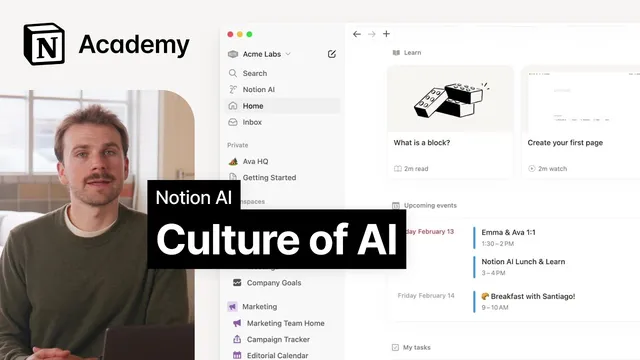
How to build an AI-driven culture at work
Based on Notion's video on YouTube. If you like this content, support the original creators by watching, liking and subscribing to their content.
AI delivers its biggest workplace impact when teams integrate it into shared workflows rather than using it only for individual tasks.
Briefing
AI’s biggest payoff at work comes not from individual productivity boosts, but when entire teams treat AI as part of their everyday workflow. When that shift happens, teams can move faster, ship more, and spend more time on what matters to customers—so the focus turns to how companies bake AI into processes and habits rather than relying on ad hoc experimentation.
A practical approach centers on three categories of adoption inside Notion: internal product decisions, a culture of documentation, and continuous advocacy through education. Internal product decisions mean embedding AI features and prompts directly into templates and workflows so using AI feels like the default path. In meeting-note databases, for instance, teams can add an AI property that generates summaries, another that captures action items automatically, or AI blocks that produce quick drafts. Templates for project updates can also include prompts that encourage teammates to ask AI for support—turning “use AI” into something people do without needing to remember it.
Documentation culture is the second pillar, and it’s what makes AI outputs genuinely useful. Instead of relying on communal knowledge and interrupting colleagues for information, teams build a searchable, accessible knowledge base where project docs and status updates are recorded. That matters because asking AI for an update only works well when the underlying information exists in a place AI can draw from. In the example scenario, a coworker can find relevant updates across Notion, Slack, and engineering tools like GitHub and Jira, enabling AI-assisted status reporting to produce real value rather than generic answers.
Continuous advocacy and use-case-based education keeps adoption from stalling. Regular training, internal knowledge sharing, and championing specific AI workflows help maintain momentum and broaden participation. Concrete mechanisms include monthly AI showcases where employees demonstrate how they used AI to solve problems, plus lightweight community channels such as a dedicated Slack space for AI tips and success stories. These efforts also reduce friction by making AI feel approachable—especially because AI capabilities are broad, and seeing peers’ examples clarifies what’s practical. They also create room to address concerns such as data privacy and responsible-use policies.
The overall message is to start small and focus on wins that matter to the team, then expand as comfort grows. The transformation is gradual, but the target is clear: AI and documentation should feel like natural parts of how work gets done, not extra tasks layered on top. When that combination is in place, teams often stop asking whether AI helps and start wondering how they operated without it.
Cornell Notes
The strongest gains from AI at work come when teams integrate it into daily workflows, not when individuals use it in isolation. A three-part adoption strategy supports that shift: embed AI prompts and features into templates (so using AI is effortless), build a documentation culture (so AI has reliable information to work with), and sustain adoption through continuous advocacy and education (so people learn from real use cases). Documentation is especially important because AI-assisted updates only deliver value when project status and context are stored and searchable. Regular showcases and internal sharing make AI more approachable and help address concerns like privacy and responsible use. Start with small, high-impact wins and expand as the organization becomes comfortable.
Why does AI adoption work better at the team level than as a set of individual productivity hacks?
What does “internal product decisions” mean in practice for embedding AI into daily work?
How does a culture of documentation make AI outputs more useful?
What role does continuous advocacy play in sustaining AI adoption?
How can organizations address concerns like privacy and responsible use while rolling out AI?
Review Questions
- What are the three categories of AI adoption strategy, and how does each one contribute to better outcomes?
- Why would asking AI for a status update often fail in workplaces without strong documentation practices?
- Give two examples of how AI can be embedded into templates or workflows to make usage feel natural rather than optional.
Key Points
- 1
AI delivers its biggest workplace impact when teams integrate it into shared workflows rather than using it only for individual tasks.
- 2
Embedding AI prompts and features inside templates and databases makes AI usage feel like part of normal work.
- 3
A documentation culture is essential because AI-assisted outputs depend on having stored, searchable context.
- 4
Replacing a “culture of asking” with consistent documentation reduces interruptions and improves knowledge accessibility for both humans and AI.
- 5
Continuous advocacy—through training, showcases, and internal sharing—keeps adoption growing and reduces friction.
- 6
Start with small, high-impact AI use cases and expand gradually as the organization becomes comfortable.
- 7
Address privacy and responsible-use concerns alongside real examples to build trust and momentum.