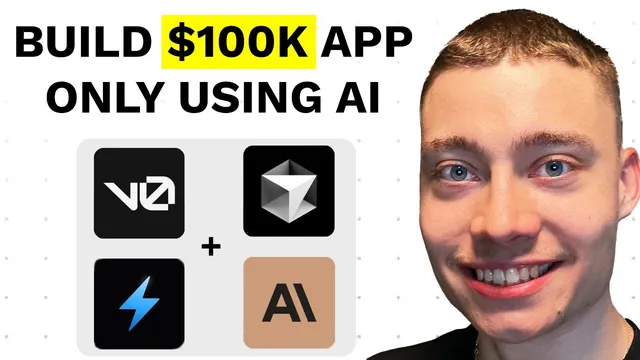
How To Build Web Apps using v0 + Bolt.new + Cursor
Based on David Ondrej's video on YouTube. If you like this content, support the original creators by watching, liking and subscribing to their content.
Use v0 iteratively for UI: screenshot a reference design, then repeatedly prompt with explicit “reference the image” instructions until components match.
Briefing
Building a full-stack AI web app is less about writing every line of code from scratch and more about stitching together the right tools—then iterating through failures until the workflow holds. The core message is that v0 accelerates UI creation, Bolt.new helps generate a working Next.js codebase and connect it to AI model APIs, and Cursor speeds up the “last-mile” coding and debugging. The payoff is a path from a simple English prompt to a deployed app that can actually do something useful, even when the first attempts break.
A practical example drives the point: the walkthrough starts by using v0 to generate UI components from an image reference. The first output often looks wrong, but repeated prompting that explicitly tells the model to “reference the image” improves results. After several iterations, the UI can resemble a known product’s layout closely enough to be a strong starting point. That same “iteration mindset” carries into the backend.
Bolt.new is then used to prototype a Next.js “image upscaler.” The process follows a developer-style flow: define the user journey (visit site → upload image → AI transforms it → display result), then prompt Bolt to create the project structure. Bolt generates a codebase with a visible file layout (unlike v0’s more component-centric output), which makes it easier to wire up functionality. The app initially fails because the upload UI exists but the upscaling logic isn’t connected yet.
To connect the AI capability, the workflow shifts to an external model provider via an API integration. The transcript highlights a key engineering reality: you don’t need to understand every internal detail of how the model works to build the app, but you do need to follow the integration steps—install the correct package, set an API key as an environment variable, and implement the request/response flow. Even then, errors happen. Bolt can be buggy, and API calls can return failures.
When upscaling fails with one provider/model, the solution isn’t panic—it’s diagnosis and substitution. The team swaps from Bolt to another provider (via Cursor integration), then changes the model type: “upscaler” models work best on certain image qualities, while “restoration” models are better for heavily degraded or blurry images. After switching to a restoration model and updating the request, the app produces usable results.
Cursor enters as the productivity layer for debugging and refinement. It’s portrayed as especially effective for developers or anyone comfortable with basic coding patterns, while Bolt is recommended for non-technical builders who want a guided path to a working MVP. Next.js is favored for MVPs because it supports both front end and back end in one stack.
Finally, the walkthrough argues that design quality matters for adoption. v0 can take a functional app and make it feel polished through multiple prompts—rounded corners, hover animations, loading states, and overall “classy” UI details. The transcript frames this as a competitive advantage: functionality gets you to “it works,” but UI and iteration get you to “people use it.” The repeated lesson is that shipping requires grit, not luck—expect multiple errors, test providers and models, and keep going until the workflow stabilizes.
Cornell Notes
The workflow presented turns a plain idea into a working full-stack AI app by combining v0 (UI generation), Bolt.new (Next.js app scaffolding + API wiring), and Cursor (coding/debugging and refinements). v0 outputs improve when prompts explicitly reference the target design image, often requiring several iterations. Bolt.new can generate a usable codebase quickly, but functionality depends on correct API integration: install the provider package, set an API key as an environment variable, and implement the request flow. When errors occur, the fix is usually model/provider substitution and debugging—especially choosing the right model type (upscaling vs restoration) for the image quality. The result is a realistic path from prompt to deployed app, with design polish as a key adoption lever.
Why does the walkthrough emphasize “context is king” when generating UI with v0?
What does “developer mind” mean in this workflow, even for non-technical builders?
How does Bolt.new help compared with v0 when building a full-stack app?
What are the concrete steps needed to connect an AI model API to the app?
Why did the app fail even after switching providers, and what fixed it?
How do Cursor and v0 fit together after the core functionality works?
Review Questions
- When generating UI from a screenshot in v0, what prompt tactic improves output quality over the first attempt?
- In the image upscaler example, what three-step user flow guided the prompting and debugging?
- If an AI image request fails, what two categories of fixes does the transcript emphasize (integration vs model/provider choice)?
Key Points
- 1
Use v0 iteratively for UI: screenshot a reference design, then repeatedly prompt with explicit “reference the image” instructions until components match.
- 2
Treat AI app building as an end-to-end flow problem (land → upload → transform → display), not as a need to understand model internals.
- 3
Bolt.new can scaffold a Next.js codebase quickly, but real functionality requires correct API integration: install the client package, set an API key in environment variables, and implement the documented request pattern.
- 4
Expect failures and debug systematically—errors are part of the process, not proof the approach is wrong.
- 5
Choose the right model type for the input quality: upscalers fit certain images, while restoration models work better for heavily blurry or degraded photos.
- 6
Cursor is most effective for developers or anyone comfortable with basic coding patterns, especially for swapping models, fixing API calls, and adding UX states like loading indicators.
- 7
Polish matters for adoption: once the AI works, use v0 to upgrade the landing page and interaction details so the app feels “classy” and trustworthy.