How to Build Your Second Brain in Obsidian — Step by Step Guide
Based on Shuvangkar Das, PhD's video on YouTube. If you like this content, support the original creators by watching, liking and subscribing to their content.
Use a daily note as a control center so capture, tasks, and research flow into one place.
Briefing
The core promise is a “future-proof” Obsidian second-brain setup that turns daily capture into an automated, navigable knowledge system—so notes, tasks, and PDF reading stay connected for months or years. Instead of forcing every idea into a rigid folder tree, the system is designed to grow with changing life and career, reducing the daily friction of deciding where a note belongs and which index it should connect to.
A major pain point drives the approach: decision fatigue. Each morning, the workflow begins with a daily note, but quickly stalls on small choices—create a new folder, start a new vault, or link the note to the right index node. The solution centers on bite-size notes and a long-term habit that keeps capture lightweight, while the structure behind it adapts over time. The emphasis is practical: ideas alone don’t help unless they become actionable, which is why tasks are embedded directly inside notes.
That task embedding creates a second, harder problem at scale. With more than 6,500 nodes, manually tracking scattered tasks becomes nearly impossible. The proposed fix is automation: an automated daily dashboard inside Obsidian that curates tasks from across all notes into a single control center. The dashboard is positioned as the operational layer of the system—turning a sprawling knowledge base into a daily plan without requiring constant manual sorting.
The system also targets research workflows, not just personal journaling. When reading PDFs, the goal isn’t simple highlighting; it’s note-taking that links back to the exact PDF section. The transcript highlights bidirectional linking: later, users can jump from a note to the corresponding PDF annotation and then return from the PDF back to the note. That two-way navigation is framed as a way to make reading, researching, and learning feel continuous rather than fragmented.
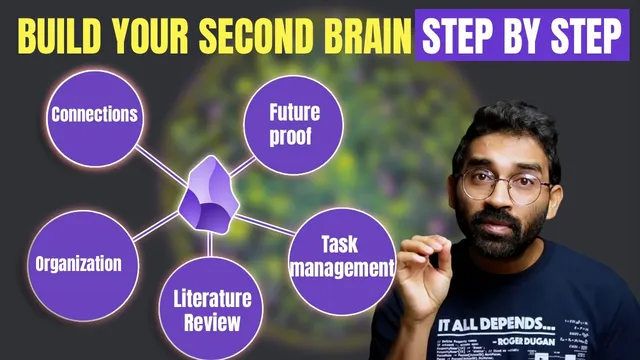
The plan is delivered as a step-by-step series with four pillars: (1) building an organization system that adapts to changing needs, (2) taking notes across everything from chores to deep learning, (3) creating the automatic daily dashboard that aggregates tasks from all nodes, and (4) building a smart literature review workflow that keeps PDFs and notes connected. A free Obsidian starter kit is offered as the foundation—less a fixed template and more a customizable starting point. The kit is described as landing on a daily note “control center,” with a short readme guiding users at their own pace, reflecting the creator’s experience after finishing a PhD and building a system across thousands of notes and teaching Obsidian to many learners. The overall message is that the system should reduce friction today while preserving traceability and usefulness tomorrow—so knowledge remains searchable, actionable, and tied to its original sources.
Cornell Notes
The transcript outlines an Obsidian “second brain” designed to stay useful over time by automating the parts that usually break at scale: note placement, task tracking, and PDF-to-note navigation. It starts with daily notes as a control center, then addresses decision fatigue by encouraging bite-size notes and an adaptable organization system. Tasks are embedded inside notes, but with thousands of nodes, manual tracking becomes impractical—so an automated daily dashboard curates tasks from all nodes into one place. For research, it uses bidirectional linking so notes connect to exact PDF sections and users can move both directions between annotations and notes. A free starter kit is offered as a customizable starting point, with the workflow taught through a step-by-step series.
Why does the workflow begin with a daily note, and what problem does it try to solve immediately?
How does the system turn captured ideas into something actionable?
What scaling challenge appears once the note collection grows, and what automation addresses it?
What does “bidirectional linking” mean in the PDF workflow, and why is it valuable?
What are the four major components of the step-by-step series?
How is the starter kit positioned, and what does it emphasize about adoption?
Review Questions
- How would you design an Obsidian workflow to reduce decision fatigue when deciding where new notes should go?
- What mechanisms would you use to aggregate tasks from thousands of notes into a single daily dashboard?
- How does bidirectional linking change the way you review research compared with one-way references?
Key Points
- 1
Use a daily note as a control center so capture, tasks, and research flow into one place.
- 2
Reduce decision fatigue by adopting an adaptable organization system rather than forcing notes into a rigid structure.
- 3
Embed tasks directly inside notes so action lives alongside ideas.
- 4
At large scale, replace manual task tracking with an automated daily dashboard that curates tasks from all nodes.
- 5
For research, take notes that link to exact PDF sections and enable bidirectional navigation between notes and PDF annotations.
- 6
Build the system through a step-by-step progression: organization, note-taking, dashboard automation, then literature review workflow.
- 7
Start from a free Obsidian starter kit and customize it gradually to match personal needs.