How to chat with your notes using AI
Based on Reflect Notes's video on YouTube. If you like this content, support the original creators by watching, liking and subscribing to their content.
Use Reflect’s advanced search filters (company tags, book tags, daily-note time windows) to narrow the knowledge base before asking questions.
Briefing
Reflect Notes’ “advanced search” plus “chat with your notes” turns saved information into a conversational interface—so users can ask questions and get answers pulled directly from their own notes, books, links, and highlighted research papers. The practical payoff is speed: instead of hunting through folders or reopening documents, the system can surface contacts, reading highlights, and research summaries on demand.
The walkthrough starts with a personal CRM workflow. Using Reflect’s company tags and daily notes filters, the user can ask, “What companies do I know?” for a specific location and then immediately identify which entries are real companies worth following up with. From the results, they can open the relevant note and use stored contact details to email someone and set up meetings. The same approach works for time-bounded questions: by filtering daily notes to “after one week ago,” the user can ask who they met with last week and then request reformatting—such as converting scattered results into a clean list. The transcript emphasizes that if the first answer seems incomplete, the user can keep the interaction going, prompting the system to “try harder” or break the request into smaller steps, similar to iterative prompting habits.
Next comes knowledge retrieval from books. With a book tag filter, the user can ask what they read about a topic like product and idea validation. Even when the author isn’t remembered, the system searches the saved library and returns the correct book (in the example, “The Mom Test”), including a description. The user can then ask for “highlights” and have Reflect extract and present the saved reading highlights in a tidy format—useful for quickly drafting references, taking notes, or pulling key ideas without manually opening the book note.
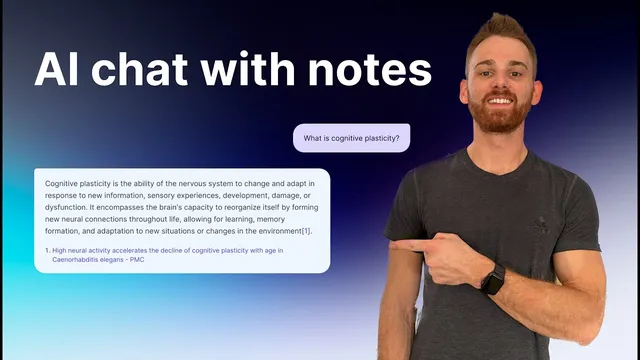
The research workflow scales the same idea to academic material. After saving an entire paper into notes—via a Chrome extension that highlights and stores the text—the user can chat with that paper. The example shows first requesting a summary of notes related to a topic (like “cognitive plasticity”), then asking for a bullet-point explanation written for beginners. From there, the user can ask follow-up questions tied to writing or action, such as generating points for a paper or exploring ways to prevent cognitive decline, as long as the relevant information exists in the saved research.
Finally, the transcript highlights a daily-notes reminder system. By placing future reminders inside daily notes (including dates years ahead), the user can query “what reminders do I have” for a given year and get a list of actionable items—like canceling a free trial before it renews, tracking visiting friends, or remembering birthdays. The same mechanism can be repurposed for client meetings, investor pitches, or any scheduled task, with the added benefit of pulling any stored details from the underlying notes for preparation and back-and-forth planning.
Cornell Notes
Reflect Notes’ “chat with your notes” pairs advanced search filters with AI responses grounded in the user’s own saved content. The workflow is demonstrated across four use cases: finding contacts via company tags, recalling books and extracting saved highlights, summarizing and simplifying research papers stored in notes, and listing future reminders embedded in daily notes. Across all examples, the key move is filtering to the right subset (companies, daily notes timeframe, book library, or a specific paper) and then asking follow-up questions to reformat or clarify results. This matters because it reduces manual searching and turns personal knowledge into an interactive Q&A layer.
How does the CRM workflow use tags and time filters to answer “who/what should I follow up with?”
What makes the book workflow different from generic AI search?
How does the research workflow enable beginner-friendly explanations and deeper follow-ups?
Why are future reminders stored inside daily notes, and how does chat retrieve them?
What interaction strategy helps when the first answer isn’t sufficient?
Review Questions
- When would you choose company tags versus daily-note timeframe filters, and what question would you ask in each case?
- What steps are needed to make a research paper “chat-able” in Reflect Notes, and how does the output change when asked for bullet points for beginners?
- How can future reminders be structured so that a single query (e.g., by year) returns only the items you care about?
Key Points
- 1
Use Reflect’s advanced search filters (company tags, book tags, daily-note time windows) to narrow the knowledge base before asking questions.
- 2
For CRM-style follow-ups, ask who you know and then open the matching note to access contact details for outreach.
- 3
Retrieve book knowledge by tagging books and asking topic-based questions; request extracted highlights for quick drafting and referencing.
- 4
Make research papers conversational by saving the full text into notes (e.g., via the Chrome extension) before asking for summaries or beginner-friendly bullet points.
- 5
Turn daily notes into a future task system by placing reminders on future dates and querying them by year or timeframe.
- 6
If answers seem incomplete, continue the conversation with follow-up prompts or reformatting requests instead of restarting from scratch.