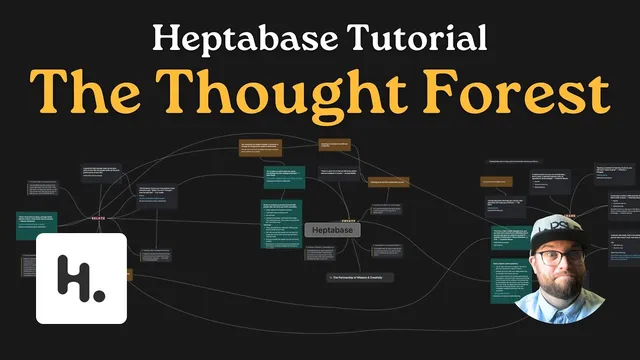
How to create a "thought forest" with your notes (Heptabase Tutorial)
Based on Greg Wheeler's video on YouTube. If you like this content, support the original creators by watching, liking and subscribing to their content.
Build a thought forest around three anchor themes: relate, create, and learn.
Briefing
A “thought forest” turns scattered notes into a navigable network: connect ideas so you can hop between them like branches, exploring new meaning without returning to the ground. The core insight is that learning accelerates when notes aren’t stored as isolated cards, but linked into overlapping clusters that invite further connections—exactly the way squirrels move between trees.
The process begins with a simple prompt drawn from two separate sources. One card captures a daily intention—“engage and create and learn every day”—written in a personal journal. A day later, a home-education book reinforces a similar daily goal for children: they should have something (or someone) to love, something to do, and something to think about every day. Seeing the overlap, the notes become more than reminders; they become seeds for a larger structure.
That structure takes shape through an analogy from nature. Watching squirrels traverse between massive trees without dropping to the ground sparks the “thought forest” metaphor: notes can be connected so the mind can move from one idea to the next seamlessly. In the Heptabase workflow, three anchor nodes—“relate,” “create,” and “learn”—act like tree trunks. Each anchor gathers related cards and highlights, then connections are drawn between them.
Practically, the workflow starts by creating three text elements labeled relate, create, and learn on a whiteboard. Then the card library is searched for ideas tied to each theme, and those cards are dragged onto the board. Connections are drawn visually—hovering reveals connection controls, and shortcuts allow quick linking—so each card becomes attached to the appropriate anchor. From there, the method expands outward: cards are linked to other cards within the same theme, and quotes and highlights are added as additional nodes.
The example connections show how “relate,” “create,” and “learn” reinforce one another. Under relate, friendship and education quotes are linked to the idea that people—rather than abstract information—carry ideas forward. Under create, “art is what we call it when we create something new that changes someone” is paired with a real-life moment: a daughter’s box-within-a-box drawings become a playful “zombie” concept, illustrating how creation shifts perspective. Under learn, home-education guidance about giving children a single valuable idea is connected to the belief that ideas spread through people who take them up and explore them.
As more links accumulate, overlap becomes the turning point. Some notes sit at the intersection of multiple trees, and those crossings generate new “bridge” ideas—new notes created from the pattern itself. For instance, “art” is connected to both create and relate, producing a new formulation: art creations can inspire change, and that change can spark relationships. Another bridge ties creation to identity: creating reveals who someone is and can affirm identity in others, which then connects back to learning as a facilitated process rather than something parents must supply as complete answers.
By the end, the thought forest isn’t just a map of existing quotes. It’s a system for producing new insights from the structure of connections—so daily intentions, education principles, and personal experiences reinforce each other as a living network of ideas.
Cornell Notes
The “thought forest” method organizes notes into a connected network instead of isolated cards. It uses three anchor themes—relate, create, and learn—then links quotes, highlights, and personal cards to the right anchor and to each other. Overlapping ideas across anchors become bridges that generate new notes, turning the map into a tool for insight. The squirrel analogy explains the goal: move between branches (ideas) without dropping back to the start, because each connection invites the next exploration. In Heptabase, the workflow relies on dragging relevant cards onto a whiteboard, drawing visual connections, and letting intersections drive new “bridge” ideas.
Why do “relate,” “create,” and “learn” function as the backbone of a thought forest?
How does the squirrel analogy translate into a note-taking strategy?
What role do quotes and highlights play in building the forest?
How does “create” generate new insights beyond categorization?
What triggers the creation of “bridge ideas” in the thought forest?
How does the method reinterpret the parent-child learning relationship?
Review Questions
- How would you decide which notes belong under relate, create, or learn before drawing connections?
- Describe one example of how an overlapping note could produce a bridge idea in your own system.
- What changes in your thinking when notes become navigable pathways rather than stored references?
Key Points
- 1
Build a thought forest around three anchor themes: relate, create, and learn.
- 2
Start by connecting each note (cards, quotes, highlights) to the most relevant anchor before linking notes to each other.
- 3
Use visual connections to reveal relationships within a theme and across themes.
- 4
Treat overlaps as signals—when a note fits multiple anchors, synthesize a bridge idea and add it as a new node.
- 5
Incorporate personal experiences to test whether a quote’s meaning holds up in real life.
- 6
Reframe learning as facilitated exploration: parents provide valuable ideas, while children carry them forward through engagement and curiosity.