How to design a public "thought space" for yourself and others (note-taking tips)
Based on Greg Wheeler's video on YouTube. If you like this content, support the original creators by watching, liking and subscribing to their content.
Craft-based mind gardens organize notes as a website-like hierarchy using H2 headings and “cards” for subpages and notes.
Briefing
A “mind garden” built in Craft is presented as a practical way to turn reading and ideas into a searchable, navigable knowledge system—one that supports curiosity, faster recall, and new connections. The core pitch is that cultivating curiosity and producing new thoughts can be driven by a single habit: growing a personal knowledge “garden” where notes are organized like a website, not a folder.
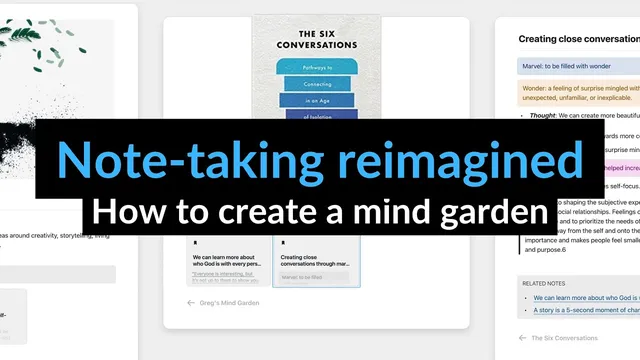
The walkthrough starts with a tour of a small Craft setup called a “mini mind Garden.” The homepage acts as the entry point, featuring a cover image and content that can be browsed by topic or by “booknotes.” Craft’s interface uses “cards” as subpages, and those cards sit under headings (specifically H2s) that populate a left-side table of contents. That table of contents doubles as navigation: headings expand into subpages, and the structure mirrors the note hierarchy. Search is positioned as another key capability. Typing a keyword (the example uses “story”) returns matching notes across the entire mind garden and shows the specific note attached to each result, letting users jump directly to the relevant passage.
Navigation is designed to reduce friction as people move deeper into ideas. Subpages open while keeping the previous page visible, and breadcrumbs show exactly where a reader is in the structure. A “back” link at the bottom of pages helps users return without scrolling—especially useful on mobile. The system also supports multiple viewing modes: dark/light themes and layout options such as classic and column views, with the theme preference applied to the shared link so anyone accessing the mind garden can switch modes.
The tour then zooms into how individual notes are structured. Each note is treated as an “atomic note,” with a specific, concept- or principle-based title, the core content (thoughts and reflections), and optional resources and related links back to sources. Notes can be connected through Craft’s linking features using inline links or “related notes” sections at the bottom. A key constraint is emphasized: linked notes should live inside the same Craft document (e.g., within “Greg’s second mind Garden”), otherwise external links may point to notes viewers can’t access.
Under the hood, the setup process is framed as straightforward. After signing up for Craft (with a free plan for testing and paid plans for longer-term use), the user creates a new document that functions as the homepage. Craft integrates cover images (including Unsplash integration) and provides two main homepage patterns: “Doors by Links,” where the homepage uses descriptive text and hyperlinks to send readers into rabbit holes, and “Doors by Topics,” where headings and pages act as the entry points. The hierarchy is built by creating H2 headings for topics, then adding cards for subpages, and finally adding cards for individual notes within each subpage.
Overall, the emphasis is on Craft’s out-of-the-box features—table of contents, breadcrumbs, search integration, and theme/layout controls—so the mind garden feels responsive, attractive, and usable across devices without coding. The result is a publishable “thought space” that turns reading into a living network of ideas rather than static highlights.
Cornell Notes
Craft is used to build a “mind garden” that turns reading insights into a structured, searchable knowledge system. The setup relies on Craft’s built-in website features: H2 headings generate a table of contents, “cards” create subpages and notes, and search finds keywords across the entire document. Navigation is designed to be low-friction with breadcrumbs, back links, and view options like dark/light mode and classic/column layouts. Notes are organized as atomic units with concept-based titles, core content, and related/resource links, then connected through inline links or “related notes” blocks. The payoff is a publishable thought space that supports curiosity and easier idea retrieval, especially on mobile.
How does the mind garden’s structure help someone find notes quickly without getting lost?
What does “atomic notes” mean in this setup, and what goes into each note?
What are the two main homepage patterns, and when would someone choose each?
How are notes connected, and what constraint prevents broken or inaccessible links?
Why are theme and layout controls treated as part of the knowledge system, not just aesthetics?
What is the practical setup workflow in Craft, from blank document to publishable thought space?
Review Questions
- If a reader can’t find a note, which two navigation mechanisms in this setup are designed to solve that problem, and how do they differ?
- What requirements should linked notes meet to ensure viewers can access them inside the mind garden?
- How would you decide between “Doors by Links” and “Doors by Topics” when designing your homepage?
Key Points
- 1
Craft-based mind gardens organize notes as a website-like hierarchy using H2 headings and “cards” for subpages and notes.
- 2
Built-in search returns matching notes across the entire system and supports direct jumps to the relevant content.
- 3
Breadcrumbs, a bottom “back” link, and split navigation reduce friction when moving between homepage, subpages, and individual notes.
- 4
Atomic notes work best when each note has a specific concept-based title, core content, and optional resources/related links.
- 5
Notes can be connected inline or via “related notes” blocks, but linked notes must stay inside the same Craft document to avoid inaccessible external links.
- 6
Homepage design can follow either “Doors by Links” (hyperlink-driven) or “Doors by Topics” (heading-driven) patterns.
- 7
Craft’s out-of-the-box features—table of contents, breadcrumbs, search, and theme/layout controls—make the system responsive and usable on mobile without coding.