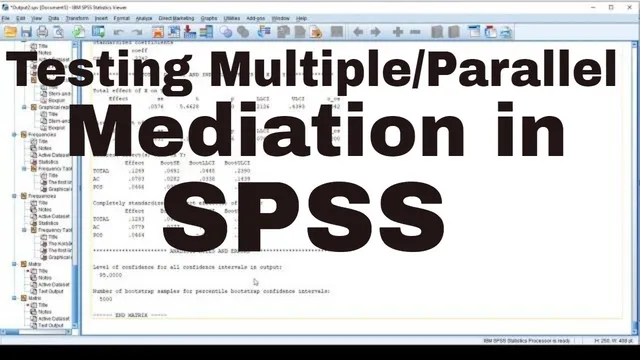
How to examine multiple/Parallel mediations in SPSS
Based on Research and Analysis's video on YouTube. If you like this content, support the original creators by watching, liking and subscribing to their content.
Use SPSS PROCESS macro with Analyze → Regression → PROCESS and select model number 4 for mediation.
Briefing
Running mediation in SPSS with the PROCESS macro hinges on checking two things: whether the independent variable significantly predicts each mediator, and whether each mediator significantly predicts the outcome. In the tutorial’s first example, a simple mediation model links CSR (as the IV) to OCBO (as the DV) through effective commitment (the mediator). After setting up PROCESS in SPSS (Analyze → Regression → PROCESS), the user selects model number 4, specifies Y (OCBO), X (CSR), and the mediator (effective commitment), and turns on options like standardized effects and bootstrap-based significance testing with p < .05. The output then breaks down the paths: CSR’s effect on effective commitment, CSR’s direct effect on OCBO, and effective commitment’s effect on OCBO. The key decision comes from the indirect effects table: the bootstrap confidence interval for the indirect effect does not include zero, which supports the claim that effective commitment carries part of CSR’s influence on OCBO. In short, effective commitment functions as a mediator because the indirect effect is statistically supported by the bootstrap interval.
The tutorial then scales the same workflow to a multiple mediation setup with two mediating mechanisms. The IV and DV stay the same (CSR → OCBO), but the model adds a second mediator: perceived organizational support (POS), alongside effective commitment. The PROCESS macro setup remains model number 4, with the mediators listed together. The results are interpreted path-by-path. First, CSR significantly predicts effective commitment, and CSR also significantly predicts perceived organizational support—both supported by significant p-values and confidence intervals that exclude zero. Next, the mediator-to-outcome paths are examined: effective commitment significantly predicts OCBO with a confidence interval that excludes zero, while POS does not—its confidence interval includes zero and its p-value is insignificant. Finally, the indirect effects determine which mediation hypotheses hold. The bootstrap interval for the indirect effect through effective commitment excludes zero, confirming mediation. By contrast, the bootstrap interval for the indirect effect through perceived organizational support includes zero, leading to the conclusion that POS does not mediate the CSR → OCBO relationship.
Across both examples, the method stays consistent: use PROCESS model 4, verify significance on the relevant regression paths, and treat bootstrap confidence intervals for indirect effects as the decisive evidence for mediation. The practical takeaway is that multiple mediation can be tested in one run, but only mediators with statistically supported indirect effects (confidence intervals not crossing zero) should be credited with carrying the IV’s influence to the outcome.
Cornell Notes
The tutorial shows how to test mediation in SPSS using the PROCESS macro, starting with a single mediator and then moving to multiple mediators. In the simple model (PROCESS model 4), CSR predicts effective commitment, CSR also predicts OCBO directly, and effective commitment predicts OCBO; mediation is confirmed when the bootstrap confidence interval for the indirect effect does not include zero. For multiple mediation, CSR predicts two mediators—effective commitment and perceived organizational support—while both mediators are tested for their effects on OCBO. Effective commitment mediates the CSR → OCBO link because its indirect effect’s bootstrap interval excludes zero. Perceived organizational support does not mediate because its indirect effect’s bootstrap interval includes zero.
How does the tutorial determine whether effective commitment mediates the CSR → OCBO relationship in the simple mediation model?
What changes when moving from a single-mediator model to a multiple-mediator model in PROCESS model 4?
Why does the tutorial emphasize confidence intervals that exclude zero rather than only p-values?
In the multiple mediation example, why does perceived organizational support fail to mediate even though CSR predicts it?
What are the “mandatory conditions” for claiming mediation that the tutorial uses to guide interpretation?
Review Questions
- In PROCESS model 4, which output element most directly supports (or rejects) a mediation claim, and what does it mean when the bootstrap confidence interval includes zero?
- For multiple mediation with two mediators, what combination of results would you expect to see for both mediators to be supported as mediators?
- How would you interpret a significant CSR → mediator path but an insignificant mediator → OCBO path in terms of indirect effects and mediation?
Key Points
- 1
Use SPSS PROCESS macro with Analyze → Regression → PROCESS and select model number 4 for mediation.
- 2
For a simple mediation, set Y to the outcome (OCBO), X to the independent variable (CSR), and the mediator to effective commitment.
- 3
Confirm mediation using the indirect effects bootstrap confidence interval: mediation is supported when the interval does not include zero.
- 4
For multiple mediation, keep X and Y the same and add additional mediators (e.g., perceived organizational support) in the mediators list.
- 5
A mediator can be predicted by the IV yet still fail to mediate if it does not significantly predict the outcome (confidence interval includes zero).
- 6
Interpret mediation through indirect effects rather than relying solely on direct effects or p-values.