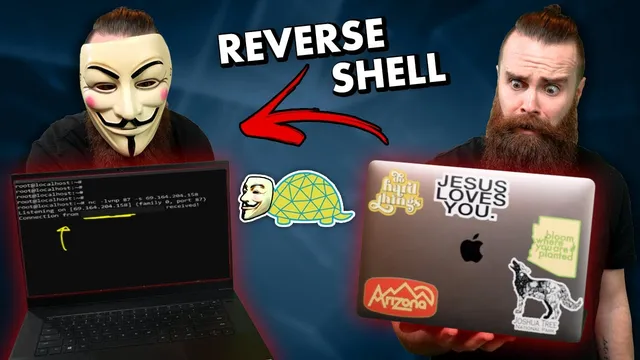
how to get remote access to your hacking targets // reverse shells with netcat (Windows and Linux!!)
Based on NetworkChuck's video on YouTube. If you like this content, support the original creators by watching, liking and subscribing to their content.
Reverse shells gain remote command access by having the target connect outward to an attacker listener, reducing reliance on inbound firewall openings.
Briefing
Netcat can be used to turn an outbound connection from a target into full remote command-line control, bypassing many firewall restrictions. The core idea is a reverse shell: instead of trying to connect into a protected machine (often blocked by inbound firewall rules), the target runs a command that connects back to an attacker-controlled listener. Once that connection lands, the attacker can interact with the target’s shell and issue commands like “whoami” and “ls,” effectively gaining remote access.
The walkthrough starts with the practical constraints. A home router typically blocks most inbound traffic, making direct remote access difficult. Reverse shells flip the direction: the target initiates the connection outward, which is usually allowed because it resembles normal, trusted traffic like browsing the web. Netcat—long used for networking tasks and sometimes called the “Swiss Army knife” of networking—becomes the mechanism for setting up the listener and triggering the callback.
For a Linux-to-Linux scenario, the attacker sets up a Netcat listener on a chosen port (kept under 1000 to reduce firewall detection risk). The listener uses flags for listening mode, no DNS lookups, verbose output, and a specific port, and on multi-interface systems it also binds to the correct source IP. On the target side, Netcat runs a command that connects back to the attacker’s IP and port and, where supported, spawns a shell (commonly “/bin/bash”). When the target connects, the attacker’s terminal receives an interactive session, demonstrating command execution and file listing.
The transcript then shifts to Windows, where the approach changes because traditional Netcat options vary by platform. Instead of relying on Netcat’s “-e” shell execution (often missing on many Linux builds and not consistently available on Windows), the Windows test uses PowerShell to download and run a reverse-shell payload. The attacker still runs the Netcat listener, while the Windows side launches PowerShell that fetches a .ps1 script from a GitHub repository and initiates the outbound connection back to the listener. The result is a reverse PowerShell session, giving interactive control over the Windows machine.
Finally, the same concept is demonstrated with a “Land Turtle” USB-powered Linux device running Netcat. The device can be plugged into a network switch or Ethernet port and powered via a USB power bank, then left hidden. Because Netcat on the device initiates the connection back to the attacker, the attacker can gain remote command execution and even run discovery tools like Nmap from the hidden foothold.
Throughout, the transcript emphasizes that reverse shells are a common technique behind real-world intrusions—often delivered via scripts or payloads through phishing or other compromise paths—and stresses defensive monitoring. Bitdefender is used as a sponsor example for blocking malicious files and scanning network traffic. The segment ends with a giveaway for two Land Turtles and a contest secret phrase: “network chuck turtle.”
Cornell Notes
Reverse shells use Netcat to gain remote command-line access by having the target connect back to an attacker-controlled listener. This works better than direct inbound connections because firewalls often allow outbound traffic from inside a network. The Linux example sets up a Netcat listener with flags for listening, verbosity, and a chosen port, then runs a target-side Netcat command that connects to the attacker and (when available) spawns “/bin/bash.” The Windows example keeps the Netcat listener but uses PowerShell to download and run a .ps1 payload that initiates the outbound callback, yielding an interactive reverse PowerShell session. A Land Turtle USB device running Netcat can also act as a hidden “always-on” callback point on a network switch.
Why do reverse shells often work when direct remote access fails?
What does the Linux reverse-shell setup require on both machines?
How does the Windows approach differ from the Linux one?
What role does PowerShell play in the Windows reverse shell?
How can a Land Turtle enable remote access in a physical-network scenario?
Review Questions
- In a reverse shell, which side initiates the connection, and how does that relate to firewall behavior?
- What Netcat options are used to set up a Linux listener in the transcript, and why is binding to the correct interface sometimes necessary?
- Why does the Windows method rely on PowerShell and a downloaded .ps1 payload instead of using the same Netcat shell-execution approach directly?
Key Points
- 1
Reverse shells gain remote command access by having the target connect outward to an attacker listener, reducing reliance on inbound firewall openings.
- 2
Netcat’s listener setup uses listening mode, no-DNS, verbosity, and a specified port; on multi-interface systems, binding to the correct IP matters.
- 3
On Linux targets, a Netcat command can connect back to the attacker and spawn “/bin/bash” when the “-e” option is available.
- 4
On Windows targets, PowerShell can download and execute a .ps1 payload that initiates the outbound callback, producing an interactive reverse PowerShell session.
- 5
A hidden USB Linux device (Land Turtle) running Netcat can act as an always-on callback point when plugged into a network switch or Ethernet port.
- 6
Reverse shells are commonly delivered as payloads after compromise (e.g., phishing), so defensive monitoring and malware protection are critical.