How to interpret and UnderstandTurnitin Plagiarism Report
Based on Research and Analysis's video on YouTube. If you like this content, support the original creators by watching, liking and subscribing to their content.
Similarity thresholds for Turnitin vary by institute and journal; the transcript cites common guidance around 18–19% and an HEC-related recommendation of under 19% in Pakistan.
Briefing
Turnitin plagiarism reports are designed to translate similarity percentages into specific, traceable matches—so the practical goal isn’t chasing “0%,” but identifying which passages overlap and whether they exceed an institution’s tolerance. The report typically presents the paper on one side and the similarity breakdown plus matched sources on the other, with highlighted text indicating where overlap occurs and numbers pointing to the corresponding source entries.
A key threshold point matters before interpretation begins: the acceptable plagiarism level varies by institute and by journal. Some journals may tolerate similarity around 25%, but many policies recommend keeping similarity below roughly 18–19%. In Pakistan, the guidance referenced in the transcript cites a threshold of less than 19% (attributed to HEC). The rationale is that aggressively rewriting to reach 0% can damage meaning—especially when technical terms and key concepts must remain accurate. Over-paraphrasing can also make the text harder to understand, so institutions allow a limited level of similarity consistent with their review standards.
Once inside the report, the interface works like a map from highlighted passages to their origins. When a segment of the submitted text is highlighted (for example, in blue), the number shown alongside it indicates which source match to inspect. Hovering over the numbered match (or using the arrow associated with it) reveals details such as where the text was submitted or which repository it came from. Clicking the source provides further information about the matched material, enabling a passage-by-passage audit of the paper.
The transcript also walks through downloading the report for offline review. After selecting the appropriate “current view” option, Turnitin prepares the file and prompts for a save location. In the downloaded report, the beginning includes metadata like submission date, submission ID, file name, word count, and character counts, followed by the highlighted similarity sections. For source details, the report lists plagiarism sources at the end of the document—mirroring what appears on the right side when viewing online.
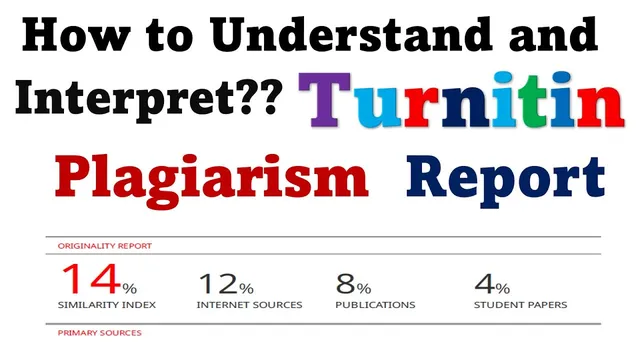
A similarity index summary appears in the report as well. In the example given, the similarity index is 14%, broken down into categories such as total internet sources (12%), publications (8%), and student papers (4%). The report also ranks the largest matches, identifying the top source as a specific website (cited as pb.go.in) and the next major source as et.u.edu.my. The overall takeaway is straightforward: interpret the percentage in the context of policy, then use the highlighted matches and ranked sources to decide what to revise and what to leave—without distorting the original meaning of the work.
Cornell Notes
Turnitin reports translate similarity percentages into highlighted passages linked to specific sources. Acceptable similarity thresholds vary by institution and journal; the transcript cites common guidance of keeping similarity below about 18–19%, with an HEC-related recommendation of under 19% in Pakistan. The report’s layout pairs the paper text with a source list, where highlighted segments show overlap and the adjacent numbers point to the matching source. Users can inspect each match via arrows/hover details, click sources for more information, and download the report to review metadata and source breakdowns offline. The example similarity index shown is 14%, with a breakdown across internet sources, publications, and student papers, plus ranked top sources.
Why does the transcript warn against trying to reduce similarity to 0%?
How does a highlighted passage in Turnitin connect to its source?
What does the similarity index percentage represent, and how is it broken down?
How can someone download and read the Turnitin report offline?
What does it mean when the report lists the “highest” plagiarism sources?
Review Questions
- What policy-based similarity threshold does the transcript cite for Pakistan, and why does it matter when interpreting Turnitin percentages?
- How do the numbers next to highlighted text function in Turnitin, and what steps allow you to inspect the underlying source?
- In the example similarity breakdown (14%), what categories are used (internet sources, publications, student papers), and how would that guide revision decisions?
Key Points
- 1
Similarity thresholds for Turnitin vary by institute and journal; the transcript cites common guidance around 18–19% and an HEC-related recommendation of under 19% in Pakistan.
- 2
Chasing 0% similarity can distort meaning, especially when technical terms must remain accurate and understandable.
- 3
Turnitin’s report pairs the submitted text with a sources list; highlighted passages indicate overlap and the adjacent numbers map to specific sources.
- 4
Hovering or using the arrow next to a numbered match reveals details about where the overlap came from, and clicking the source provides deeper information.
- 5
Downloading the report preserves both metadata (submission details, word/character counts) and the highlighted matches, with source listings located at the end.
- 6
The similarity index is accompanied by a category breakdown (e.g., internet sources, publications, student papers) and a ranked list of major matching sources to prioritize revisions.