How to read and take notes like a PhD - easy, fast, and efficient
Based on Andy Stapleton's video on YouTube. If you like this content, support the original creators by watching, liking and subscribing to their content.
Use a templated slide deck (Google Slides or Microsoft PowerPoint) to store each paper’s title, link, take-home bullets, and selected figures.
Briefing
Becoming a PhD-level expert doesn’t require reading every paper in a field; it requires a fast way to triage the literature, capture the right takeaways, and retrieve them later. The method here builds a personal, searchable “literature bank” using a slide deck as the front-end for skimming and note-taking—then follows up with careful, paper-based reading only for the studies that truly matter.
The workflow starts with a templated presentation (Google Slides or Microsoft PowerPoint). Each paper gets its own slide containing: the paper title, a link to the PDF, a short set of take-home messages, and any interesting figures or notes. The key usability feature is a small set of tags that explain why the paper is worth revisiting. Instead of treating every citation the same, the template forces a quick decision among a handful of reasons: “literature review” (useful for synthesizing the field), “discovery” (new or sparks interest), “must read” (a cornerstone paper), “methods” (a technique worth trying in the lab), and “idea” (something to mull over). As papers are skimmed, the slide keeps only the tag(s) that match the reason it was saved.
Skimming is intentionally lightweight. The process begins in Google Scholar to find PDFs, then uses the abstract and conclusions to decide whether the paper belongs in the deck. Take-home messages are captured quickly—often by copying the relevant text and asking ChatGPT to convert it into a few bullet points. Interesting figures are treated as first-class notes: rather than highlighting everything, the method scans for visual cues like schematics, assays, or reduction/quantification images that signal what the paper actually does. Those figures get copied into the slide so later retrieval is visual (“the paper with the weird diagram”) rather than keyword-dependent.
Once the deck holds hundreds of entries, retrieval becomes a matter of search and filtering. In presentation mode, the notes can be flicked through rapidly, and with “Control+Find” the user can jump to all slides tagged “methods,” for example—each one paired with a link back to the source and a compact reminder of the key results.
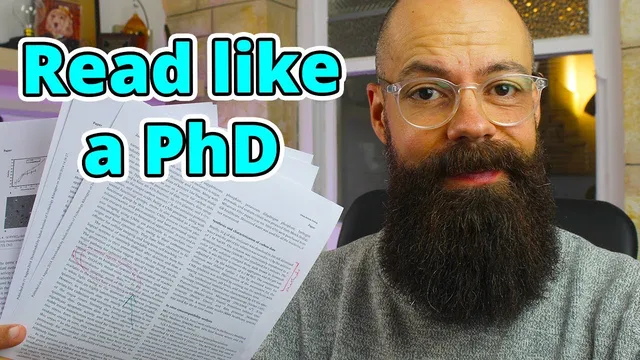
The second stage is the real reading. Skimming and AI-assisted summarization are treated as filtering tools, not substitutes for understanding. For papers tagged as important—especially those needed for methods—the approach shifts to detailed reading with printed pages (or at least reading on a computer as a PDF, though printing is preferred). Notes are written directly on the paper: underlining what matters, marking sections, and adding comments in margins and blank space. Only the useful pages are kept; the rest can be discarded to avoid overwhelm.
Finally, the system scales by separating literature banks by project. Different research threads can have different slide decks, each built from the same template, so overlapping work doesn’t get mixed together. The result is a fast first-pass triage, a visual and searchable archive for literature review, and a disciplined reading step that turns selected papers into actionable lab knowledge.
Cornell Notes
A PhD-level literature workflow can be built around a templated slide deck that turns skimming into structured, searchable notes. Each paper gets a slide with title, link, take-home bullets, and selected figures, plus tags that capture why the paper matters (literature review, discovery, must read, methods, idea). Skimming relies on the abstract and conclusions to decide what belongs in the archive, while ChatGPT can quickly compress take-home messages into bullets. When a paper is truly useful—especially for methods—the process shifts to detailed reading with annotated printed pages, keeping only the pages that contain actionable information. This matters because it prevents endless reading while still building a retrievable “bank of knowledge” for future projects.
How does tagging change what gets saved from a literature search?
What does the skimming step actually look for, and what gets captured?
Why are figures treated as “notes” rather than optional extras?
How does the workflow prevent AI summaries from replacing real understanding?
What happens after a paper is selected as useful for methods?
How does the system scale when there are hundreds of papers?
Review Questions
- What specific elements belong on each paper’s slide, and how do the tags determine what gets kept?
- Why does the workflow treat AI summaries as a first-pass tool rather than a substitute for reading?
- How does the method decide what to print, annotate, and ultimately keep when reading papers in detail?
Key Points
- 1
Use a templated slide deck (Google Slides or Microsoft PowerPoint) to store each paper’s title, link, take-home bullets, and selected figures.
- 2
Tag each paper by purpose—literature review, discovery, must read, methods, or idea—and delete tags that don’t apply to keep retrieval accurate.
- 3
Skim using the abstract and conclusions to decide quickly whether a paper belongs in the archive; avoid diving into full details too early.
- 4
Capture take-home messages in short bullets (optionally using ChatGPT) and add only the figures that provide strong visual cues about the paper’s contribution.
- 5
When a paper is important for replication or lab work, read the full “Materials and Methods” section and annotate the relevant pages directly on paper (or PDF).
- 6
Keep only the pages that contain actionable information; discard the rest to prevent overwhelm from printing and storing everything.
- 7
Separate literature banks by project so different research threads don’t get mixed, making future retrieval faster and cleaner.