How to separate your notes for different projects
Based on Reflect Notes's video on YouTube. If you like this content, support the original creators by watching, liking and subscribing to their content.
Treat project separation as a tradeoff: organization benefits can be outweighed by added friction and reduced workflow functionality.
Briefing
Separating notes for different projects can feel tidy, but it often costs more than it gives—especially when it leads people to create separate profiles. A more practical approach is to keep one system and use lightweight structure inside notes so tasks stay organized without fragmenting the underlying workflow.
The guidance starts with a self-check: why separation is tempting (cleanliness, organization) and why it might be harmful. The tradeoff is that splitting notes too aggressively tends to reduce note-taking functionality and increases maintenance. Over time, the recommended direction is toward a single “master list” rather than dividing everything into separate sections or categories.
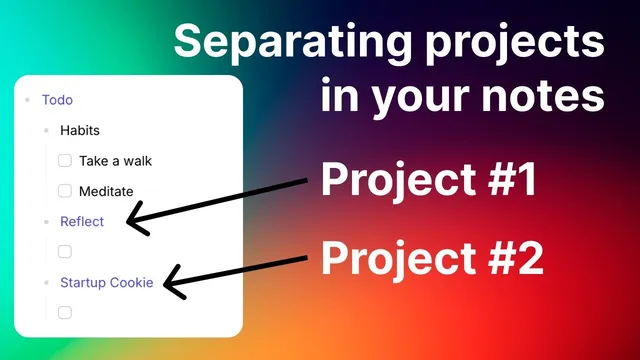
One method for “minimal separation” uses nesting bullets inside a daily note. For example, a daily note can include a top-level label like “Reflect work,” with tasks nested beneath it—client calls, email checks, or other to-dos—while another top-level label like “Agency work” holds its own nested tasks. This keeps the daily view clean and makes each task clearly associated with the right project. The workflow also benefits from backlinks: clicking into a nested item shows it in the tasks view, and the task retains its label context because it lives under the correct bullet.
An alternative within the same idea is the master list approach. Instead of nesting, tasks can be written as one unified checklist, with each task prefixed by the project name (e.g., “Check email for Reflect” and “Check email for Startup cookie”). The speaker prefers this because backlinks directly lead to the relevant note, and there’s less structural complexity to maintain.
For longer-running work, the transcript also describes “project pages” that hold tasks for a specific initiative. A side project page (e.g., “side project Sam”) can include a tasks section, with items like “do keyword research” and “record video.” Those tasks then appear in the tasks tab under their project pages. When work is temporarily blocked—such as needing to wait until next week—tasks can be scheduled (e.g., “do a one week from now”), which pushes them into the upcoming queue. Clicking the scheduled day surfaces incoming backlinks, letting the user move tasks back into the main daily note when the time comes.
Tags are treated as a common trap. The advice is to avoid tags because they require manually applying the same label across many notes. That quickly turns into awkward maintenance—adding tags to pages that already “are” the project—and produces tag lists that are less useful than backlinks.
Finally, for people who still want separation inside daily notes, templates can help. In preferences and templates, categories can be prefilled (such as habits, Reflect, and Startup cookie), so new entries can be inserted quickly with the right structure. Even so, the overall recommendation remains consistent: combine everything into one system, then use nesting, project pages, scheduling, and backlinks to keep projects distinct without fragmentation.
Cornell Notes
The transcript argues that separating notes by project can feel organized but often creates extra friction—especially when it leads to splitting systems. A better approach is “minimal separation”: keep one master workflow and use structure inside notes. Nesting bullets under project headings in a daily note keeps tasks clearly tied to the right work while preserving useful context in the tasks view via backlinks. For ongoing initiatives, dedicated project pages can hold tasks and then schedule them into “upcoming” until they’re ready to move back into the daily note. Tags are discouraged because they require manual upkeep across many notes; backlinks are presented as the cleaner way to connect related content.
Why does the transcript recommend thinking twice before separating notes into multiple systems or profiles?
How does nesting bullets inside a daily note create project separation without breaking the workflow?
What’s the difference between nesting tasks under project bullets versus using one master list with project-prefixed tasks?
How do project pages and scheduling help when a task can’t be done immediately?
Why are tags discouraged, and what alternative is recommended instead?
How can templates support separated daily-note categories without forcing a fragmented system?
Review Questions
- When would nesting bullets in a daily note be preferable to using a single master list with project-prefixed tasks?
- What maintenance problems arise from using tags for project organization, and how do backlinks avoid them?
- How does scheduling a task on a project page change where it appears and how it can be moved back into the daily note?
Key Points
- 1
Treat project separation as a tradeoff: organization benefits can be outweighed by added friction and reduced workflow functionality.
- 2
Use minimal separation by nesting tasks under project headings inside a single daily note to keep context without fragmenting systems.
- 3
Prefer a master list approach when possible by prefixing tasks with the project name, since backlinks remain direct and the structure stays simple.
- 4
Create project pages for ongoing initiatives, then add a tasks section so project-specific work appears in the tasks tab.
- 5
Schedule tasks from project pages into “upcoming” when timing changes, then use incoming backlinks to move them back into the daily note.
- 6
Avoid tags for project organization because they require manual upkeep across many notes; rely on backlinks instead.
- 7
If separation-by-format is desired, build daily-note templates with prefilled categories to speed entry while keeping one unified system.