How to Set Up Your Forever Notes ✱ Journal in Apple Notes (Step-by-Step Guide)
Based on Forever Notes's video on YouTube. If you like this content, support the original creators by watching, liking and subscribing to their content.
Use the provided Apple Shortcut from myforevernotes.com/docs/journal to generate the full 383-note structure automatically (yearly, quarterly, monthly, daily including Leap Day).
Briefing
A step-by-step Apple Notes setup turns journaling into a long-term system: 383 linked notes that combine daily capture with monthly planning, quarterly review, and yearly retrospectives—built to be reused “forever” without redoing the structure each year. The core idea is simple but powerful: daily thoughts and memories live in one place, while goals and reflections sit in linked monthly, quarterly, and yearly notes so progress can be traced over time.
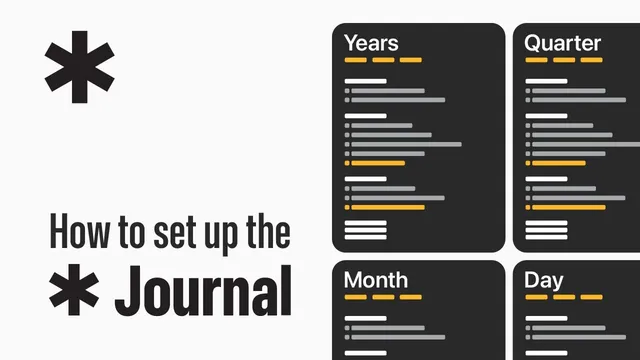
The journal is organized into four layers. Daily notes capture day-to-day thoughts, ideas, and reflections, including Leap Day so the calendar stays complete. Monthly notes focus on goals, tracking progress, and summarizing key moments. Quarterly notes widen the lens—checking whether quarterly goals were met, what worked, and what needs realignment. Yearly notes become a retrospective space for celebrating wins, learning from challenges, and setting long-term intentions. A key design choice is “year-agnostic” structure: the same note framework can be used year after year, with links updated as time moves forward.
Creating the full set of notes in Apple Notes is automated using free Apple Shortcuts provided through a documentation page (myforevernotes.com/docs/journal). After installing and running the shortcut on iPhone, iPad, or Mac, the system generates one yearly note, quarterly notes labeled Q1–Q4, 12 monthly notes, and 366 daily notes (including Leap Day)—totaling 383 notes. That automation replaces hours of manual setup.
To make daily capture effortless, the guide also sets up an “Open Today’s Note” shortcut and places it as a Lock Screen control. With one tap, today’s note opens instantly, reducing friction for journaling. Navigation comes next: a “Home Note” acts as the hub, with a Journal section populated by a template and URL schemes that link to today, the current month, the current quarter, and the year. Because Apple Shortcuts can’t handle automatic linking, the initial linking requires manual work—but the payoff is fast jumping between periods.
Once the system is live, ongoing maintenance is lightweight. Each day, the navigation headings and backlinks are copied into the next day’s note, with only the day-of-week and day-to-day links adjusted. At the end of each month and quarter, the same copy-forward approach updates backlinks and headings so the chain stays intact.
Using the journal is equally structured. Today’s note starts with a heading (year and day of week) and then captures reflections, ideas, or events. Monthly notes are used to outline goals and upcoming activities, then later to record achievements and lessons while keeping links to relevant entries. Quarterly notes prompt a review of goal progress and key influences. Yearly notes focus on wins, challenges, and intentions for the year ahead.
To make scanning easier, the guide borrows “signifiers” from Ryder Carroll’s Bullet Journal approach: asterisks for events, dashes for quick thoughts, checklists for completed milestones, numbered items for priorities, dividers made from hyphens, and text highlighting for emphasis. The result is a connected timeline of memories and progress—plus a practical answer to why weekly notes aren’t built in: weeks don’t align consistently across years, so weekly task management belongs in a separate task app, while this system stays stable and reusable.
Cornell Notes
The Forever Notes journal setup for Apple Notes builds a reusable, linked journaling system with 383 notes: daily (including Leap Day), monthly, quarterly, and yearly. A free Apple Shortcut generates the full structure automatically, then an “Open Today’s Note” control makes daily capture one tap away. Navigation is anchored in a Home Note that links to today, the current month, quarter, and year; links are updated as time advances because Apple Shortcuts can’t auto-link everything. The system encourages consistent reflection—daily for capture, monthly for goals and progress, quarterly for review and realignment, and yearly for retrospectives and long-term intentions. Visual “signifiers” (bullet/journal-style cues) improve scanning and organization.
How does the system reach 383 notes without requiring manual creation of every entry?
What makes daily journaling feel “effortless” in this setup?
Why is the Home Note so important, and what limitation forces manual linking?
What changes day-to-day, month-to-month, and quarter-to-quarter to keep links accurate?
How should each note type be used to support planning and reflection?
What “signifiers” help the journal stay readable at a glance?
Review Questions
- What are the four note layers in the Forever Notes journal, and what purpose does each layer serve?
- Describe the role of the Home Note and explain why manual linking is required despite using Apple Shortcuts.
- How does the system handle calendar continuity (including Leap Day) and keep navigation links current over time?
Key Points
- 1
Use the provided Apple Shortcut from myforevernotes.com/docs/journal to generate the full 383-note structure automatically (yearly, quarterly, monthly, daily including Leap Day).
- 2
Set up the “Open Today’s Note” shortcut as a Lock Screen control so daily journaling starts with one tap.
- 3
Build a Home Note Journal section that links to today, the current month, current quarter, and the year using URL schemes.
- 4
Expect initial manual work for linking because Apple Shortcuts can’t automatically create all links; plan to update links as days, months, and quarters roll over.
- 5
Maintain the journal with a copy-forward routine: paste navigation headings into the next day, then adjust backlinks and day-to-day links.
- 6
Use daily notes for capture, monthly notes for goals and progress, quarterly notes for review and realignment, and yearly notes for retrospectives and long-term intentions.
- 7
Add Bullet Journal-style signifiers (bullets, checklists, dividers, highlights) to make entries easier to scan quickly.