How to Stop Feeling Overwhelmed in Notion
Based on Easlo's video on YouTube. If you like this content, support the original creators by watching, liking and subscribing to their content.
Create a dedicated “brain dump” page in Notion to capture thoughts and errands quickly without deciding where they belong immediately.
Briefing
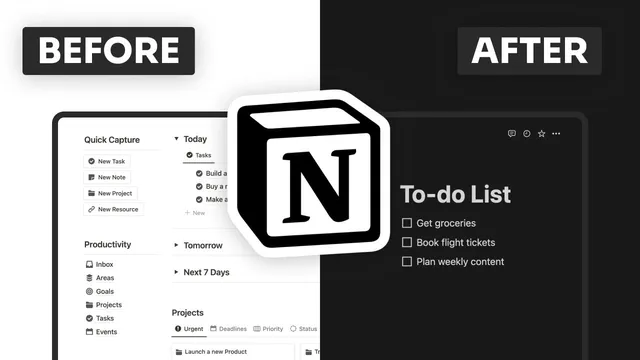
Notion can become overwhelming as pages and templates multiply, but that clutter is often fixable with three practical changes: capture everything in one place, make key pages instantly reachable, and impose a consistent organizing framework. The biggest immediate win is a “brain dump” page—a blank slate for thoughts, errands, and ideas—so the workspace doesn’t force constant decisions in the moment. Instead of letting new ideas sprawl across projects and databases, users create a dedicated Notion page named “brain dump,” give it a recognizable icon, and pin it to favorites for quick sidebar access. During the day, anything can be added from a phone; in the evening, the page is reviewed on a desktop to categorize items and decide next steps. Letting ideas “marinate” before acting helps separate true priorities from distractions.
The second lever is faster navigation. When Notion holds many pages, finding the right one can turn into a time sink—especially with app load times. Homescreen widgets reduce that friction by turning frequently used pages into one-tap launch points. On iPad, this means pressing and holding the screen, using the plus button to search for Notion, adding a small widget, and placing it on the home screen. The widget can be edited to select a specific workspace and page; if the correct page is hard to pick, opening the page in Notion and then searching for the widget name can surface it at the top. Related pages can be stacked (for example, finance-related items like budget and investments) so users scroll through a compact set of options. The same approach works on phones, and with the latest macOS update, Notion widgets can also be added to a Mac desktop—right-clicking the widget can open the chosen page in a browser, with settings adjustable so it always opens in the desktop app.
The third fix targets the root cause of overwhelm: inconsistent organization. Rather than building a system from scratch, the guidance is to start with a proven method and tailor it. The recommended framework is PARA from Tiago Forte, which organizes information into Projects, Areas, Resources, and Archive. As Notion grows, this structure helps clarify where different pieces of information belong, improving both capture and retrieval. The result is less mental load: fewer decisions about where something should go, and quicker access to what matters when it’s time to act. Together, the brain dump page, widget-based access, and PARA-style structure aim to keep Notion usable as it scales—turning a sprawling workspace into a system that supports productivity instead of draining attention.
Cornell Notes
Overwhelm in Notion often comes from too many pages and unclear structure. A “brain dump” page acts as a single capture location for thoughts and errands, letting users review and categorize later instead of deciding immediately. Homescreen widgets then reduce navigation friction by turning favorite Notion pages into one-tap access points, including stacked widgets for related items. Finally, a consistent organization system—PARA (Projects, Areas, Resources, Archive) from Tiago Forte—provides a clear structure for storing and retrieving information as the workspace grows. The combined effect is faster capture, easier access, and fewer decisions, which makes Notion feel manageable even as it expands.
Why create a “brain dump” page instead of adding new ideas directly into existing projects or databases?
How do Notion widgets reduce overwhelm for users with many pages?
What’s the practical difference between using widgets on iPad/phone versus on macOS?
What is the PARA method, and how does it help when Notion information grows?
How does the combination of brain dump + widgets + PARA change daily workflow?
Review Questions
- What steps turn a brain dump page into a daily system rather than a permanent junk drawer?
- How would you set up and stack widgets for a group of related Notion pages, and why does stacking matter?
- How does PARA’s four-part structure (Projects, Areas, Resources, Archive) reduce confusion compared with ad hoc organization?
Key Points
- 1
Create a dedicated “brain dump” page in Notion to capture thoughts and errands quickly without deciding where they belong immediately.
- 2
Pin the brain dump page to favorites so it’s reachable from the sidebar and usable throughout the day, including from a phone.
- 3
Review the brain dump page in the evening to categorize items and decide next steps, allowing ideas time to settle.
- 4
Add Notion homescreen widgets to turn frequently used pages into one-tap access points and reduce navigation friction.
- 5
Use stacked widgets for related pages (such as finance items) so multiple destinations fit into a compact interface.
- 6
Adopt a consistent organization framework—PARA (Projects, Areas, Resources, Archive)—to keep information placement and retrieval predictable as Notion grows.